shadowywarrior21
Members
-
Joined
-
Last visited
Everything posted by shadowywarrior21
-
.thumb.png.b9e18d9931090871b064059f2c315cf8.png) Shouldn't be an issue, I already copied over all the update files to the mod folder from this update. I remove the mod and everything goes back to working fine, so I think it's a incompatibility issue with something else I have installed, possibly.
Shouldn't be an issue, I already copied over all the update files to the mod folder from this update. I remove the mod and everything goes back to working fine, so I think it's a incompatibility issue with something else I have installed, possibly.- 705 comments
- 24 reviews
-
I have the newest version and Im talking about any of the police station garages where you select your cars
- 705 comments
- 24 reviews
-
Not sure why, but I go to enter the station and I get teleported underground and fall until I get placed on the surface above. Also when I try to enter the garage my game just crashes to black screen. Haven't really got past that point so cant comment on other things
- 705 comments
- 24 reviews
-
Could very well possibly be a callout pack you have installed. Would check the Ini. and files to see if there's any specific callouts that use that vehicle as a suspect. If not could just be a wonky bug, but I would have no idea about that at all. hope this helps
-
.thumb.png.b11be8a4080ca8803ea924dd1f37ca7d.png) Really great quality car pack! The interiors look good, the meta's work perfectly and so far haven't had any issues with the cars. The only issue is that on top of the 09 charger's black livery, there are an assortment of shapes that are very visible in the sunlight. Not sure if it's a model or livery issue though. Other than that great job!!
Really great quality car pack! The interiors look good, the meta's work perfectly and so far haven't had any issues with the cars. The only issue is that on top of the 09 charger's black livery, there are an assortment of shapes that are very visible in the sunlight. Not sure if it's a model or livery issue though. Other than that great job!!- 50 comments
- 2 reviews
-
 I have the mod loaded but for some reason the menu wont open, and the add-on map won't show the icon on the map. I installed it by following the read me's and when I start it up the mod doesn't ask me to accept the terms and stuff that should be there. What am I doing wrong here?
- 503 comments
- 33 reviews
-
 I had to uninstall it because it would crash my game like 2-5 seconds after the beep and would put me back to my desktop. I would love to do this as it would add so much more realism but unfortunately I can't =(
- 168 comments
- 36 reviews
-
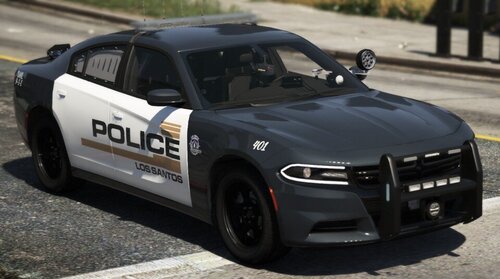 I tried to install them but The vehicles keep the same texture as before. I renamed them to the ones in the files and then replaced them but when I went into game the car skin was glitchy even after deleting the one that came with the car. Am I missing something?
- 17 comments
- 3 reviews
-
-

- 1
-
-
-
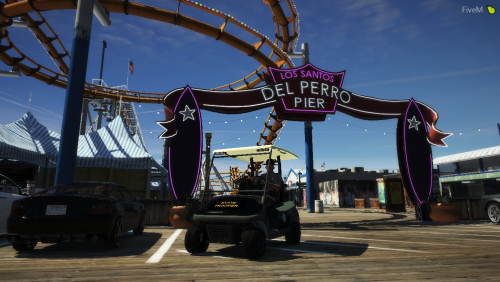 Can you possibly add a lore-friendly skin for the cart? I'd love to have it as a add-on for shits and giggles but I don't know how to make skins =( Thanks in advance!
- 10 comments
- 1 review
-
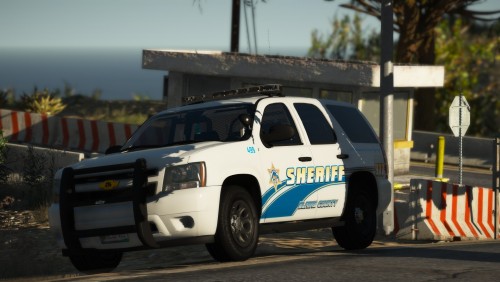 Which Vehicle.Meta is suppose to be used? I can see that there is 2 meta's and I want to make sure I'm using the right one. It took me a minute to realize it said "Custom"
- 9 comments
- 14 reviews
-
 What meta works best for police3? I tried using Hurk's 2016 FPIU lines, but the car still flips.
- 27 comments
- 15 reviews
-
 Do they use default Meta lines, or is there customs ones that I'm just missing in the file?
- 210 comments
- 59 reviews
-
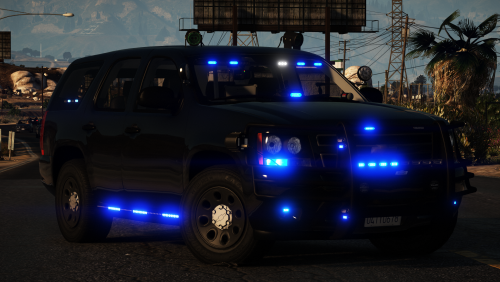 Can this Vehicle fit other textures? I'm trying to turn it into a FBI Police car with this pack along with other vehicles.
- 33 comments
- 34 reviews
-
-
- 1
-
-
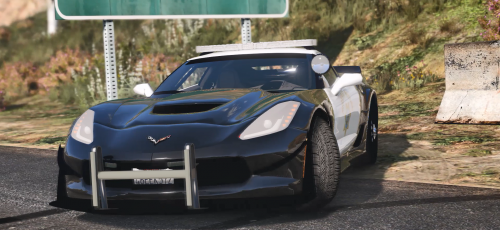 when you use it, the model disappears when you gain distance from it. It can become a nuisance when you are in a pursuit and you see the other police just floating in the air.
 -
 When ever I press F8 to save the load out, it freezes than crashes my game. It was working before but now it won't stop crashing lspdfr
- 58 comments
- 12 reviews
-
 The car just wouldn't stop flipping, even with the meta and changing the name to gresely. The car just wouldn't stop flipping, even with the meta and changing the name to gresely.
- 157 comments
- 28 reviews
-
For some reason my GTA will not load at all, not even through steam. All I see when I try to open RAGE is that the game is running on steam. Anybody know why its doing this?
.thumb.png.b9e18d9931090871b064059f2c315cf8.png)
.thumb.png.b11be8a4080ca8803ea924dd1f37ca7d.png)