UnknownBastion
Community Team
-
Joined
-
Last visited
Everything posted by UnknownBastion
-
I appreciate your apology. Best practice is to simply post your issue in the appropriate support forum and wait patiently for a response from someone. Forum responses may take time, so it might be best to either a) go play another game for the time being or b) attempt a few Google searches to fix your issue. Google is one of the sources where I learned most of my knowledge from. Hope this helps!
-
Try using Resource Adjuster.
-
Send the updated log.
-
Re-install it anyways.
-
This may be Windows Defender doing that. You need to allow it.
-
Nope. It is how it is commonly done.
-
Rename mods to _mods and see if it crashes.
-
This is how it works with executables. Anytime changes are made, Microsoft over-reacts and flags it. This happens quite often. It's a false positive and won't harm you in any way. Locking this now as it is pointless to argue over something definitively proven to be safe. If you wish to discuss it further, you can always PM me.
-
Do the following steps:
-
Make sure to actually re-install the links that cherryaerie linked above. You may also want to remove your .NET Framework and re-install them. If that doesnt work, try below: If all of that does not work, attempt a clean re-install of your GPU driver using DDU. (This information comes from the RPH Discord.)
-
Try adding the Main Directory to the exceptions list for your anti-virus. Then re-install EUP Menu and restart PC. Then test again.
-
Try going into the lspdfr.ini and changing the following to reflect below. Then try that specific callout again. AmbientSpawn.MaxCopsInArea = 0
-
You should be able to copy the contents of each one and paste them in. For editing meta files, please see this video. While the video is for the vehicles.meta, the same basic principle applies to almost every other meta out there.
-
Send the RPH Crash Log. It's a txt file found in the Main Directory called RagePluginHook or RagePluginHook.log. It is NOT in the Logs folder.
-
I want you to screenshot the Plugins folder and not the log. You can simply upload the log file. Not a screenshot of it. Taking Screenshots:
-
You can report the file itself on the bottom left of the download description. Then select the "This is okay, but I want to tell a Moderator about it" bubble. Then simply put your explanation in and hit the Submit Report button. This is the optimal way to go about an issue like this should it ever arise in the future. Hope this helps!
-
In the future, a full log file would be best. I will wait for that screenshot as it may be crucial.
-
Please keep all posts to English as per the Site Guidelines. Please post your RPH Crash Log. It's a txt file in the Main Directory called either RagePluginHook or RagePluginHook.log. It is NOT in your Logs folder. This topic has been moved to the appropriate forum. Please post in the correct location in the future.
-
If you are still experiencing the SlimDX error, please see Page 18 of the RPH FAQ.
-
Rename mods to _mods and try again.
-
Rename mods to _mods and try again. Your topic has been moved to GTA V Support, this is not LSPDFR related. Please post in the correct location in the future.
-
Please refrain from DMing multiple members asking for support as it violates our Site Guidelines. Additionally, please only create one post and patiently wait for a response. Creating duplicate posts is also a violation of the Site Guidelines. I have trashed your other topic. As per your issue, please send an updated log.
-
Screenshot the Plugins folder for me and send the actual crash log file. It's a txt file in the Main Directory either called RagePluginHook or RagePluginHook.log. It is NOT in the Logs folder. Your topic has been moved to GTA V Support, this is not LSPDFR related. Please post in the correct location in the future.
-
Is this a custom vehicle? And if so, did you install metas with it? Your topic has been moved to GTA V Support, this is not LSPDFR related. Please post in the correct location in the future.
-
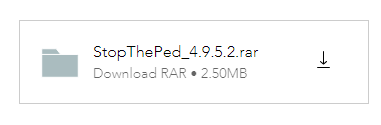
I suggest you run an ad-blocker on that site. The genuine download button is in the image below.