




Yasd
Community Team
-
Joined
-
Last visited
Everything posted by Yasd
-
It’s a mods folder issue, disable the folder by renaming it to _mods
-
This topic has been moved to the appropriate forum. Please post in the correct location in the future.
-
Replace SHVDN with the nightly version: https://github.com/scripthookvdotnet/scripthookvdotnet-nightly/releases/download/v3.6.0-nightly.31/ScriptHookVDotNet-v3.6.0-nightly.31.zip
-
Yes
-
He said: Which means it’s not an issue in the mods folder. Do you use LML or graphic mods ?
-
Update CalloutInterfaceAPI in the main gta folder. Please navigate to your GTAV/lspdfr/lspdfr.ini and set AmbientSpawn.DisableRandomUnits = true
-
Post the Ragepluginhook.log from the main gta folder, if one gets generated. Can you play gta on its own?
-
 What an awesome plugin! Really recommended for roleplay, since you have an extern fullscreen police computer, and very easy to handle!
- 217 comments
- 22 reviews
-
-

- 1
-
-
Hello, I guess you're talking about the "coroner", pls post the Ragepluginhook.log from the main gta folder & post a screenshot of the blip + the vehicle, like a fullscreen one.
-
there is no lspdfr crash in the log.
-
after a gta update you need to update your mods folder, basically you need to start a new mods folder.
-
You have an error in file:lspdfr/data/outfits.xml The 'Variation' start tag on line 71 position 26 does not match the end tag of 'Variations'. Line 104, position 5.
-
its a mods folder issue or a problem with the graphics mod.
-
Post the Ragepluginhook.log from the main gta folder.
-
Update RageNativeUI in the main gta folder.
-
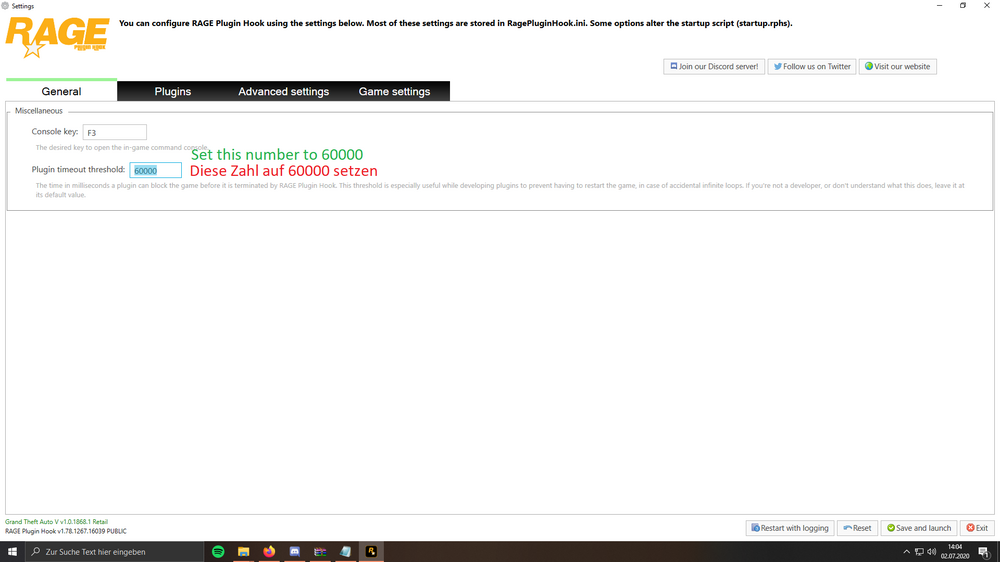
update lspdfr with rph and gta 5. additionally set your ragepluginhook loading time from 6000 to 60000.
-
Might be interesting for the developer what caused it If you can reproduce it
-
Remove Calloutinterface from gta/plugins, it’s already correctly installed under gtav/plugins/lspdfr
-
Post the Ragepluginhook.log from the main gta folder, attach it as a file, no screenshot or just a part of the log…
-
Remove your latest changes or start a new mods folder
-
post the whole log pls
-
wait... you removed the dlcpacks from the mods folder, then it worked, but now it doesnt? or have you readded the dlc packs and now it crashes again?
-
For testing you can. i quickly ping @HeyPalu, is this a solveable problem by the user?
-
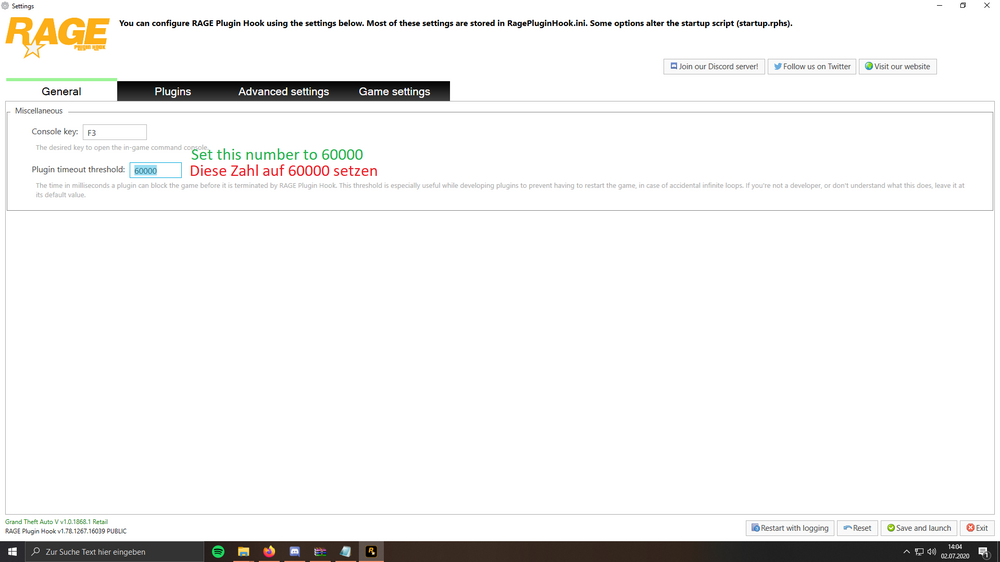
set your rph loading time to 60000.
-
First try adding the whole gta folder as an exception. Then reinstall the whole lspdfr with rph and restart your pc. addotionally You should try the steps from the FAQ such as: - starting as admin - set the permissions for the gta folder - disable overlays f.e. discord, geforce etc. see the FAQ linked above.




