




Yasd
Community Team
-
Joined
-
Last visited
Everything posted by Yasd
-
im gonna try that with my police3 vehicle and let you know how the pit changes.
-
post the ragepluginhook.log from the main gta folder
-
Only LSPD First Response.dll, LSPD First Repsonse.pdp, EUPMenu.dll and .pdp belong in GTAV/Plugins RagenNativeUI belongs in the main gta folder, but make sure you have the latest one from here (otherwise crash): https://github.com/alexguirre/RAGENativeUI/releases Do not make copies of Plugins, delete them. The rest belongs in GTAV/Plugins/LSPDFR
-
https://github.com/alexguirre/RAGENativeUI/issues/128
-
the thing is if you have an addon vehicle, you need to tell gta via meta files that it is a police vehicle and can pullover other vehicles. if its a replace vehicle, that is already done. You can just add the flag FLAG_LAW_ENFORCEMENT and FLAG_EMERGENCY_SERVICE to the vehicles <flags></flags> tag in the vehicles.meta. You should be able to pull cars over then
-
is it a replace or addon vehicle? have you installed any meta files or lines? You can just add the flag FLAG_LAW_ENFORCEMENT and FLAG_EMERGENCY_SERVICE to the vehicles <flags></flags> tag in the vehicles.meta. You should be able to pull cars over then
-
you can rename the mods folder to _mods and see if eupmenu still crashes without the uniform files
-
I meant the eupmenu. So you reinstalled it and still the same?
-
https://docs.ragepluginhook.net/html/62951c37-a440-478c-b389-c471230ddfc5.htm
-
So you have a desktop crash? After what? After you installed some mods? At which point is it crashing? Is it crashing in the loading screen?
-
you want to uninstall lspdfr?
-
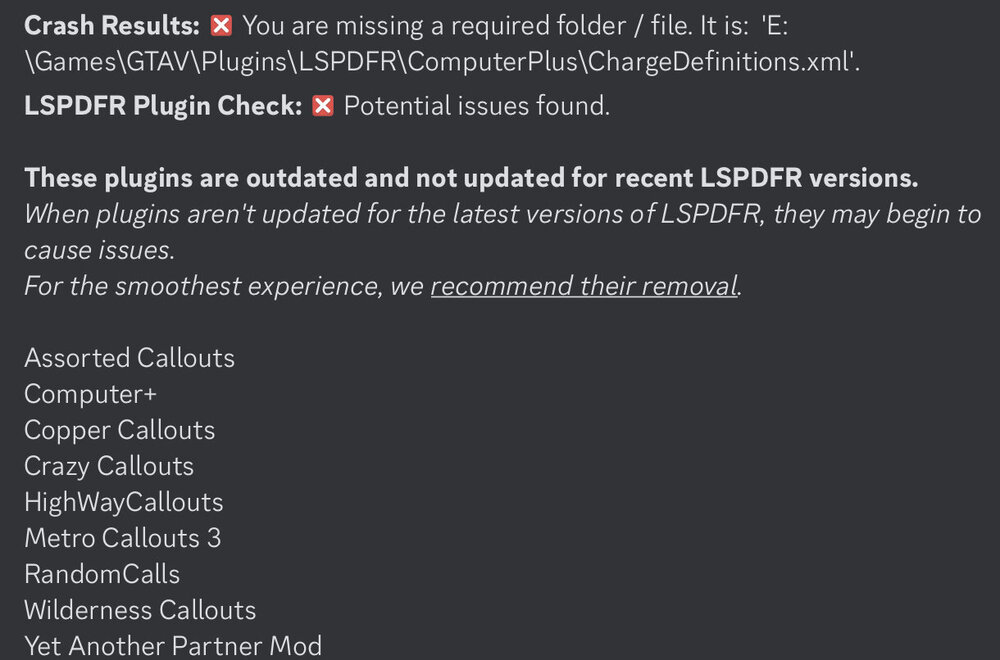
This is an automatic log reader from the LSPDFR-TS discord.
-
Pls try to reinstall the EUP files, and click replace if asked.
-
what i meant was if you changed the keybinds of EUP. f.e. to open EUPMenu, you need to press a key and that key is changeable in the settings file. my guess was that you changed sth in this settings file which caused the error.
-
have you changed keybinds with eup? have you used insert somewhere? there seems to be the problem.
-
The message "press E to pullover" is from LSPDFR. It doesn't know if you're using ELS or not. If you're using ELS, you have to press J three times to activate Stage 3.
-
no lspdfr crash in the log. only eup crash
-
Command line option "nodx" is specified twice. Please remove one. open commandline.txt from the main gta folder and delete everything out of there, save and there you go.
-
no, i meant the ragepluginhook.log from the main gta folder
-
can you post the ragepluginhook.log from the main gta folder?
-
this time the error message is there. but still no error i can find for a fast solution. you can remove half of the plugins inside of gtav/plugins/lspdfr and try again
-
i cannot find the error message "Caused the game to freeze" other than that i cannot find any other errors. you have many plugins and callouts installed, which can cause the game to freeze. if you want, you can start your game again and post the log again.
-
were already in the right forum section.
-
then post the ragepluginhook.log from the main gta folder pls 🙂
-
warscheinlich liegt es nur an ragenativeui, installiert im hautordner, das du aktualisieren musst: https://github.com/alexguirre/RAGENativeUI/releases ansonsten poste dein ragepluginhook.log aus dem gta hauptordner.



