




Yasd
Community Team
-
Joined
-
Last visited
Everything posted by Yasd
-
Could not load file or assembly 'Newtonsoft.Json Install newtonsoft.json in the main gta folder Could not load file or assembly 'Newtonsoft.Json Install newtonsoft.json in the main gta folder, it's from narcos
-
I don't know, you can download from here : https://de.gta5-mods.com/tools/openiv Gta5mods is a trusted site
-
Chill callouts is requiring traffic policer install that: https://github.com/Aschtar/Traffic-Policer/releases/download/LSPDFR/Traffic-Policer.rar Error while loading plugin D:\rocketleague\XboxGames\Grand Theft Auto V\Plugins\RealLifeMod.dll It maybe belong in gtav/plugins/lspdfr
-
Kannst du gta alleine spielen? Probiere den gta Ordner als Erlaubnis in deinem antivirenprogramm einzustellen Wenn es nicht funktioniert, Nenne den Mods Ordner in _mods um
-
Good to know: scripthookv loads.asi files, and with every gta update, you'll need a updated scripthookv.
-
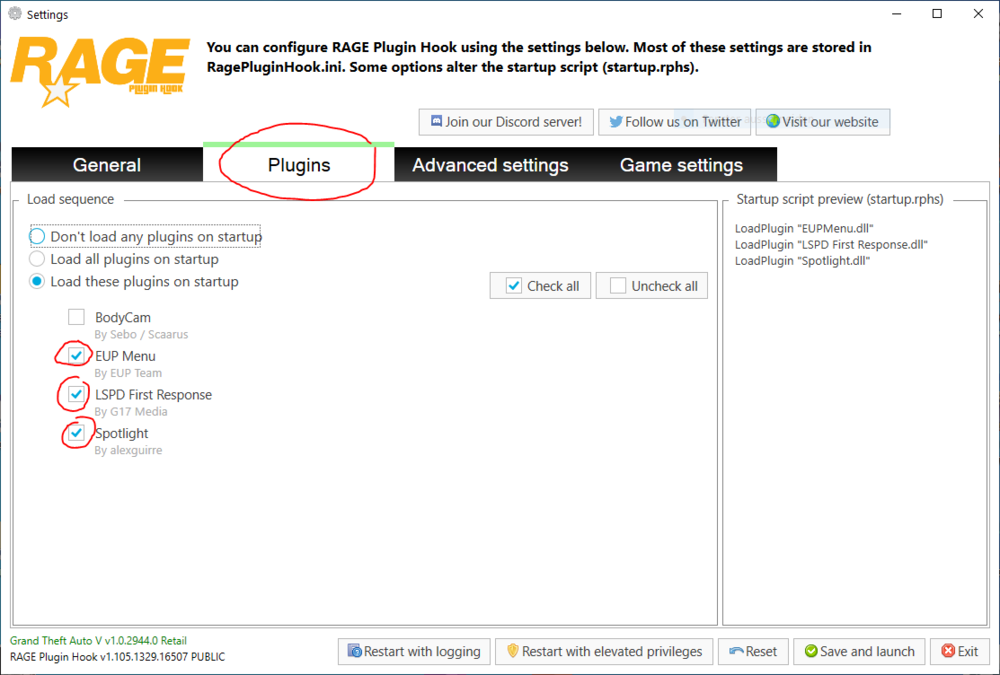
To add that, you can get plugins automatically loaded when starting rph (= ragepluginhook). start rph, and hold shift till the window pops up. then you go to plugins and hook the plugins, that you want to autoload. then click on save & launch.
-
Make sure to have the newest ScripthookV: http://www.dev-c.com/gtav/scripthookv
-
Error while loading plugin D:\SteamLibrary\steamapps\common\Grand Theft Auto V\Plugins\SuperCallouts.dll install it in GTAV/Plugins/LSPDFR according to your log you have played for 20 min, i cannot see a crash as soon as you go on duty. pls start your game again, go on duty and post the log again if it crashes.
-
can you play gta on its own?
-
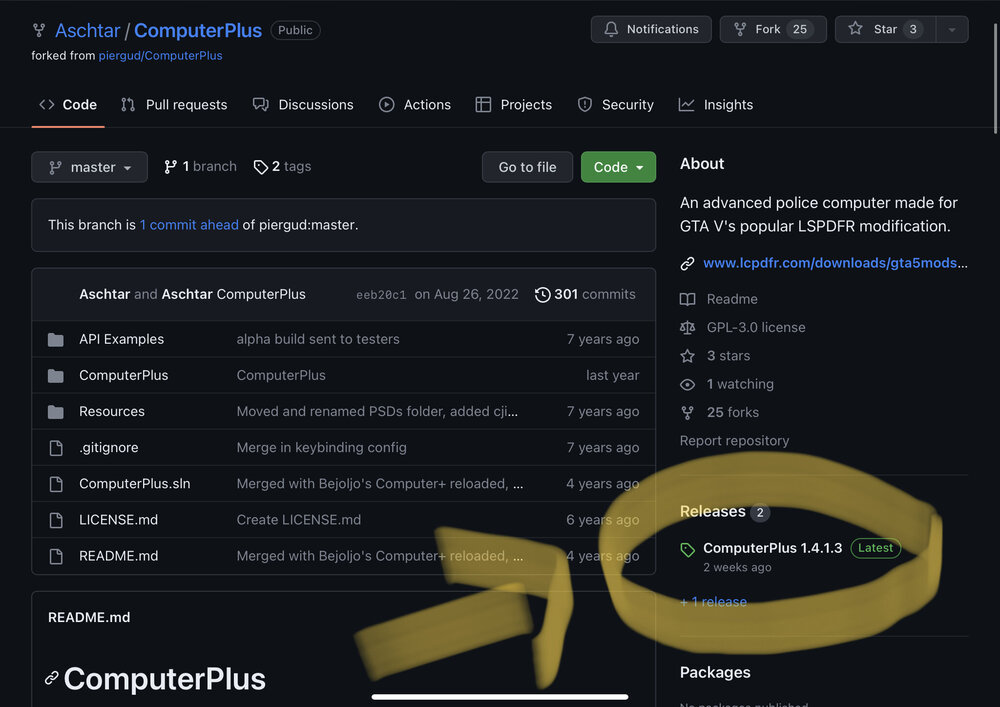
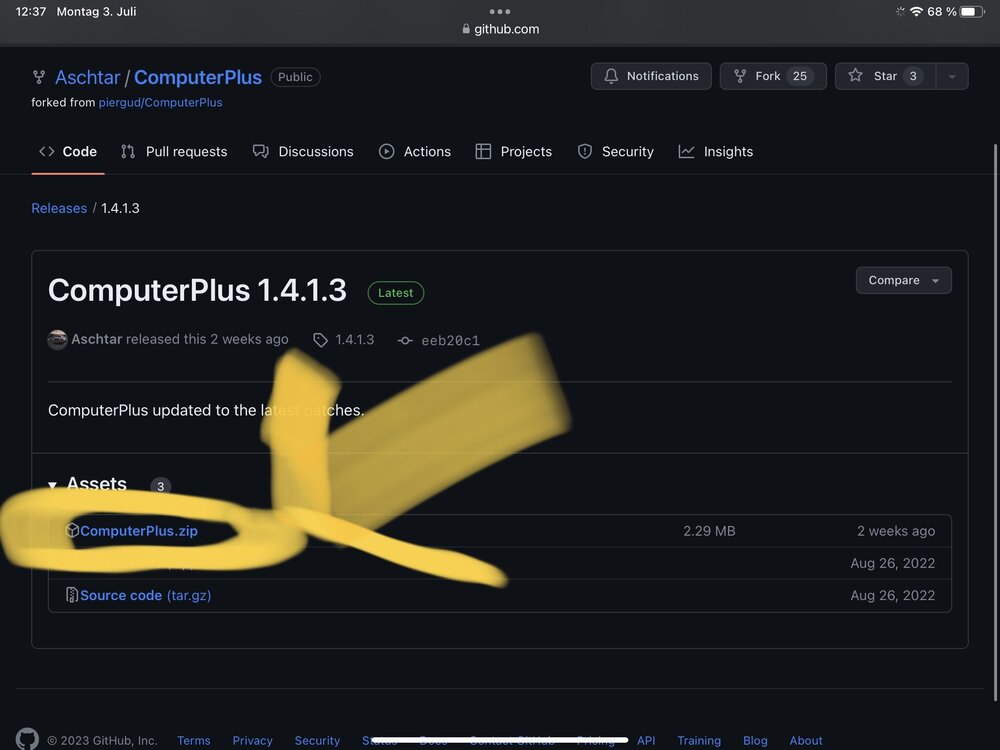
Sorry, to download the file you have to click on the right side of the site: Then you click on:
-
Please install ragenativeui in the main gta folder : https://github.com/alexguirre/RAGENativeUI
-
https://docs.google.com/document/d/1Hp2Qco0qsgKfohkhjYWUxTr2OF7NSCkp8uSZwWz6rRQ/edit?pli=1 Check out: I keep getting the “Insufficient Permissions or Bad Antivirus” message. What do I do?
-
Update LSPD First Response.dll and.pdb in GTAV/Plugins You still have the previous version.
-
Update ragenativeui in the main gta folder : https://github.com/alexguirre/RAGENativeUI/releases Error while hiding ambient game blips Disable ambient events, by adding those lines to your lspdfr.ini: Main.DisableGameBlipHiding = true
-
Add the gta folder as an exception in your antivirus
-
Post the ragepluginhook.log from the main gta folder
-
Hi! 1. Please update LSPD First Response.dll and .pdb in GTAV/Plugins. You still have the previous version. 2. Error while hiding ambient game blips: Disable ambient events, by adding those lines to your lspdfr.ini: Main.DisableGameBlipHiding = true 3. Make sure, that you have the newest RageNativeUI in the main gta folder. You can download from here: https://github.com/alexguirre/RAGENativeUI/releases
-
Hi! I'm Chris. Please post the Ragepluginhook.log from the main gta folder, its a text file.
-
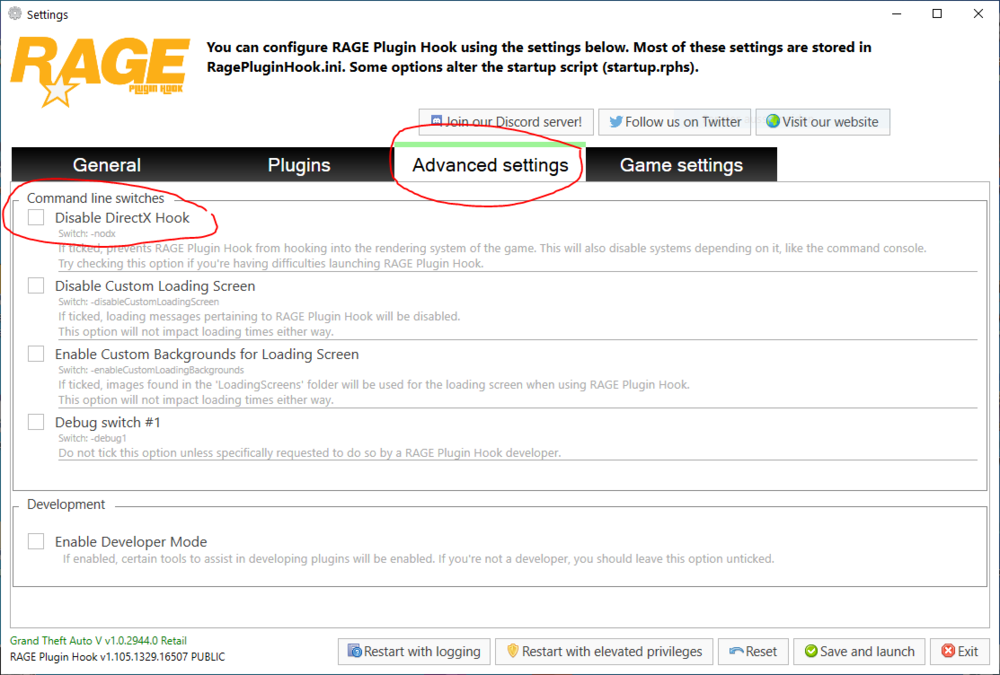
1. Start Ragepluginhook, and hold shift till the window pops up. 2. Go to "Advanced settings" 3. Unhook/ Untick the option "Disable DirectX" (see screenshot) Kind regards Chris 🙂
-
Ok. pls tell me if it will fix the issue 👍🏽
-
Command line option -nodx is specified. Remove that hook in rph! Kind regards Chris 🙂
-
Lspdfr gets loaded multiple times. Make sure its loaded only once.
-
Yes. You open the downloaded file, there you see files such as lspdfr, plugins, Albo.common etc. You mark all the files and drag them into the main gta folder.
-
Error while hiding ambient game blips Disable ambient events, by adding those lines to your lspdfr.ini: Main.DisableGameBlipHiding = true You are using some outdated plugins from Albo. However, they were updated by an user named Aschtar, I suggest updating: https://github.com/Aschtar
-
Do a right click on the ragepluginhook, that you have just started. Choose open file path (should be somewhere on the top). If it then jumps into c:/system32, then it's wrong installed. Other than that you can go to your gta folder and open ragepluginhook from there.




