




Yasd
Community Team
-
Joined
-
Last visited
Everything posted by Yasd
-
Crash: attempted to write or read memory: Update ragenativeui in the main gta folder : https://github.com/alexguirre/RAGENativeUI/releases Use the faq: https://docs.google.com/document/d/1Hp2Qco0qsgKfohkhjYWUxTr2OF7NSCkp8uSZwWz6rRQ/edit?pli=1#heading=h.mg0mifebjf6 Add the whole gta folder as an exception in your antivirus and make sure the windows user has all permissions to access the files (faq) Otherwise your mods could cause this, rename mods folder to _mods and vfs.dll to _vfs.dll ( LML)
-
Replace it with the default files or reinstall itThen some vehicles or the dlclist or some files in openiv causes those crashes, revert the changes or start againI love when the game is crushing 😍 Oh you mean crashing? Post the ragepluginhook.log from the main gta folder What have you done before the game crashed?Renaming the mods folder means disabling it from loading. This means sth in the mods folder is causing it to crash. Revert your last changes or start from the bottom.Rename mods folder to _modsPost the ragepluginhook.log from the main gta folderPost a screenshot of the main gta folderI would say the most stable are the recent updated ones like :Then you might have a problem with the mods folder. Can you verify that the installed cars and eup clothes are in the mods folder? Have you updated the mods folder maybe so the files got overwritten? Or are you just missing scritphookv/ openiv.asi?Error while hiding ambient game blips Disable ambient events, by adding those lines to your lspdfr.ini: Main.DisableGameBlipHiding = trueInstall ragenativeui in the main gta folder: https://github.com/alexguirre/RAGENativeUI/releasesOk, just a little knowledge for you: ScripthookV loads .asi files ScripthookVDotNet loads files in a scripts folder and in your case is required by a plugin. Download here and drag it in the main gta folder: https://github.com/scripthookvdotnet/scripthookvdotnet/releasesException message: Could not load file or assembly 'ScriptHookVDotNet3 Do you have ScriptHookVDotNet, ScriptHookVDotNet2 and ScriptHookVDotNet3 installed? check that.
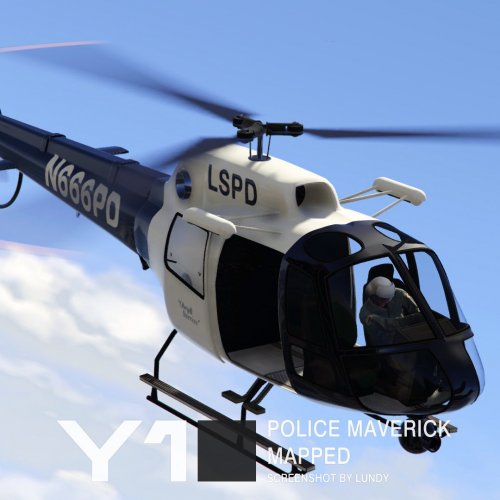 Awesome! Searched for an addon polmav for some time, to add a news helicopter for the NewsHeli Plugin from albo! 🙂
- 1 comment
- 1 review
Bro you need to chill I'm not fulltime on the forum, you posted 45min ago 😆 The Following Plugins Need To Be Updated (1): GrammarPolice, Installed: 1.6.0.4 - Latest: 1.7.2 ---------- The Following Plugins Need To Be Removed (1): RegularCallouts The crash is a general crash, doesnt specify anything.Reading content from file:C:/Program Files (x86)/Steam/steamapps/common/Grand Theft Auto V/lspdfr/data/custom/agency_eup.xml Failed to load backup data: System.Xml.XmlException: Name cannot begin with the '<' character, hexadecimal value 0x3C. Line 505, position 6.Only when installing ultimatebackup/ stopthepedException message: Could not find file 'C:\Program Files (x86)\Steam\steamapps\common\Grand Theft Auto V\Plugins\LSPDFR\UltimateBackup\DefaultRegions.xml'. Reinstall ultimatebackup youre missing files, but make sure you have the newest ragenativeui in the main gta folderDo you have a legal version of gta 5? Have you bought gta 5?Post the ragepluginhook.log from the main gta folderCould not load file or assembly 'RAGENativeUI Install ragenativeui in the main gta folder: https://github.com/alexguirre/RAGENativeUI/releases




