


Creators: Due to background reprocessing of files, approvals and file security checks may be delayed. Thanks for your patience.

Jetski343
Members
-
Joined
-
Last visited
Everything posted by Jetski343
-
-
-
 WOW! Very nice work Foward! I'm impressed how far you've come so quickly! Keep up the good work, you have a great future in modding from what I've seen!
 -
-
Great job! I like it! It is very high poly, On future models you could try using deco's CVPI, it is VERY Low poly. At first I didn't think Id like it but I tried it out and it's REALLY nice! - '?do=embed' frameborder='0' data-embedContent>> But anyway, nice job! Keep it up!
-
 GREAT JOB Foward!!
 -
 Awesome work!!
 -
-
-
mediafire.com works well for that.
-
-
WOW!!! Amazing job! Thank You for your contributions to the community!
-
-
 This would be cool...just saying.... Nice job!
 -
-
This should help-
-
-
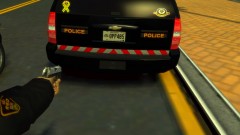 Looks great! Did you happen to make a timelaspe of making it?
 -
-
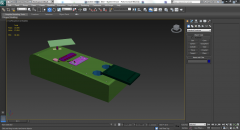 Nice work!
 -
-
Nice Work hlsavior! I hope that someday people will stop fighting and arguing on every file/picture you post. But nice job, keep up the good work!
- 41 comments
- 29 reviews
-
-
Stop arguing and enjoy the model, if you don't like it, don't use it, no need to get into "fights" over this. Constructive criticism is good, but if RobertB want to throw models together real quick, it's his own choice. Not everyone is an expert and knows how to make custom models and parts from scratch, I'm sure Hilth0, KevinDV, EVI, NickieB; started from where RobertB is now, you have to start somewhere and you don't become and expert in one day.
- 28 comments
- 19 reviews
-
-

- 3
-
-
![[REL] 2008 Chevy Tahoe "LCPD"](//s3-gallery.int-cdn.lcpdfrusercontent.com/gallery/album_1914/sml_gallery_3938_1914_306717.png) Yes you had to do it your self or yes it was already mapped?
Yes you had to do it your self or yes it was already mapped?

![[REL] 2008 Chevy Tahoe "LCPD"](http://s3-gallery.int-cdn.lcpdfrusercontent.com/gallery/album_1914/sml_gallery_3938_1914_306717.png)