


Creators: Due to background reprocessing of files, approvals and file security checks may be delayed. Thanks for your patience.

Jetski343
Members
-
Joined
-
Last visited
Everything posted by Jetski343
-
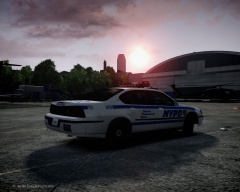 Great Shot!
 -
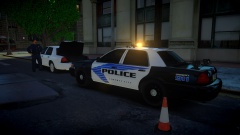 Best graphics of the year award goes too....haha great shot, cars lookin' good!
 -
 Thanks, Glad you like it! It will be released, thanks!
 -
From the album: Jetski343's Modifications
Ford F-250 POV/Unmarked. -WIP- F-250 Model by PFCBAREFOOT All Whelen Equiment Lighting Equiment- Whelen Talons -BxBuggs123 Whelen Dominators -Pengi Custom Whelen Strobes in headlights, foglights and tail lights- Mapped By Jetski343 -
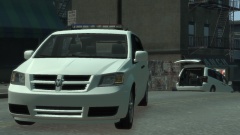 Thanks Foward!
 -
From the album: Jetski343's Modifications
-
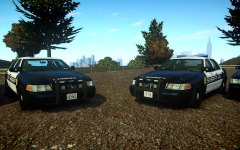 The lights mounted on the pushbar are sooooo nice!! Keep up the good work!
 -
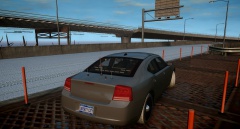 Awesome, looks nice!
 -
Just got it! Thanks for letting us know!
-
What CVPI Model are you using?
-
This has a different lightbar but it's Portland... http://gtapolicemods.com/downloads.php?do=file&id=1915
-
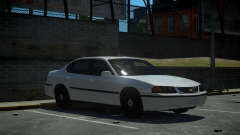 AWWWWW YEEEAAAAA!!!!!
 -
Happy Birthday to one of the best Moderators out there! Have a good day SharpCommand!
-
-
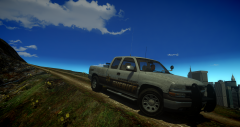 Looks great Chippy! What inner light-bar (front) did you use?
 -
-
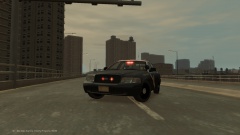
From the album: Jetski343's Modifications
Not for Release Lighting- -Whelen Talon -2 par 32's - Axixtech Commander in the rear - Wig-Wag's and Tail light/Reverse Light Strobes Assembled by Jetski343 Using CJ24's CVPI -
 This model/any Explorer I have will NOT be released on any site anywhere. They will be for personal use ONLY. If you have futher comments, complaints or concerns, please take them up via PM with the creators of the model.
 -
It's from THED, you can contact him if you would like more info on it, but from who I've talked to about it, it's legit :)
-
Thanks Foward, it was a nice break!
-
From the album: Jetski343's Modifications
Model from NFS, Converted To GTA IV By Evanscornelius Modified To Police Version By THED Template by KevinDV -
-
Very nice job! Impressive editing! Do you possibly have a link to the chase/radio traffic you used?I had to look it up but there's a cool story behind it!

