


Creators: Due to background reprocessing of files, approvals and file security checks may be delayed. Thanks for your patience.
.png.d61024484253d26d8925488c5e9f5457.png)
NopeBye
Members
-
Joined
-
Last visited
Everything posted by NopeBye
-
Description: This topic is going to explain how to put multiple sirens in GTA V and have them work with ELS. I will not be doing on without ELS as its pretty straight forward. Hashtag List: Siren Hashes (for Vehicles.txt How to in steps: Step 1: Find the sirens you want, keep in mind you can only have around 3-4 different sirens due to size limitation in vehicles.awc. (I use 4 consisting of a Highway patrol siren, Ambulance siren, Fire siren and the main siren.) Step 2: Put the sirens into the vehicles.awc and expreiment with how many you can have with the limitation in mind. Also use the hashtag list to line it up with the audio string of what siren youre putting in. I also highly reccomend having this deadsilent mod that removes some audios that are useless. Dead air.zip Step 3: Select the ELS vehicles you want and decide what siren you want to use with it corresponding to the hashtag list. Step 4: Open the ELS/.xml file for the vehicle and scroll down to <SOUNDS> and select the tone that you are replacing e.g. <MainHorn> and look for where it says AudioString on that line. Now go onto the hashtag list and match it up to what the hashtag was e.g. (for the mainhorn if youre replacing the fire truck horn) VEHICLES_HORNS_FIRETRUCK_WARNING. Step 5: Continue replacing the audiostrings while looking at the Hashtag and Audiostring list. Step 6: Hop into game and see if it works, if it doesnt work then look at the files and make sure you did everything right, if you can't figure it out, comment on this topic for support. Step 7: If you get it working have fun having multiple sirens while playing LSPDFR. 😀 Video: Credits: @NopeBye for making this topic and soon to be video. @tehe for helping with getting links. @GravelRoadCop for making the hashtag list in Modern Sirens Pack. @TheHC09 for finding the audio strings for ELS. (topic here)
-
 Took me a long time to find all the different tones due to the NYPD liking to spam the different tones so DO NOT REUPLOAD ANYWHERE (I dont care if you mix the siren with others due to some of the tones being a WIP) Enjoy these sirens. Here are a couple demo videos I did. (I wont be linking all the videos that I got the tones from due to it being from a lot of different videos). Version 2.0: NYPD Rumbler: NYPD Mixed: NYPD Non-Rumbler: How to put multiple sirens in GTA V and have them work with ELS
- 12 comments
- 2 reviews
-
-

- 5
-
-
-
 The default sirens ELS audio string is VEHICLES_HORNS_SIREN_1 no PA20. Im also going to upload the older version, with my more recently released sirens theres been problems with it doing this. Trying to find a fix but the older version should do for now.
- 18 comments
- 4 reviews
-
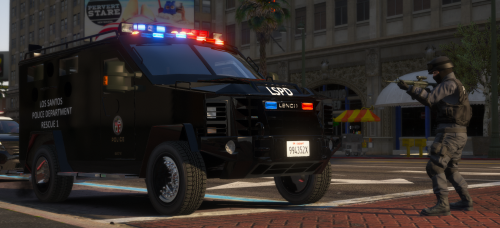 I was planning on making one but couldnt find a real life resemblance. I dont believe that the CHP has a bearcat.
 -
Saw Officer Tej upload the bearcat and remembered watching Jay Leno's garage and revisited the episode and made a skin by judging off the video. DO NOT REUPLOAD UNLESS YOU HAVE PERMISSION FROM ME Bearcat Model:
-
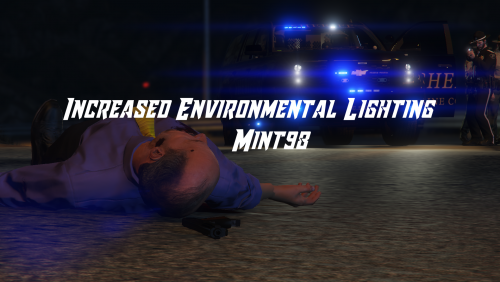 Does exactly what the title does and I would definitly reccomend putting in and at least trying. 5/5 for this.
- 24 comments
- 9 reviews
-
I literlary was just looking up this the other day, thanks for uploading this. Will rate when I get into game with it.
- 24 comments
- 9 reviews
-
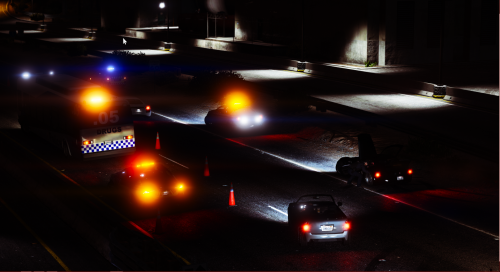 Rename the 0x0EA to 0x0EA58C7C and the 0x0d32 to 0x0D329446 . I will be uploading a pack soon that includes all my currently released sirens and more, I will also be taking suggestions for the pack.
- 29 comments
- 1 review
-
-
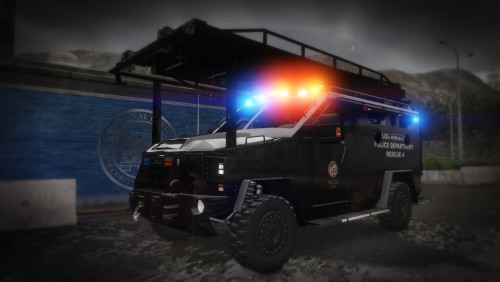 Is there a possibility that you could make a version that has the arjent and all the lights like the one from this video?
- 61 comments
- 4 reviews
-
-
- 1
-
-
-
-
Just a suggetion but you should use patchday18 or any of the newer patchdays, I use 18 because it has only one dlc vehicles.
-
Do you have advancedhook installed, thats what I had forgot to put it and it seemed to work fine afterwards.
-
-
-
-
Just looking for a tutorial on how to make ambient events in gta, or if someone could help me with doing it would be appreciated.
-
Yea you must have because I just downloaded it then and it came with it. Its called 0x0D32 something something something.
- 29 comments
- 1 review
-
-
- 1
-
-
The first siren is a wail if you watch the video, you might be talking about a different tone, do you have any video demonstating it?
- 29 comments
- 1 review
-
 Great pack would recomend with 0.4, also what graphics mods you use because your game looks amazing.
- 131 comments
- 45 reviews
-
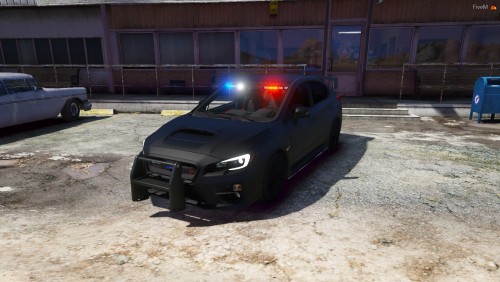 Try putting into patchday18 in your mods folder, thats where all my replacments work.
- 19 comments
- 3 reviews
-
 The manual is a siren I made its currently unreleased but probably will be in the near future, besides that the siren is @Polecat324 Authentic CHP Siren.
- 20 comments
- 1 review
-
-
- 1
-
-
 There isnt a way to get one, I made a mod where you can just replace the name with police4 and copy paste that into that carvariations file in mpchristmas2017.
- 324 comments
- 53 reviews
.thumb.png.9c912f879c47fcfec464fbb2d2d70ac8.png)

