MetCam
Members
-
Joined
-
Last visited
Everything posted by MetCam
-
-
I believe it was an issue with the models. I tried different models in the same slots and didn't have an issue.
-
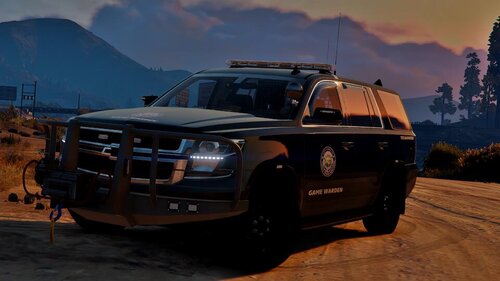
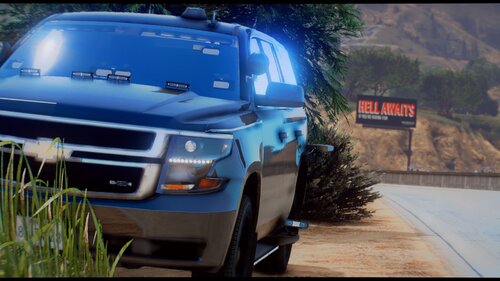 Is the model you posted different to the screenshots and GIFs? The Tahoe doesn't have the wheel arch lights in the screenshots.
- 41 comments
- 4 reviews
-
-
-
-
 Would there be a way to have the AI do this? I know it would be hard, if not impossible
- 266 comments
- 22 reviews
-
-
Are you kidding me? I've been searching for this for ages! I always hated pulling my rifle out of thin air...
- 266 comments
- 22 reviews
-
-

- 3
-
-
DOJRP have a similar script, but that's just for FiveM. I'm definitely going to be checking this out! Looks awesome!
- 266 comments
- 22 reviews
-
-
- 1
-
-
I have 1.3.0.0, and it could well be a resolution issue because some of the text goes out of the box. Thanks 😄
-
Hi everyone, I recently got ComputLite, but when I open up a ped's details, I'm unable to click on the citation and arrest report buttons. The same thing happens with trying to view owner details from the vehicle section. I don't know what's causing this because it was a simple drag and drop and I have every other plugin and asset that is needed? I hope someone here can help... Thanks 🙂
-
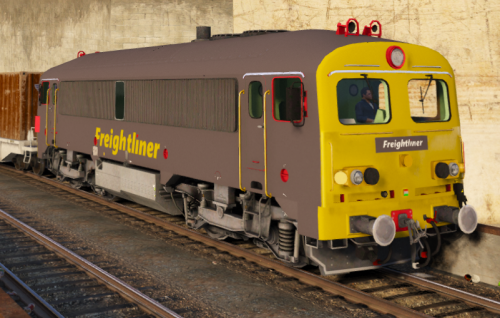 Except it does... Sorta...
 -
It kinda does, with the sloping front...
-
The first one is like a class 90.
-
-
Certain gameconfig downloads allow you to choose the traffic density, as I have 2x traffic. I believe there is a 0.5 option
-
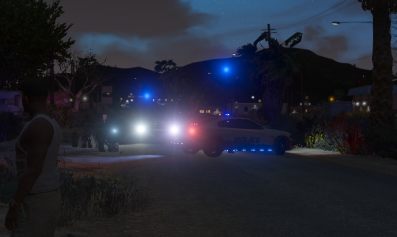
Hi everyone, I've just noticed that a couple of my police models have flashing emergency lights floating above the vehicle. I'm using ELS, but it only does it with some vehicles. If I get close enough to the car, the lights will disappear, so I'm not sure what could be causing this...? Thanks
-
Quite a lot of people have been having similar issues. I had quite a few 4k texture vehicles in my game, so I resized them to 2k and it's actually been working fine for me since. I think this is because with the 0.4 update there are a ton of AI cops on patrol so having 4k textures will just eat up your memory.
-
-
-
Shouldn't be 0.4 causing this issue as LSPDFR isn't loaded at this point... do you use a 'mods' folder?
-
Put all new files in your latest patchdayxng, for me it's patchday20ng 🙂
-
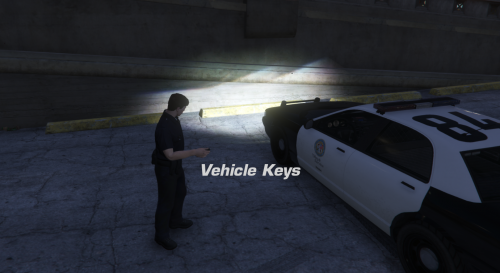 This doesn't work for me... It plays the beep sound and the headlights flash, I even get the vehicle locked notif, but it doesn't lock the car for me...
- 55 comments
- 10 reviews
-
Hi all, I'm having a weird issue with my game... In a few locations (so far I've found one in Del Perro on the freeway and 2 in Vinewood Hills), all vehicles - both my own and AI - are getting 'stuck' on the road whilst driving... There's nothing visible on the road, it's just like there's 'glue' on the road and it takes a lot of effort to back out of it once you're stuck on it, and it's pretty much impossible to carry on driving straight... Any ideas on what could be causing this because I've had a few pursuits in these locations and it's just stupid when ever car gets stuck in the same area... Thanks 🙂