Skip to content
View in the app

A better way to browse. Learn more.

LCPDFR.com

A full-screen app on your home screen with push notifications, badges and more.

To install this app on iOS and iPadOS
  1. Tap the Share icon in Safari
  2. Scroll the menu and tap Add to Home Screen.
  3. Tap Add in the top-right corner.
To install this app on Android
  1. Tap the 3-dot menu (⋮) in the top-right corner of the browser.
  2. Tap Add to Home screen or Install app.
  3. Confirm by tapping Install.

Dixion

Members
  • Joined

  • Last visited

  1. Dixion Marvin     Performed a traffic stop on a Black Buffalo with registration 46HML582 in Rockford Hills, South Boulevard Del Perro
  2. Dixion Marvin     Responded to a DrugsRunners in Rockford Hills, Boulevard Del Perro
  3. Dixion Marvin     Responded to a OwnerWanted in Downtown Vinewood, North Conker Ave
  4. Dixion Marvin     Responded to a GuardBackup in Downtown Vinewood, Clinton Ave
  5. I've been having this issue since the launch of LSPDFR 0.4 where my game keeps stuttering for 3-5 seconds in every 2 minutes. Having installed a patch of LSPDFR 0.4.1 and the problem is still there. I don't think it is the game itself because when I start the game and do not "go on duty" or "force duty", it seems to run normally. But once the command is executed the stutter comes.
  6. Dixion Marvin     Responded to a AssistSecurityGuard in Rockford Hills, Portola Dr
  7. Try VisualV then set PostFX to high maybe?
  8.    TreadRed reacted to a post in a topic: Game crashes
  9. Close this as I've already fixed and able to play the game.
  10. That would launches 2 GTA V and the game will still crash. I've tried it already. You start the game yourself and when you start RPH, RPH doesnt seem to recognize that you have already launch the game, so it just start another GTA V. If you run GTA V first then run RPH as admin, it goes on for a short moment then the game crashes before getting into the R* logo.
  11. It's a fresh install, nothing in the directory beside LSPDFR itself.
  12. Installed LSPDFR 0.4 on a freshly installed GTA V. Start RPH > Game Launches > Crash before siren & Rockstars logo pop up. The game runs fine on story mode and online mode. RagePluginHook_07032019_183902.log
  13. Are you sure you get the permission to upload this intro for everyone to download?
  14. Please tell me this is not a joke or I haven't woken up yet?!!
    Just stop and look for tutorial, then come back for proper textures with cool designs. P.S. On top of the critics from those people, I would like to remind u that the texture files should be '.DDS' with the right 'MIPMAP'.
  15. Isnt it supposed to be Ferris Wheel instead of Ferris Whale? Check your first screenshot. Correct if im wrong. :)
  16. Dixion changed their profile photo
  17. KnightHawkOne started following Dixion
  18.    10 DAVID 01 reacted to a comment on a file: LAPD skin pack for MIAMI ELS PACK 1.5
  19.    Dixion reacted to a comment on a file: LAPD skin pack for MIAMI ELS PACK 1.5
  20.    Addminister reacted to a comment on a file: LAPD skin pack for MIAMI ELS PACK 1.5
  21. Because this is just a beginning for me and I have to learn more. As of now, I just want one to be consistent and acceptable. Then I will move on to other departments. Maybe there aren't any LAPD vehicles (with ELS) at the moment and that's why I try to pick the ones that are somewhat close to it. Thanks for ur comments.
    • 713 downloads
    • Version 1.0.0
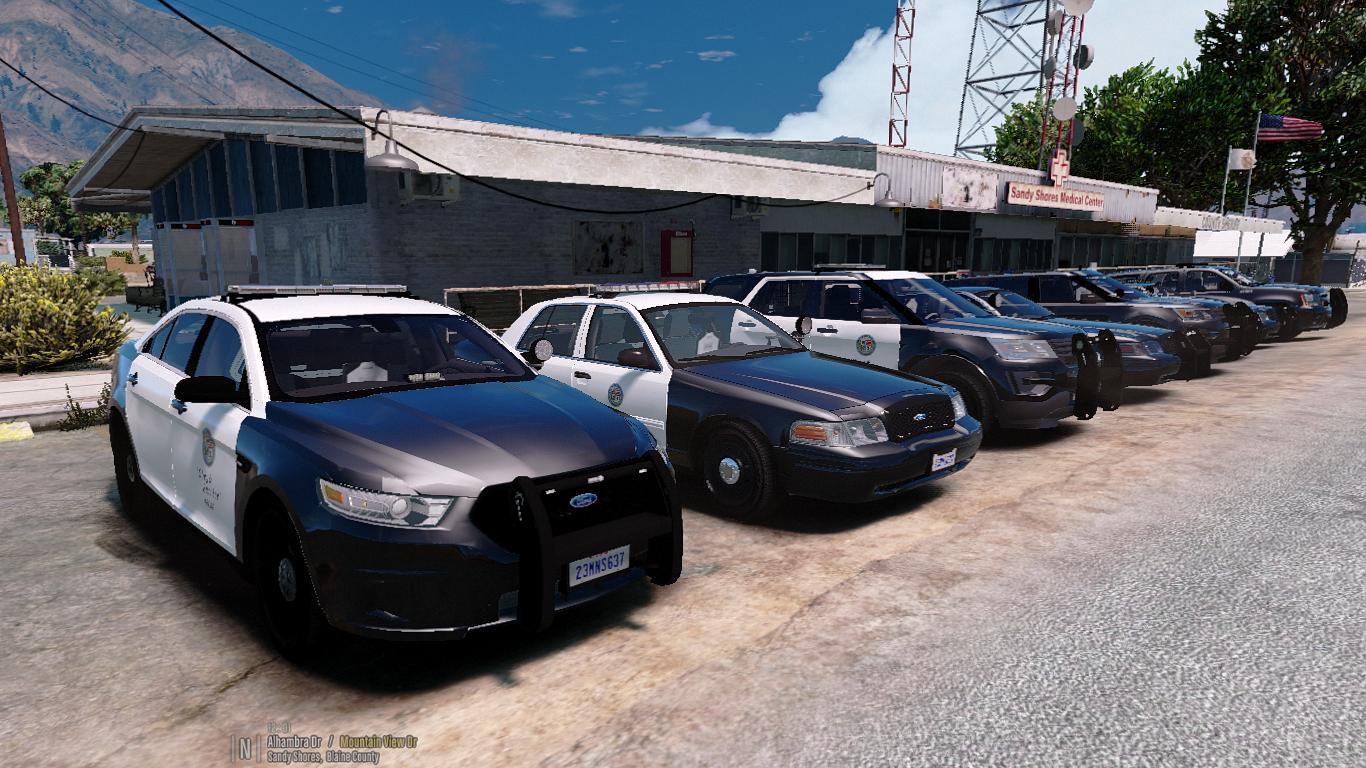
    This is another LAPD skins, but for Miami Pack (ELS) instead. After received the reviews/feedback from my first skin texture, I try to make these skins as accurate as possible. Although the vehicles themselves were not meant for LAPD, personally, I think they don't need to be 100% realistic since one is a game and one is reality. //FOR INSTALLATION, READ "README" //BY DOWNLOADING THIS, YOU AGREED TO NOT REUPLOAD/REDRISTRIBUTE WITHOUT AUTHOR'S PERMISSION //THANKS FOR DOWNLOADING!!
    • 1,173 downloads
    This is a LAPD texture for Bxbugs123's CVPI 1.9L ELS // // **DO NOT REUPLOAD WITHOUT PERMISSION**
  22. ELS works great, but please kindly make it possible to bind the "Scroll Lock" to anything else as my computer doesn't have scroll lock lmao ;D

Account

Navigation

Search

Search

Configure browser push notifications

Chrome (Android)
  1. Tap the lock icon next to the address bar.
  2. Tap Permissions → Notifications.
  3. Adjust your preference.
Chrome (Desktop)
  1. Click the padlock icon in the address bar.
  2. Select Site settings.
  3. Find Notifications and adjust your preference.