


ericpolowski
Members
-
Joined
Everything posted by ericpolowski
-
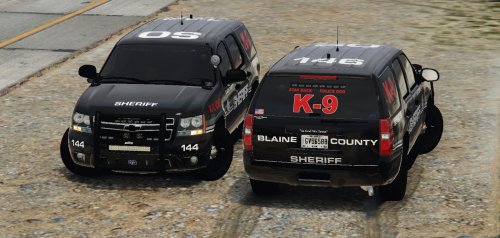 I absolutely love this model! I love every single model of yours though. 😂😂😂. Can’t express how much I appreciate the time and effort put Into these models An easy 5/5 I would expect nothing less from you
- 18 comments
- 18 reviews
-
-

- 1
-
-
I can’t script anymore than you , however, That is a really good idea! Anyway, the hype is real now, 0.4 is soo close I can taste it! 😂
-
I've said it once before here, I bought a gaming computer because of this mod alone. I'll never be able to put into words how much I appreciate this mod, the creators, and the members for what they do to help and create content. One of the best communities I have been apart of
-
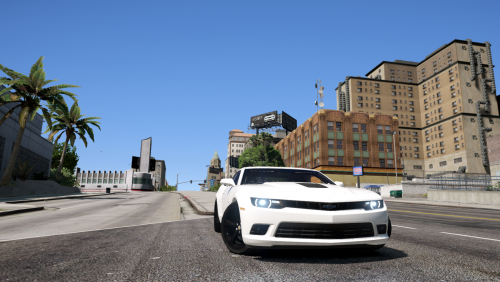 well done! Really like this model, of course when I tried pulling traffic stops every single one of them thought they could outrun me.....BAH!
- 13 comments
- 3 reviews
-
-
- 1
-
-
 This is a must have! What a surprise to see a script like this pop up! Traffic stops are incredibly immersive now! This is the type of mod to spark those guys that have grown tired of the same ol' same ol into playing again ( I'm not one of those guys I still love every bit of lspdfr just sayin) how is this not an ESSENTIAL MOD yet!?!?
- 1,005 comments
- 68 reviews
-
-
- 1
-
-
 yeah this model is incredible, the detail is phenomenal. I expect nothing less from your models. VERY WELL DONE!
- 133 comments
- 36 reviews
-
-
great to see some news cant say enough of the work you guys put into this. I would pay any dollar amount to continue to play this I hope to god you guys are banking on these ads you deserve it
-
Lmao your luckier than I am. I’m sure it’s because I had a lot of add ons all over the place. Either way after hours of trial and error I am back up and running. Cheers boys !
-
ok I think I got mine figured out. I started with a fresh mods folder and that was working fine but once I tried adding vehicles again it would crash. DUUUHHH I needed to change the gameconfig file to one that would except more vehicles my old config file wouldn't work
-
that message pops up when you are in edit mode and have old update rpf in there open iv detects it, I changed that earlier but it caused my game to crash at loadup the only thing that works for me now is starting a fresh mod folder, however, the second I try adding vehicles it crashes again. this will take a while for me to sort out
-
just curious.... after you did that would your game load and play normally? mine crashed
-
my god I knew it was something stupid I overlooked.... I feel like a moron - deleted mods folder, started new mods folder and copied new rpf in and we r good to go!! time to load all my damn cars back in I don't care if there is another way ill start from scratch thank you!
-
I know I was responding to sheepdog not your post, sorry for confusion
-
had that happen too, I updated the rpf and crashed on loadup as well. I backed up my other rpf so I put that in and it then was a forever loading screen ive been poking around with different things but cant seem to find anything that works at the moment
-
sounds good....we will prevail!! haha
-
I still don't think that is the problem I have vehicles in lower patchdays than that and never had issues. I am in the same boat as you though im experimenting as we speak and still no luck lol and here I was thinking I had a handle on all of this 😂
-
that's not the problem, patchday 18 was the lastest before this update, it is now patchday19
-
no to hijack but I am stuck on loading screen as well and yes I have vehicle mods. I feel like an idiot but this is my first dlc upgrade "meltdown" so what is the correct course of action here?
-
It’s out now, they released it a little while ago
-
Latest one is patchday 18 just fyi
-
Drag the files you want to move on to the desktop and then navigate to the folder you want to put those files in and drag them there (obviously you need it in edit mode) anything you drag out of openiv doesn’t delete it it just basically makes a second copy
-
You are griping over day 1 stuff, you really need to appreciate this community a little more. This game wasn’t designed with lspdfr in mind, it was created from some very talented people who made it work (if you yourself ask why can’t it be easy, think of how complex coding lspdfr is ) You got a perfect response for realtjennings and snap at him because you didn’t take the time to research this on your own. I really hate seeing responses like yours. Constructive criticism: you will get no help from this community with your attitude Now with that being said. Did you figure everything out yet or still having issues?
-
Oh boy...... where to even start. I want to help you because I remember where you were at one point. I truthfully was so overwhelmed when I initially started but I scoured these pages and forced myself to read and pick up little tips as I went. The key was attempting to the best of my ability and failing many times until the little things all made sense. Unfortunately you likely will need to do the same. It is absolutely impossible (for me at least) to write out in a post how to do this. But I can give you a great starting point and basically a MUST if you are going to mod 1. Make a mods folder in open iv !!!! Google “lcpdfr mod folder” or something like that to get a description 2. I make a separate folder on my desktop for all the original files. If you change ANY file at all, before you do drag that original file out of open iv and put it into your backup folder. That way if something goes horribly wrong or your game crashes (it will happen many times while you are starting off. Get used to it) you will have the original right there to replace 3. Only make one change at a time and then load up the game to test. That way if it crashes you know what files caused it 4. Youtube “how to add real cars gtav” in Youtube. The author is firstthirtyminutes it may or may not be outdated a little but the basics are there. This is my take on it. These steps seem basic and aren’t exactly what you asked. But if you don’t do them first , don’t bother trying to add cars.
-
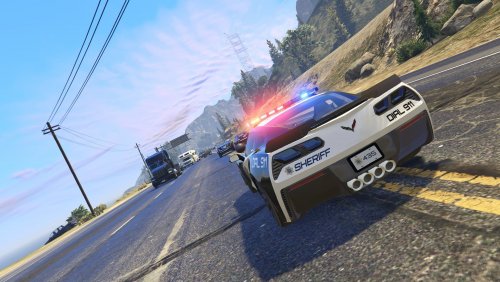 I found my new favorite! You did an excellent job with this pack! This is your first experience modding gtav?!?! I don't believe that with how good these look 😜
- 50 comments
- 15 reviews
-
-
- 1
-


