admirable
Members
-
Joined
-
Last visited
Everything posted by admirable
-
Well I've just start modding like a Rookie and so far I know how to Re-texture Car and I did one Police Pickup. Now i wanna Re-Texture Police Uniform and I don't have any clue how to do that. What I wanna do is to get template of Police Uniform and after re-texturing it, I want it to be added in EUP. Is there anyone who wanna help me or redirect me to a Tutorial if one's already available. This is the Uniform I wanna Make.

-
Then why Other PED/Model from LSPDFR Characters aren't switching to new Character while opening EUP Menu?
-
So there is no way to use EUP with them?
-
If I chose either Franklin, Michael or Trevor from LSPDFR 0.4+ Characters, Can i be able to change their Uniform using EUP?
-
Hmm. That's sad. I wish there would have been a server sort of thing to host a game just like Counter Strike 1.6, so you can invite upto 4 Friends to join you in LSPDFR.
-
Naah... I don't like Roleplay Servers, those aren't on my expectations. Have you ever tried "Multiplayer Co-oP Mod" ? I thought, it might be made for this purpose but never had a chance to give it a try.
-
Is there a way to Play GTA 5 LSPDFR Mod with couple of friends together?
-
Well, It was causing issue with my 0.4.4 clean mod. But i'm nowadays using CompuLite which is good and looks great with Tablet.
-
It's because, LSPDFR+ and Computer+ are not currently supported with LSPDFR 0.4.4 or above.
-
Just wait for OpenIV update.
-
Yeah, it's because you have mod folder with Old version of Update.rpf . Mine was doing same and I was using EUP only, but I deleted Mod folder and again Installed EUP with latest update.rpf and now no more stuck on loading screen. But EUP is still not working cause OpenIV.ASI update issue. Rest game is working fine with Plugins and Trainer.
-
Everything seems to normal and working fine except a new issue, OpenIV.ASI update. Rockstar messed up with all my game.
-
ScriptHookV is fine. I can't. I wish I would have pause and postponed the update until the release of new RPH.
-
Yup, and now we need to wait for new RagePluginHook. I can't live without LSPDFR, come on RPH team, update it man.
-
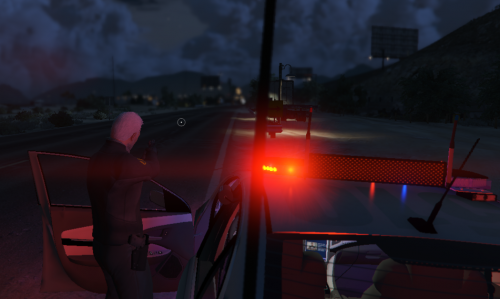 Hahahah Police are not supposed to use Homing Launcher, specially not on civilians. Hahaha
- 57 comments
- 33 reviews
-
-
I'm using Arrest Manager with StopThePed together, is this the reason my Stats are showing on LSPDFR Sync, coz my Arrest Made & Frisks are not counting on LSPDFR Sync Site. Or it's StopThePed which is not compatible with LSPDFR Sync???? Although Activity is showing that I made arrest but Stats aren't counting it. Can I use EUP Emergency Uniform Pack with latest version of LSPDFR?
-
 Same here, LSPDFR+ was entirely crashing GTA Game, I tried twice and then I finally figured it out, it's LSPDFR+. I was wondering if Computer+ is working with 0.4.4 or not. So as per your comment, Computer+ will work with not Issue, I will give it a try. There is Megaphone issue in 0.4.4 during Pursuit, and so far my observations and diagnose, if you customize character, megaphone won't work after restarting game. But still diagnosing it.
- 1,178 comments
- 137 reviews
-