Baalaii
Members
-
Joined
-
Last visited
Everything posted by Baalaii
-
Fresh install, downgraded to 1.0.7.0. 1.1 Manual install. Nothing else installed - game won't even start it just immediately CTD.
-
I've been trying to get this mod to work again on-and-off for, quite literally, years. I'm at my wits end. I've tried every bit of advice that I can possibly scrounge from different corners of this website and the internet at large. On this forum itself there's two conflicting pieces of advice - one saying you can run LCPD:FR just installing it with the compatibility patch on the newest and current version of the Complete Edition, but that didn't work, and another one linking to a guide which involves downgrading to 1.0.7.0 but that also didn't work even after I tried it multiple times. Between both of these methods I get one of two outcomes. The game either: a.) successfully launches, and even my trainer works successfully, but LCPD:FR specifically fails to load with a 'LCPDFR_Loader.Loader' script error. Which - upon consulting with the log - it appears to be an out of memory error with AdvancedHook.dll. I tried to fix this by looking for all kinds of different versions of scripthook, advancedhook, and ASI loaders online but no combination of any of those things produced a fix for me. Or, b.) the game simply does not launch at all. I can find no guide anywhere that works to install LCPDFR today. Please, somebody, help me. I really want to play this game again.
-
 This pack causes a lot of memory issues for me considering some of the vehicles use an excessive 7k texture, and some textures that won't even be noticed during regular use go up to 2-4k. Even the unmarked cars have 4k and 7k textures despite those just being solid grey. Also, none of the vehicles have functioning head or taillights; the corona appear and the lights will appear to light up, but no glow is projected onto the world. Similarly, some of the cars have lights which will never turn off, and some have lights which will never turn on. I was easily able to fix the memory problems by simply downsizing the textures to the 1-2k range with no loss in visual quality. With all that said though this is a nice pack, the cars look nice. Buggy and not quite optimized; but that won't stop me from using them. Good work and I hope you continue to make more vehicles in the future.
 -
For some reason, this bug is tied to my texture settings. If I set my texture settings above normal, LSPDFR will get stuck in this infinite loading screen. At normal or below, it works fine.
-
The crashing has been mostly solved, but now I'm running into a new issue. When RPH starts loading scripts, LSPDFR will get stuck in an infinite "Loading LSPDFR" screen. The game continues playing in the background, but the screen becomes frozen.RagePluginHook.log The game loads normally when not loading any plugins. Even when I try to load solely LSPDFR and no other plugins, the issue persists. It always gets stuck at "LSPD First Response: [TRACE] Thread GameEventManager #1 initialized"
-
 Using this mod causes my game to become infinitely stuck on a frozen "Loading LSPDFR" screen.
- 477 comments
- 73 reviews
-
 I found that I would be consistently killed at the start of every gunfight. Because of the default slow unholster animation, I would be unable to draw my weapon in time when there was a threat present. I would need to have my weapon already drawn at all times just in-case, which doesn't feel particularly realistic. Overall, this mod doesn't feel like it makes the game any more "deadly" or "realistic." It just forces me to have my weapon drawn at all times to ward off instant, unfair death. I hope that the author fixes the "AI accuracy" setting which is reported as broken. I feel like this setting alone would make this mod much more realistic--as I'm not being consistently sniped by the average street thug strafing whilst firing their handgun at me. Until that is addressed, I highly recommend against using this mod, but if you must, I recommend disabling EnableDamageSystem in the settings file.
- 633 comments
- 57 reviews
-
-

- 1
-
-
RagePluginHook.logI'm pulling my hair out. I've been trying to troubleshoot this for 3 hours. Rage causes a crash every time I start it. I can load the game fine with or without the mods folder when starting the game normally, and everything seems to work fine. When I try to start the game using Rage, the game just crashes about midway through loading. I've already tried disabling my "mods" folder, as well as starting Rage with no plugins enabled, and I've reinstalled LSPDFR manually a few times as well. Update: I was able to actually load into the game and play by starting GTA first, then starting ragehook. LSPDFR eventually crashed, after about 15 minutes. That's the second log. RagePluginHook.log
-
 Hey man, awesome work, you've really done alot! Could you possibly make a blue mod for this pack? That would be awesome!
- 380 comments
- 31 reviews
-
-
- 1
-
-
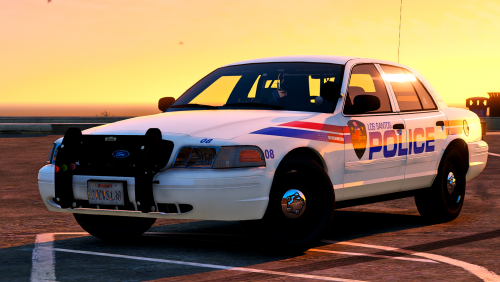 Fantastic pack. The lighting is on point, the liveries look crisp, fit in the environment well, and the selection of cars is fairly good. Though the lack of a police2 slot annoys me, I made it work without any hassle by just switching the vehicles around. I do love the fact that alot of the vehicles are marked slicktops, and they are very cool looking. However the only reason I have to take off one star from this is just the fact that the CVPI collisions on both the slicktop and non slicktop version are pretty broken. I know the issue is known, but sadly as the fact that the CVPI is a pretty important vehicle being police1 and all, it should work perfectly. Overall, fantastic pack, with one minor bug.
- 39 comments
- 13 reviews
-
-
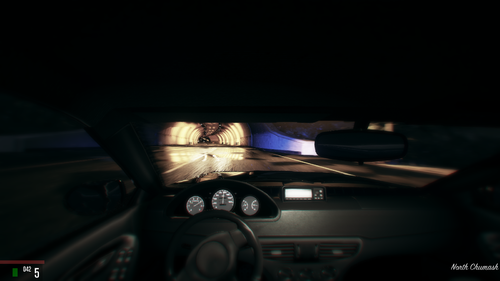 This siren is one of the most strange, out of place sounds that I could possibly even think of putting in my game, but--this just has some strange charm to it. The sounds are all high quality, they're very unique and overall none of them are displeasing at all to listen to. Great work.
- 56 comments
- 10 reviews
-
-
- 1
-
-
Edit/Bump/Whatever: The problem persists with the installation of a new vehicle, an undercover taxicab--and now the light is over the middle of the car and it is yellow, floating in the air above the taxi sign. Is there any way to fix this, or any mod that removes it?
-
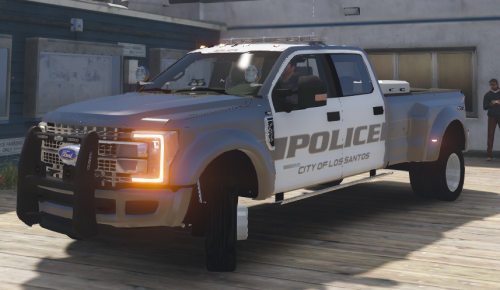 Looks really quite cool, but might you ever tap into the market of an unmarked truck? I think this would be very cool unmarked. I would attempt to make it unmarked myself but I wouldn't know how to remove the lightbar, only the livery..
- 68 comments
- 13 reviews
-
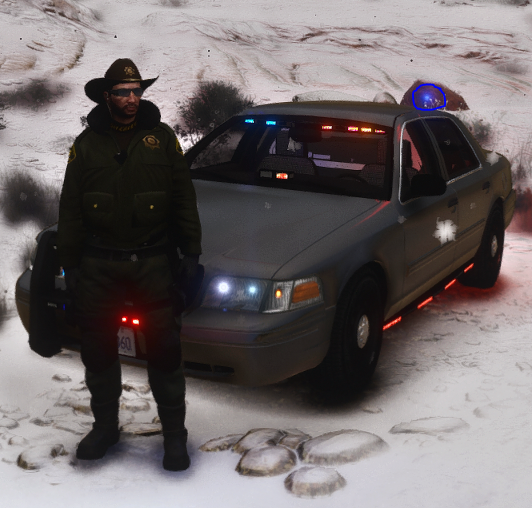
I don't know about you, but I assume it's pretty standard for when modding a new cruiser over police4, whenever you get a short distance and further away, a blue light appears over the corner of the vehicle while your lights are on. It has always happened to me, so I assume this is a problem everyone deals with? I have never found a solution to this, but knowing this community there surely must be some sort of mod which removes this flashing blue light? A picture is attached just to highlight the light I am talking about, just incase my description wasn't clear.
-
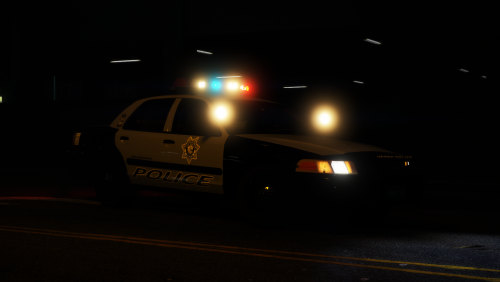 AHA! I FINALLY FIXED IT! I re-installed the data files into the locations, and put the carvariations in both mpluxe2 and into mpchristmas2, which did the trick!!
- 46 comments
- 29 reviews
-
Still having this issue! I've continued double and triple checking over everything, I'm dead at a loss for what to do
- 46 comments
- 29 reviews
-
What's happening is black blocks or something are appearing on the lights instead of them flashing.
- 46 comments
- 29 reviews
-
-
- 1
-
-
I would just like to say that I have had the same problem that has been described. My CVPI works properly, but everything else (the lightbars) do not work properly. I have double and triple checked over all of my possible carvariations.meta files, and all of them are fine & not in conflict. I have also messed with the VCF files many times, and edited many things. I can't seem to find a fix for this. Please if you can help me, I love this car pack.
- 46 comments
- 29 reviews
-
Yeah in order to change the textures you have to use the numpad 4 and numpad 6 keys. I noticed that after I made my post originally <.>
-
Still can't fix this ^
-
As the title says, whenever I go beyond a certain distance (which isn't even very long, like ~8-10 meters inbetween me and the ped) the ped model for the police will just glitch out. I'm using a custom model, but the model I'm using is irrelevant because I've switched to four different models and they've all had the same issue. I'm not sure exactly what could be causing this bug, I don't think I have any mod conflicts but it could be a possibility. Only the male ped models are glitching. Here's two screenshots of what it looks like. It doesn't look like the second one is glitching out all that much, so it leads me to believe that the problem is something with that high vis jacket. If someone could help me out with this, I'd be grateful.
-
I didn't find anyone who had this problem, but when I attempt to change an object in the clothing editor's texture (like a hat or a vest for example), EUP just crashes instantly.
-
Is there a mod/is there a way with a trainer or whatever that makes it so when you have your weapon drawn you move in that sort of 'tactical' way where it's a semi jog and you're holding your gun out at your waist-level? The animation that happens for a certain amount of time after you fire your weapon, and then goes away. I wanna know if there's something that forces that animation to play whenever you have your gun out, 'cause I find it kind of strange to draw my pistol and be at a casual stroll unless I open fire.
-