



Legion672
Members
-
Joined
-
Last visited
Everything posted by Legion672
-
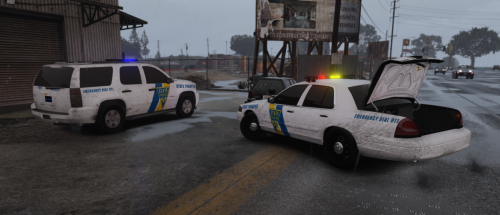 The lightbars look interesting. Do you have visual mods installed in your game or is that how they look in game with factory visuals? I'm just curious if what's shown in the screenshots shown will be how it looks in game. Not a bad thing, just haven't seen that before.
- 7 comments
- 3 reviews
-
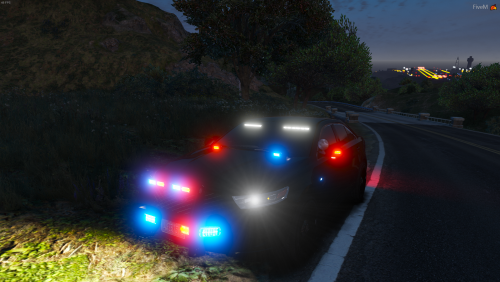 I get what you were trying to do and the car itself looks great. I really don't have any complaints about the lighting in the back either. The issue that I have is in the push bar. Don't get me wrong, I'm sure these types of lights exist, but those lights particularly on the outside and bottom half of the push bar are a major turn off. The car itself is great, I don't mind the rear set up, but in the future please use better lights in the front. I would have loved to use something like this in my game.
- 22 comments
- 7 reviews
-
-

- 1
-
-
 I can send them to you through dm if you want the specific models that are shown, otherwise they work for a vast majority of models.
- 10 comments
- 1 review
-
It seems like a cool model, I'm interested to see how it looks in game. My only issue with it is that it seems like you took every bit of lighting you could find and put it into a very compact vehicle. I usually don't mind the Christmas tree lighting but this takes it to the extreme and almost to a fault. This would be one of those models that causes people's game to crash because it can't handle all that's going on. Like I said, I'm interested to see how this will look in game but for the future, I'd recommend toning it down just a tad.
- 22 comments
- 7 reviews
-
-
- 2
-
-
-
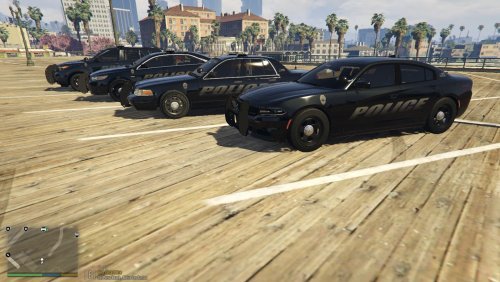 My newest project is finally complete. These models are similar to a pack I've released in the past (hence the "2.0" in names), however these models have a much cleaner, more legitimate look to them. As of now the pack consists of 4 models that I use for my citywide patrols: * 2013 Ford Explorer * 2016 Dodge Charger * Ford Crown Victoria * Ford Taurus If enough people show interest in the pack or if I change my fleet up a little later on I may add the following: *2014 Dodge Charger * 2016 Ford Explorer * 2018 Chevy Tahoe * Chevy Caprice * Chevy Impala (not likely) As usual these decals have worked for most of the models that I have tested them on while making some adjustments on my fleet but I can't guarantee that they are going to work for every model so if you have decals that you are particularly fond of MAKE BACK UPS!!!!!!!!!!!!!! As of now these models do not have license plates, that is not subject to change unless I go through to create the decals for the other vehicles so know that I am aware and that is intentional. If you like them or have any questions/comments/suggestions/requests feel free to leave them in the comments!
 -
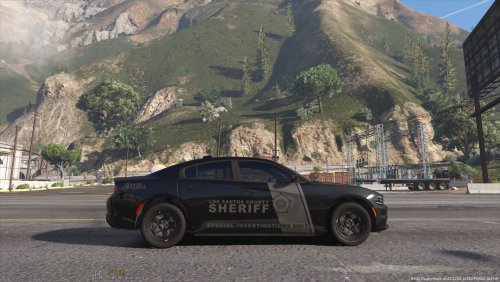 Cool looking cars! I was just wondering why you chose to release the cars individually rather than as a pack. They look cool! I may use the charger as my FBI car.
- 46 comments
- 7 reviews
-
-
- 1
-
-
I have a question and a problem. My question is that my EUP folder is in update.rpf but I installed it through openIV. Is that OK? Second, I noticed that EUP does not save any of the uniforms that I save for my second character, is there a way to fix this issue?
-
-
-
-
.thumb.png.f8f51d0f8db4a7188715b93cc8e21ded.png) I just wanted to make sure but are those yellow lights in the headlights the hazards or do you have amber lights in the front?
I just wanted to make sure but are those yellow lights in the headlights the hazards or do you have amber lights in the front?- 8 comments
- 1 review
-
I might if I go back and create the decals for the other models but for now I don't plan on it.
- 10 comments
- 1 review
-
Are you asking where the skin is installed so it will appear in game or where in the page do you install? Are you asking where to install the skin so it appears in game or where on the page do you install it?
- 10 comments
- 1 review
-
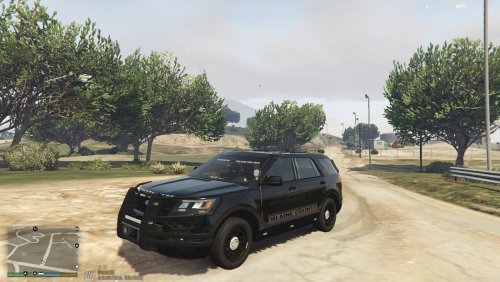
I was getting bored of the white decals I was previously used and figured it was time to go the stealth route so I present to you the Blaine County Ghost decals! These decals are subdued enough for lower visibility while running radar with some additions to ensure that your presence is known while on your stop at night. This pack as it stands includes the following: -2016 Dodge Charger -2016 Ford Explorer If this mini-pack does well my plans are to add the following: -2014 Dodge Charger -2016 Chevy Tahoe -Ford Crown Vic -Ford Taurus As usual these decals have fit on a vast majority of models that I have tested but I cannot promise that they will work for every model so if you have a particular decal that you are fond of I suggest backing it up. If you enjoy these models or have a request/comment/suggestion feel free to leave it down below! Happy patrolling, stay safe out there!
- 10 comments
- 1 review
-
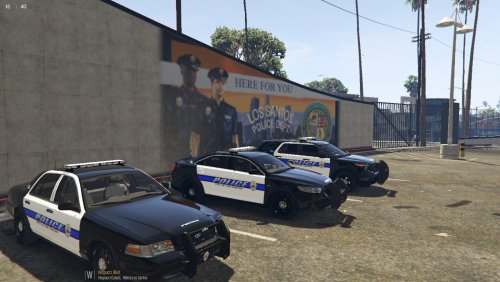 I have been using these decals for a while and figured there might be other people out there who would enjoy these as much as I do so introducing the Los Santos Black and White decals! This pack includes normal black and white patrol decals as well as supervisor decals for those who want to show off their status along with blue line license plates. This model includes the following vehicles: Patrol: - Ford Crown Vic - Ford Taurus - 2013 Ford Explorer - 2016 Ford Explorer - 2016 Dodge Charger Supervisor: - Ford Crown Vic - Ford Taurus - 2013 Ford Explorer - 2016 Dodge Charger These are the only models that I use in game so these are the only decals that I plan to make. These decals have worked with a vast majority of models that I have used so there is no one specific template that you need, however I can't guarantee that this is going to work for every model so make sure you back up your current decals if you have ones that you are particularly fond of. Hope you all enjoy!
 -
 I love this Explorer. It's got a ton of lighting without going overboard like some of the other models out there and it's got several varieties so it's difficult to find a version that you wouldn't like. If this FPIU ever gets a lightbar you'll have the perfect line up.
- 60 comments
- 37 reviews
-
-
- 1
-
-
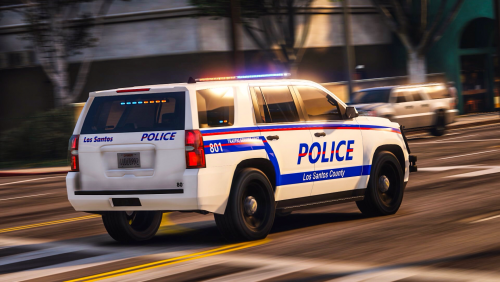 Not knocking what you did, as I said it's more just being nitpicky. Over all it looks good and I think both vehicles with lightbars are solid stand alone vehicles. I'm just seems to make more sense if the vehicles in the same pack had the same lightbar. You might be able to get away with different lightbars in a larger pack but it stands out more in a smaller pack like this one if that makes sense. Good job though! Keep it up!
- 19 comments
- 7 reviews
-
This is more being nitpicky, but it may be better if you use the same lightbar for all models in your pack to give it more of a uniformed look, especially when they're modeled after the same department. I think it'll make the pack more appealing going forward. Just a suggestion though.
- 19 comments
- 7 reviews
-
-
- 1
-
-
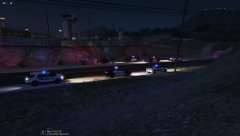
From the album: Assisting Other Agency
-
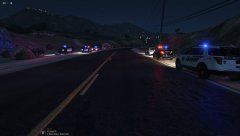
From the album: Assisting Other Agency
-
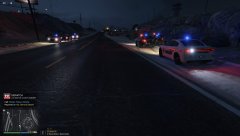
From the album: Assisting Other Agency
-
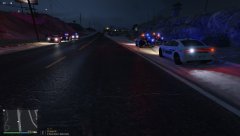
From the album: Assisting Other Agency
-
-

.thumb.png.f8f51d0f8db4a7188715b93cc8e21ded.png)

