Mitchell
Members
-
Joined
-
Last visited
Everything posted by Mitchell
-
Great! I need something well made to replace my buffalo2!
-
I don't know, the author hasn't been on since September and there hasn't been an update since like.. forever.
-
I've never heard of 5 either. I've only heard of welfare checks which is if someone is concerned for their neighbor/family/friend's well-being, but I've never heard of people calling the police just to check on their house. And for #3 and 4, these are usually pay jobs which means they're not officially on duty and they are basically getting paid by the people holding the concert to be there in uniform.
-
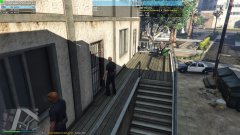
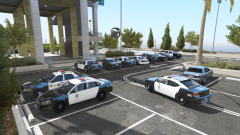 Law Enforcement agencies from all over southern San Andreas come over to attend the regional convention at Kortz Center, Los Santos.
 -
 "What the hell y'all doing hea'? Yer city folks ain't welcome in ma part of town."
 -
 "What the hell y'all doing hea'? Yer city folks ain't welcome in ma part of town."
 -
 I am very intrigued now
 -
-
Why do you have to pay $120? What version of the game do you have? Retail or steam? Either way you can just download the legit copy on the other computer and just log into your Rockstar Social Club account and play. It's not like you're gonna be playing both computers at the same time. Personally I have the retail version and I have the disc on my desktop. While overseas I forgot to bring my disc and I just logged onto my social club account and downloaded GTA 5 through that onto my laptop.
-
-
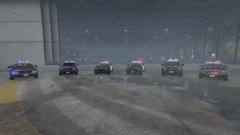 The LSPD shows off their vehicle fleet this week at the Los Santos International Airport.
 -
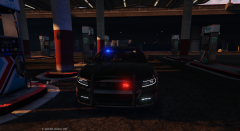 i dont think he released one for 2015 charger.
 -
The carvariations file for original cars are locked and cannot be accessed. You need to go into one of the carvariations.meta in one of the DLC folders and create new ones. One easy one to do it is to use the files from say, Netman's SAHP added cars and change the modelname from hwaycar to fbi/police4 or w/e
-
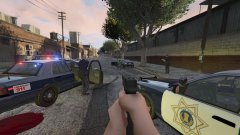 "San Jose, 6-1-KING-4. 11-96X, I need code 3 fill, First and Brokaw."
 -
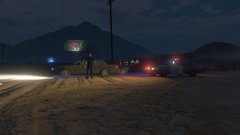 San Jose Police responded to a report of police impersonator at 16000 block of McKean Road yesterday at 11:40 PM.
 -
 Nice! Well, most of the Crown Vics have the same template, I'm just talking about those that include custom license plates as part of their skin as opposed to those that use GTA dynamic plates. For example, all the F5544's models have those license plates on the skin. http://www.lcpdfr.com/files/file/9124-cvpi-lspd-mx7000arjent/
- 35 comments
- 4 reviews
-
Fantastic! By the way, do you have any plans to make skins for the Impala and maybe a 2008 Crown Vic with license plates?
- 35 comments
- 4 reviews
-
Glad to hear buddy! I feel like the patches on the long sleeves version is fine, just a little too small on the short sleeves tops. You're doing some great work here man.
- 35 comments
- 4 reviews
-
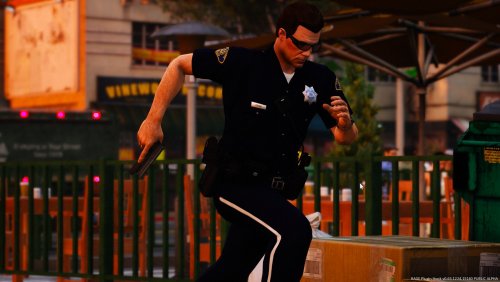
Sorry to jack the thread, but just some advice for you if you don't mind! For the sheriff version, the patch looks too stretched and slightly too small. Also, for the white stripes that run down their pants, it actually starts at the bottom of the side pockets, not all the way up from the belt loops. I would love it if you could work on them! Thanks and good luck!
- 35 comments
- 4 reviews
-
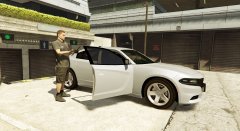 Wow I see. This is actually pretty new to me. The wheels in the last picture is just hideous.
 -
wtf where did you even find that photo i can barely even find a photo of any department that uses 2015 chargers this is a weird ass state
-
But '15 chargers don't use those wheels
-
Glad to hear!
-
 Apparently not and I've just noticed that. When viewing from top down, I noticed that the CVPIs at a distance have no lightbars/sunk into the interior as their LOD. It'd be nice if you could fix it, thanks!
- 139 comments
- 38 reviews
-
-

- 1
-
-
If I recall correctly, F5544 said he only had the older model to work with. He didn't have a '13 model Taurus to convert from GTA 4.