



CRAWFORDx96
Members
-
Joined
-
Last visited
Everything posted by CRAWFORDx96
-
Ah ha! Thank you for making this!! Looks great btw. And for anyone who wants to say that the PST use them V-shaped light bars, they did, they are switching over to the lowprofile LED ones now.
- 8 comments
- 4 reviews
-
Most anything that I have seen has said to maybe install ELS v5 because it is stable and shouldn't crash, but there is a link in Tom's sig that has the ELS v6 download for it, and I'm pretty sure that's where I got mine from and it works pretty well.
-
For a quick little tutorial on how to use sparkIV look me up on YouTube, I just posted a tutorial on how to install cars using sparkIV, I'll be doing one on importing weapons then eventually weaapon sounds. If you see the video I hope it helps!!
-
Sweet man. Thanks!! I'll have to do that tomorrow on my desktop. I tried looking on YouTube for help but it's all on how to put the cars into the game which I aready know how to do. BUt all this s.png shit, I have no fucken idea!! Like I said, thanks a whole lot. Gonna try this tomorrow, well in about 8 hrs. XD
-
I agreem fully Xbox360 controller support, more pursuits, MVAs, be able to be called as backup for pursuits and things like that.
-
I recently got a texture of a police car from a buddy of mine but don't know how to apply it to the car itself. The file has 3 .png files and the polpatriot.wft and polpatriot.wtd. HELP!!
-
He posts irrelevant shit everywhere.
-
Ah haha when he tries to bail for foot pursuit the cop just slams his very distant hopes for escaping with the door. Great pit though, I agree, very tight space to perform one. YOu guys HAVE to watch the one that's called Crazy Orange County Police Pursuit. It's 6:44 long but this chick is CRAZY!! Shit, watch all of them pursuits! They are fucking epic!!
-
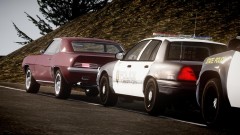 LOVE it! Camaros are my favourite cars! The old ones at least. I agree, it should be released.
 -
How do you get that menu?? I, however, think that them colors look good together.
- 6 comments
- 2 reviews
-
Windows Live Name: CRAWFORDx96 Age: 16 Teamspeak: Will download Microphone: Will buy quite soon Country: USA but with slight scottish accent lol Time Zone: Eastern? Unit Desired: Traffic Patrolman P.S. Do I need the Rockstar Social club to play on line or does the Windows Live thing cover that?
-
Ok since this problem has been solved, my question is regaurding the crime stats in my signiture. When I look in my crime stats it says that I have arrests, pursuits, stuff like that, but it just reads 0 for everything in my signiture, and I just updated my signiture. Sorry if this is a thread jack, just figured I'd post here since my question is related to the crime stats.
-
Here, hope this helps, it's the one I found and use. It's printable too. I think you need the Adobe PDF reader to view it..
-
What I think he means is if you only need to replace one or two cars, just download them and replace them. Correct me if I am wrong.
-
I asked a similar question but the answer I was given was to look on Google and YouTube, but to no avail. My guess would be if you have the disk for the game and you are able to access the car files, copy and paste the original police cars from the disk to the GTA IV folder. Ya beat me Tom, I clicked post then you posted. XD Well, your support is probably better than mine.
-
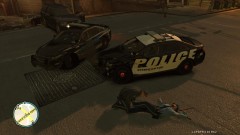 May that officer rest in peace.
 -
That's why I try not to mod the hell outta mine. lol. I don't want to fuck it up and annoy you guys with common issues, though I have done it a once or twice.
-
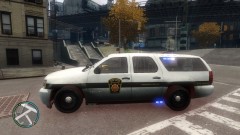 Thats a great skin, is that availible for download? I'm from PA and have been looking for one of these skins for a while!
 -
I've been getting the exact opposite, I'm using the same script but instead of getting different cars I'm only getting a handful of them, most of which are buses. How to fix?
-
-
That looks about bang on man, I like it and I'm not even from Maryland! lol. I don't know if you take requests or not, but if you do and you have some free time, would you be able to do a Pennsylvania State Trooper car?
- 7 comments
- 1 review
-
I looked for a few hours yesterday, through all my cd spools and couldn't find it. :( If it turns up I shan't hesitate on installing it and playing with you guys. I do know for a fact though that it is SWAT 4 Gold, the one with the base game and the Stechkov Syndicate expansion pack, would I still be able to play along with you guys with that?
-
Do we know who the main character is? I heard it's rumored to be Tommy Verceti from GTA Vice City, but I don't know and really wanna know! R* should, like many people said, redo the AI system. I'm tired of going on a killing spree then trying to outrun the cops only to be t-boned and killed by an erratic Ambulance driver. Even in the LCPDFR mod, I can't count the amount of times I've been run over during a traffic stop and killed!! These so called Artificial "Intelligence" really aren't that intelligent.
-
I read this, though my question was answered a day or two ago, I read this. Thought there may have been some more info on it. Hope this isn't thread jacking but I've seen a few people saying they can't post anymore screenshots, could these be in anyway connected? I was just thinking that, because if this issue with the crime stats and the issue with the photo upload happened around the same time, I don't know, it was just an idea I figured I'd throw out there.
-
That was pretty cool. I liked it a whole lot!


