HDgamerzPC
Members
-
Joined
-
Last visited
Everything posted by HDgamerzPC
-
RELEASED Whelen SlimLighter™ TIR6 Super-LED® Series
-
Your welcome! Best of luck in your adventures into zmod 3!
-
Go to your materials and move your lightemissive material for your lights to be above your vehglass material for your windows. Also, make sure that your extras are above everything else like the glass (I normally put it just below chassis.) This would have also been the fix for your lightbar. Just move the lightsemissive material for the lightbar above the vehglass material for the lightbar. You already did the striked-out portion.
-
WORK IN PROGRESS Whelen SlimLighter™ Super-LED® Series
-
Welcome! Due to a lack of public development resources, I have taken it upon myself to create various things for anyone in the community to use. I cannot ever be certain as to when I will release a part due to my interests and availability with school. My rules are simple: Credit me in the release, don't re-upload on other sites and/or take credit, and don't credit yourself for something as simple as adjusting. Please know that I am still new to this and there will most likely be issues, such as high poly count or lacking details, while I continue to progress in my 3D modeling skills. REVISION 3-17-17 Hello, community! Since my last development file, I have created numerous things which I have used in my most recent vehicle model releases. However, I have changed how I would like to continue posting them. Some individuals simply do not put in the proper amount of time when developing a vehicle and I don't think that those who put in hours of effort should be treated the same as those who put in minutes. As a result, my development parts will be individually given to those who are deemed capable of using them properly. In addition, my parts will only be given to those that I know will not only use them properly but will also use them in vehicles which will be released for everyone in the community to use. HOWEVER, this does not mean that I will never publicly release DEV parts. I will continue to post things gradually as more creators put more effort into vehicles. The last thing that I wish to do is hold my creations from the community. Without all of you, I would have never made these parts in the first place. I hope you all understand why I've made this choice. RELEASED WORK IN PROGRESS Coming soon!
-
-
10/10 would like again
-
 Thanks! I'll look into changing that right now because I was thinking the same thing but couldn't quite think of it at the time.
 -
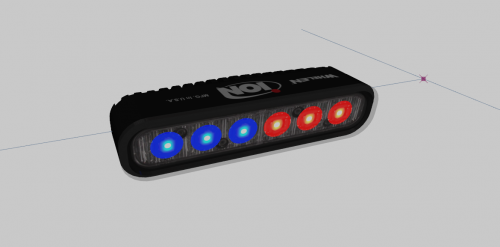
----------------------- RELEASE NOTES ----------------------- DEV Whelen ION Series Super-LED Version: 1.0 NOTES: - This download contains both a high poly and low poly variation. (~3400 vs ~760) - You are expected to already know what to do with this when you download it. - Let me know what you all think of this. If you like it, I'll see about sharing more as I develop new things! CREDITS: - Whelen ION Series Super-LED scratch modeled, textured, and converted to GTA V by HDgamerzPC DISCLAIMER: - Do not upload this file to any other site and/or claim it as your own. - Do not try to make money off of this free, public development part. - Do not credit yourself for "heavily editing" the part when all you did was move the lights a pixel or two. - If you use this part in a released vehicle, please give credit where it is due. - Make sure to always keep a backup of your work in the event that something goes wrong.
-
First off, welcome to the forums! Secondly, make sure to do some searches around the forums to make sure that you issue hasn't been solved already. Here is a recent post which gives instructions on how to downgrade back to 1.0.7.0.
-
Go to your material editor and move the lightsemissive material for your dash lights to be above the material for your vehglass.
-
-
 What do I do to disable the brake lights from flashing? I've tried turning the coronas to 0 and messing with the DfltSirenLtsActivateAtLstg without any success. I've also tried hiding the coronas elsewhere with no luck.
- 2,685 comments
- 236 reviews
-
-
 A couple of tones are quiet but you already mentioned why, which I completely understand. However, the main sirens are crisp and loud. I personally prefer the lower pitched sirens, but I put this siren in siren mastery for my sheriff vehicles. Great job!
- 3 comments
- 1 review
-
-

- 1
-
-
I was so young that I have no memory of the day. However, I have heard many stories about reflections of the day and what was going through the minds of my family members. Fifteen years ago today was a tragedy which we will forever have confusion, questions, anger, and assorted emotions about why such a terrible act was committed. We will NEVER forget.
-
 It just comes with age but only in the arms, lol.
 -
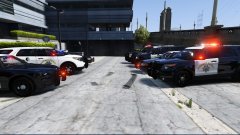 I seriously cannot wait any longer! These are all amazing!
 -
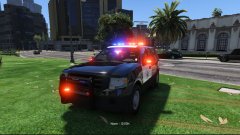 I think you misread that lol Looks GREAT Hurk. I love all of the work that you are putting into these CHP cars.
 -
I've installed purely LCPDFR 1.1 and when I click LaunchGTAIV.exe it says GTAIV.exe - System Error and it details "The program can't start because xlive.dll is missing from your computer. Try reinstalling the program to fix this problem." I've never has xlive in the game and I've tried re-installing both LCPDFR and the entire game. This computer uses Windows 10. I need dsound to play online unless there is a way to use xlive online. Fix: Download the games for windows live client.
-
 Awesome! I like having all of the proper decals such as these when creating liveries and this will certainly save some time!
- 7 comments
- 5 reviews
-
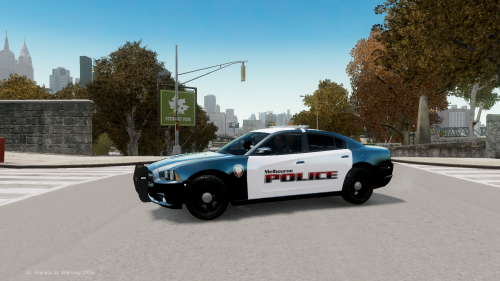 Try re-downloading the file and putting it into your game again to see if that fixes the issue. I'm not really sure why you are having that issue as I have not received any reports like that for this vehicle. There is a chance that the download got messed up when G17 made the multiple changes to the downloads.
- 4 comments
- 5 reviews
-
 This CVPI is absolutely perfect in its lighting pattern in my books! I would LOVE to see you expand this lighting to replicate the rest of the LAPD fleet!!
- 139 comments
- 38 reviews
-
-