


HDgamerzPC
Members
-
Joined
-
Last visited
Everything posted by HDgamerzPC
-
WORK IN PROGRESS Stalker Spectre Elite Radar Detector Detector Sidenote: Legacy is coming along. No new pics at the moment because I'm on a different device right now. I take all suggestions and put it in a list. I make things as needed by myself mostly and may or may not get around to that bar. Making a lightbar is definitely very hard work and takes a lot of patience and time. This may be the reason why you have not seen any for ELS, yet. I can assure you that a department as known as Quebec will not be forgotten in the end. It is just hard to make lightbars and many creators that you see do not have the skill to make one or have the permission to use one from GTA IV.
-
OH MY GOD THIS IS WHAT I LOVE TO SEE!
-
UPDATE Whelen Legacy® GB WeCan® DUO+™ Super-LED® Series Thank you! Thanks! Maybe one day!
-
As far as I know you cannot get his things anymore via public download.
-
UPDATE Whelen Legacy
-
-
It will be mapped according to the department that I am making it for now which does have the TA feature. Thanks for the feedback! I'm looking forward to it!
-
WORK IN PROGRESS Whelen Legacy
-
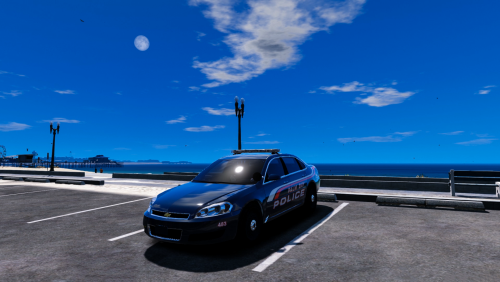 It is in the works! I am currently modeling the Whelen legacy lightbar that they use!
- 18 comments
- 7 reviews
-
RELEASED Generic Laptop stand Generic Zipcuffs
-
Thank you! As in GTA IV, I focus primarily on realistic cars only. Out of all of my vehicles for GTA IV, excluding when I first started, only one was fictional. It is unlikely that I will go back and re-make this with specifics details that person A wants or person B wants. It is likely that someone will make a similar vehicle that has a rambar, etc. anyways because nearly every part that I used is publically available. Woops! I have just updated the file with the VCF file having default siren settings. I disable my ELS sirens because I use sirenmastery.
- 18 comments
- 7 reviews
-
-

- 2
-
-
-
RELEASED Chevrolet Impala "Palm Bay Police Department" WORK IN PROGRESS 2015 Dodge Charger "Palm Bay Police Department"
-
RELEASE PREVIEW VIDEO ------------------------- RELEASE NOTES ------------------------- [ELS] Chevrolet Impala "Palm Bay Police Department" Version: 1.0 Lightbar: Whelen Liberty Multiple Liveries: No Optimized for: Police3 NOTES: - This vehicle works well with the "Police3" handling line. - This vehicle is intended to be as realistic as possible. I will not make different variations of this model to meet fictional desires. CREDITS: - 2005 Impala LS by Ubisoft. Modified into 2016 LPV and converted to GTA V by OfficerUnderwood. - Grill by unknown (From Tahoe)& Seats by Ubisoft, edited by OfficerUnderwood. - Impala side badge by OfficerFiveO. Wheels by 0taku. - Whelen Liberty created by EVI. - Whelen Dominator™ Plus LINZ6™ Super-LED® Series scratch modeled, textured, and converted to GTA V by HDgamerzPC. - Light textures provided by OfficerFive0. - Decatur Genesis II Select and Dash Mounted Radar modeled, textured, and converted to GTA V by HDgamerzPC. - Federal Signal-Soundoff Signal Spotlight scratch modeled and converted by Five0/OfficerFive0. - Havis console created and textured by Codex12. - Motorola XTL5000 radio created by Codex12. - Panasonic Toughbook CF-31 modeled and converted to GTA V by Five0/OfficerFive0. Textures by Ridgerunner Designs. - Laptop stand modeled and textured by HDgamerzPC. - Setina partition created by Codex12. Textures by BxBugs123. - WatchGuard 4RE HD Mini Zoom® Camera scratch modeled, textured, and converted to GTA V by HDgamerzPC. - Whelen Cencom Sapphire scratch modeled and converted to GTA V by Five0/OfficerFive0. - Zipcuffs modeled, textured, and converted to GTA V by HDgamerzPC. - Livery by HDgamerzPC. DISCLAIMER: - Do not upload this file to any other site and/or claim it as your own. - Do not rip or otherwise modify this vehicle for unauthorized use. - Do not try to make money off of this free, public vehicle. - Please ask permission before using this vehicle for clans or similar groups. - Always keep a backup of changes you make in the event that something goes wrong.
- 18 comments
- 7 reviews
-
-
- 7
-
-
Hey there! Below you will find the key to your wildest dreams... or just some download links and videos of cars that I made. Same thing, right? RELEASED 2013 Harley-Davidson Electra Glide "Florida Highway Patrol" (w/ SAHP livery) 2014 Dodge Charger Slicktop "Palm Bay Police Department" 2015 Dodge Charger "Palm Bay Police Department" 2014 Dodge Charger "Palm Bay Police Department" Chevrolet Impala "Palm Bay Police Department" WORK IN PROGRESS
-
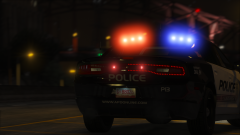 Looks fantastic!
 -
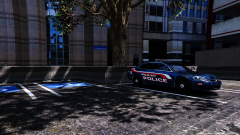
From the album: HD's Glorious Images
Officer's vehicle parked in a shady area before the beginning of his shift. -
Whelen ION V-Series http://sirennet.com/store/product/whelen-ion-v-series-super-led-universal-light
-
Best of luck to you!
-
There is practically no lightbars currently for GTA V which can be found for public use. Many have either been given the lightbars through friendship or have converted lightbars from IV (Bugs, however, does not have his lightbars for download anymore with the closing of another site) and using them in GTA V cars with the permission of the creator (or without if they are looking to potentially spark trouble.) Wraps, however, you can find many of for GTA V on accurate studio's website.
-
Haha! Glad to know that you will use them!
-
RELEASED WatchGuard 4RE HD Mini Zoom® Camera
-
RELEASED Whelen Mini Justice® JY Series Thank you! I guess I missed this post.
-
WORK IN PROGRESS Whelen Justice Super-LED Mini Lightbar
-
Pew pew. Nope! Maybe Starmix

