
PrinsHD2
Members
-
Joined
-
Last visited
Everything posted by PrinsHD2
-
Hi guys, with the new lspdfr version 4 you are now able to choose what weapons police back up spawns with. Just go to the lspdfr folder in you game directory and then the data sub folder. You can customise the inventory.xml file to choose what weapons spawn on the ped. You can make differnt load outs for different types of cops. Armed, traffic, response, riot. In the agency.xml you can assign the load out so they worth with the right back up. This means the part of my mod that replaces the pistol with a taser isn't needed anymore. With the peds on callouts spawning with pistols you'll just need to be carefull which callout packs you use. The peds which spawn and what weapons they have is set by the mod author in the plugin and i'm not sure how to get around that. Maybe i'll ask some of the authors as i don't know alot obout that side of modding. i only know simple stuff XD. @TrooperCarson @YoItzAJ
-
 model link doesn't work
 -
 LSPDFR spawns all cops with pistols, there's no way of changing that. I had to make the pistol a taser. Just use a combat pistol instead.
- 24 comments
- 2 reviews
-
-
-
That look great! Distortion of text doesn't really matter because police tape in the uk is always blowing in the wind and is barely readable. Great work on the mod anyway.
-
Is there a way of retexturing? I would love a uk police tape version.

-
Yeah, does anyone know how to revert the game? Also, I just meant a rage backup file, not the whole game.
-
There are two possible problems. 1. One or more of the cars installed are corupted, possibly by inpropper download or mistake by the author. In this case, uninstall all cars and test one by one to see which oine causes the crash. 2. You are installing addons? Make sure you get a game config to allow addon vehicles. Too many causes it to say the game is corupt. If that comes up, don't install all mods again. Just deleted your dlclist.xml and replace it with a new one. You can of course get this from update/update.rpf/common/data. Hope this helps.
-
You say modded cars, are they add-ons? if so, make sure they have the right carvariations.meta settings. That could be whats stopping the lights from working.
-
Which launcher are you reffering to? Rage launcher, or GTA launcher? Have you tried reinstalling Ragepluginhook? Or If you have the Steam version of GTA, have you verified the game integrety? - Properties/Local Files/Verify integrety of game files.
-
So i am trying to revert to the previous game version. I have a back up in ragepluginhook but when i revert, the game just crashes. As soon as i upgrade, it works again. I belive the problem is with the backup. Does anyone have the previous version that i can download? Thank you.
-
In the loadouts.meta change "Weapon_stungun" to "Weapon_combatpistol" for the "<Name>LOADOUT_COP_L3</Name>" (Line 1152 in the loadouts.meta)
- 24 comments
- 2 reviews
-
-

- 1
-
-
It's been fixed. Just waiting approval from an admin. The problem was in the loadouts.meta.
- 24 comments
- 2 reviews
-
-
- 1
-
-
-
-
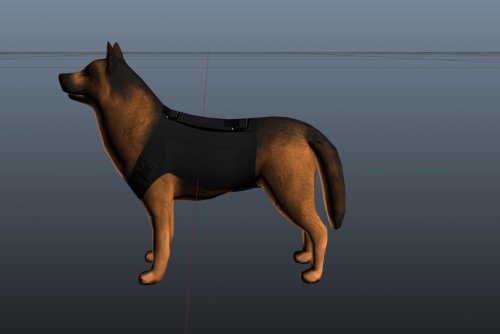
 Amazing! However i can't get my backup to respond with the vest. I've tried multiple combinations in the backup.xml. I don't know how you would enter accs_001 or what ever t is into the xml. Can you help? Thanks.
- 20 comments
- 6 reviews
-
-UK POLICE LOADOUTS- Ever wanted to add a touch of the UK to your GTA 5? Well now you can, this mod enhances your game converting your game making the police more British. This mod works perfectly along side the lspdfr backup menu and regular GTA 5 making it a vital mod to converting your game from a US to UK themed version of the game. -------------------------------------------------------------------------------------------------------------------------------------------------------------------------------- -VERSIONS AND UPCOMING- 1.2 - Current version - NPC's have knives instead of pistols. Fixed a few bugs. 1.1 - Previous version - Compatibility with LSPDFR, local and state police will respond with tasers, but this sacrifices your use of the pistol. Instead use commbat pistol, npcs and armed police will now use combat pistol as standard instead. 1.0 - First Version - -------------------------------------------------------------------------------------------------------------------------------------------------------------------------------- -FEATURES- -At stars one and two police will respond unarmed making it as realistic as possible enhancing the game making it a real UK experience. -At three stars police respond with tasers in an attempt to neutralise the threat! This mod works best with the realistic taser mod by BufordT which can be found here. http://www.lcpdfr.com/files/file/9789-taser-x26/ -At stars four and five armed response/SWAT will respond with G-36's or special carbines as they are known in GTA 5. Once they arrive they will completely wipe out the opposition with increased accuracy to make it more realistic to suit the UK's highly trained armed response officers. -I've also made it so there is more of a variety of police response with police slots 1 and 3 will responding instead of just 3. -------------------------------------------------------------------------------------------------------------------------------------------------------------------------------- -INSTALLATION- Remember to make back ups before installing, you won't regret it. To install Go to -MODS/UPDATE/UPDATE.RPF/COMMON/DATA and replace the "Dispatch.meta". Then Go to -MODS/UPDATE/UPDATE.RPF/COMMON/DATA/AI and replace the "CombatBehaviour.meta" and "Loadouts.meta". For LSPDFR Version install Go to -MODS/UPDATE/UPDATE.RPF/COMMON/DATA/AI and replace the "Weapons.meta". If you dont have a mods folder add one by right clicking in your game directory and clicking "new folder" once you've done that rename the folder "mods" all lower case. Then copy and paste your update folder, from your main directory into the mods folder. To install this mod you will also need openiv which can be found here. http://openiv.com/ Make sure you turn on "Edit mode" before installing, to ensure you have installed check for the word "compressed" next to the file you wish to replace. -------------------------------------------------------------------------------------------------------------------------------------------------------------------------------- -THANKS FOR DOWNLOADING!- If you like the mod please go ahead and support me by subscribing to my youtube channel which can be found here. https://www.youtube.com/channel/UCCZZaNCBXVFjmf6vb4yASWA All credit for the mod goes to PrinsHD/Me so make sure to keep updated so you see my new mods which will be coming out soon! -------------------------------------------------------------------------------------------------------------------------------------------------------------------------------- I'm aware the cover look weird, it's simply because it was originally designed for GTA5Mods.com but had to be adapted to fit into view. This is how it originally looked.
- 24 comments
- 2 reviews
-
-
- 3
-
-
-
 Hey bro love the mod. I was wondering if i could use your screen shot for a mod ive made. its only a uk police loadouts mod but i feel you screen shot would go well as it includes the taser. in the description i said it goes well along with this mod so i thought the picture would go with it. Thanks check out the mod here! https://www.gta5-mods.com/misc/uk-police-loadouts-1-0#description_tab
- 86 comments
- 34 reviews
-
-
-
-
 dont replace it i did that and it brakes the backup menu for custom backup and regular lspdfr backup
- 378 comments
- 23 reviews
-