




MichaelV
Friends of LSPDFR
-
Joined
-
Last visited
Everything posted by MichaelV
-
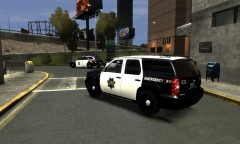 Bugs Unmarked Tahoe (Vehicle 1 in the file) http://gtapolicemods.com/downloads.php?do=file&id=1581 Don't be afraid by the red colour, the actual model looks fantastic!
 -
Sure. If you wanna. @McNamara Its Bug's CVPI http://gtapolicemods.com/downloads.php?do=file&id=973
- 6 comments
- 2 reviews
-
Yup.
-
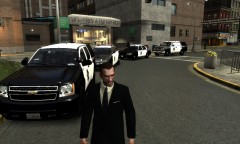 GTAIV 2012 09 30 18 46 32 779
-
 GTAIV 2012 09 30 18 45 40 450
-
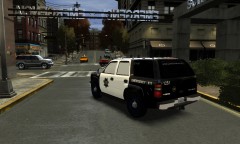 GTAIV 2012 09 30 18 43 17 291
-
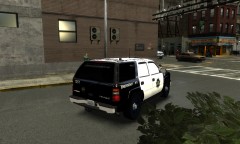 GTAIV 2012 09 30 18 43 13 441
-
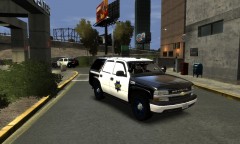 GTAIV 2012 09 30 18 43 06 234
-
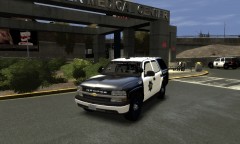 2006 Chevy Tahoe
-
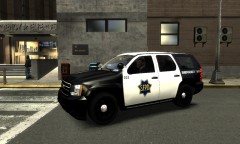 GTAIV 2012 09 30 18 42 01 400
-
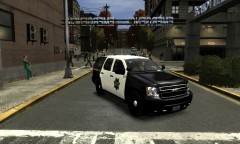 GTAIV 2012 09 30 18 41 57 838
-
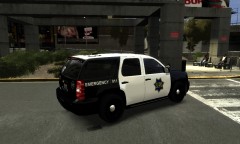 GTAIV 2012 09 30 18 41 54 042
-
2012 Chevy Tahoe
-
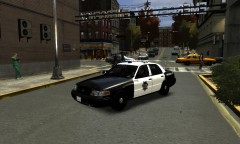 GTAIV 2012 09 30 18 39 50 478
-
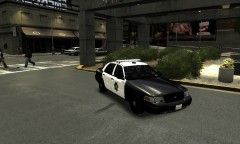 GTAIV 2012 09 30 18 39 46 783
-
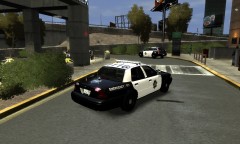 FCVPI
FCVPI
-
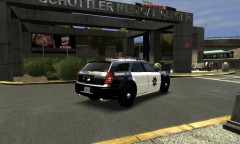 GTAIV 2012 09 30 18 38 31 392
-
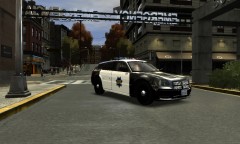 GTAIV 2012 09 30 18 38 22 538
-
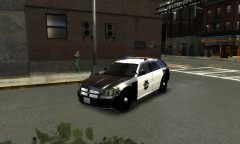 GTAIV 2012 09 30 18 38 17 284
-
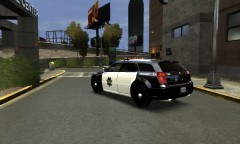 Dodge Magnum
-
-
From the album: SFPD Skin Pack
-
From the album: SFPD Skin Pack
-
From the album: SFPD Skin Pack
-
From the album: SFPD Skin Pack
-
From the album: SFPD Skin Pack
-
-
From the album: SFPD Skin Pack
-
From the album: SFPD Skin Pack
-
From the album: SFPD Skin Pack
-
From the album: SFPD Skin Pack
-
From the album: SFPD Skin Pack
-
From the album: SFPD Skin Pack
-
-
From the album: SFPD Skin Pack
-
From the album: SFPD Skin Pack
-
From the album: SFPD Skin Pack
-
-
-
I fixed the white windows on the 06 Tahoe, after I took the screenshots. Thanks! San Francisco Police Department Skin Pack by vytlind001 =========================================================== *These are VEHICLE TEXTURES only, these are not models, you will need one or more of the following models to use these skins* *The textures in the windows are not mine. They are those that the author of the vehicle put* *You are allowed to edit these skins but you may not upload them to lcpdfr.com or any other website* Installation: *You will either need Spark IV or Open IV* These skins are compatible with: -EVI's Tahoe -CJ24 and KevinDV's Tahoe -Bxbugs123's 2012 Tahoe -Bxbugs123's 2006 Tahoe -Schaefft's CVPI -KevinDV's Magnum Spark IV: 1. Click "Browse", or in the newer versions, click the GTA IV or EFLC button 2. Scroll down and click "cdimages" 3. Double Click "vehicles.img" 4. Find the vehicle you want to put the skin on (MUST BE ONE OF THE VEHICLES THAT ARE LISTED ABOVE) 5. Click the .wtd file and click "Edit" at the top 6. Find and click the entry called "police_sign_1", "subu_sign_1", "chgr_sign_1" or similar 7. Click the Import Texture button at the top, find my texture and click "Open" 8. Do the same for ..._sign_2, 3 or 4 or as many slots you want to put it in 9. Save and Close 10. Enjoy Open IV: 1. Run the program as Administrator 2. Click GTA IV, or EFLC 3. Click "Models" 4. Click "CDImages" 5. Click "vehicles.img" 6. Click "Edit Mode" at the top 7. Say Yes to the prompt 8. Find the vehicle you want to put the skin on (Must be one of the vehicles above) 9. Double Click on the .wtd file. 10. Find and click the entry called "police_sign_1", "subu_sign_1", "chgr_sign_1" or similar 11. Click the "Replace" button at the top 12. Find and click my texture 13. Click "Open" 14. Do the same for ..._sign_2, 3 or 4 or as many slots you want to put it in 15. Click the "Save" button 16. Enjoy =============================================================================================== Thank you so much for downloading!!!
- 6 comments
- 2 reviews
-
-
I swear, I did not copy yours. I got all of the logos from Google Images. I didn't even know you did a pack. I would never plagiarize. BTW, Thanks for the advice.
- 6 comments
- 2 reviews
-
Will do. Thanks!

