MichaelV
Friends of LSPDFR
-
Joined
-
Last visited
Everything posted by MichaelV
-
-
 Thanks!
 -
Join: libertyboroughpolice.webs.com This is a collection of screenshots and promotional pics from our clan.
-
From the album: Liberty Borough Police
Join Now! -
K, Thanks guys, I'll try it.
-
Sometimes when I use SNT, It gliches and it keeps scrolling. It also won't close unless I press F4. Any Ideas? It is VERY annoying.
-
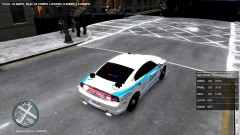 Scenery Fail.
 -
Also, If you have noticed the Taurus, I was using a NickieB Taurus and forgot they used different templates. The skin does not look like that on a Bxbugs Taurus. Fictional Liberty City Police Department by vytlind001 =========================================================== *These are VEHICLE TEXTURES only, these are not models, you will need one or more of the following models to use these skins* *The textures in the windows are not mine. They are those that the author of the vehicle put* *You are allowed to edit these skins but you may not upload them to lcpdfr.com or any other website* Installation: *You will either need Spark IV or Open IV* These skins are compatible with: -EVI's Tahoe -Cj24 and KevinDV's Tahoe -BxBugs123's Tahoe -BxBugs123's '06 Suburban -BxBugs123's FTPI -Schaefft's CVPI -EVI's 2012 Charger -Generic Charger Spark IV: 1. Click "Browse", or in the newer versions, click the GTA IV or EFLC button 2. Scroll down and click "cdimages" 3. Double Click "vehicles.img" 4. Find the vehicle you want to put the skin on (MUST BE ONE OF THE VEHICLES THAT ARE LISTED ABOVE) 5. Click the .wtd file and click "Edit" at the top 6. Find and click the entry called "police_sign_1", "subu_sign_1", "chgr_sign_1" or similar 7. Click the Import Texture button at the top, find my texture and click "Open" 8. Do the same for ..._sign_2, 3 or 4 or as many slots you want to put it in 9. Save and Close 10. Enjoy Open IV: 1. Run the program as Administrator 2. Click GTA IV, or EFLC 3. Click "Models" 4. Click "CDImages" 5. Click "vehicles.img" 6. Click "Edit Mode" at the top 7. Say Yes to the prompt 8. Find the vehicle you want to put the skin on (Must be one of the vehicles above) 9. Double Click on the .wtd file. 10. Find and click the entry called "police_sign_1", "subu_sign_1", "chgr_sign_1" or similar 11. Click the "Replace" button at the top 12. Find and click my texture 13. Click "Open" 14. Do the same for ..._sign_2, 3 or 4 or as many slots you want to put it in 15. Click the "Save" button 16. Enjoy =============================================================================================== Thank you so much for downloading!!!
- 5 comments
- 7 reviews
-
Also, they might be .rar files. You need a program like WinRar or 7zip.
-
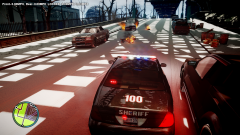
LOL! When you are in a chase with the feds, you just run them over.
-
Meeeeee!
-
Don't double post. Edit the other comment.
-
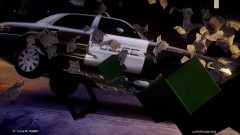 I hate when I crash into those things. You just tap them and they explode. -_-
 -
He should be releasing it soon.
-
-
How do you get inside?
-
Why not upload it here?
-
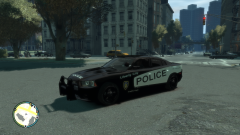 That's cool.
 -
 Nice Skin.
 -
 Looks great!
 -
-
I know a great older SRT 8. The lights are in the fog lights and the brake lights.
-
-
-
Do you still have the video on downloading mods? That was a great video and could help a lot of people.