




MichaelV
Friends of LSPDFR
-
Joined
-
Last visited
Everything posted by MichaelV
-
-
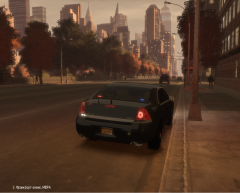 Where is that car from? It looks cool.
 -
There are some Ford Tauruses...
-
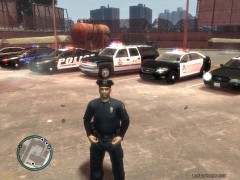 Its from BXBUGS. http://gtapolicemods.com/downloads.php?do=file&id=1196
 -
Nice Skin!
-
Wow, Thanks KPD. BTW, I love your new video!
-
That is the one I have now, are there any others?
-
Does anybody know of a great unmarked/slicktop car with a small amount of lights? Something with 2 LEDS in the back window and either wigwags or strobe lights or both. Red and Blue lights if possible. Kind of like these but without the lightbar. Doesn't have to be a CVPI. http://gtapolicemods...?do=file&id=973 http://gtapolicemods...?do=file&id=731 Thanks for the help.
-
-
In the screenshots, I have realized that I have made some errors. So, I changed the colour from orange to red and the trunk of the CVPI was running, so I fixed that too. Enjoy York Regional Police Skin Pack by vytlind001 =========================================================== *These are VEHICLE TEXTURES only, these are not models, you will need one or more of the following models to use these skins* *The textures in the windows are not mine. They are those that the author of the vehicle put* *You are allowed to edit these skins but you may not upload them to lcpdfr.com or any other website* Installation: *You will either need Spark IV or Open IV* These skins are compatible with: -EVI's Tahoe -CJ24 and KevinDV's Tahoe -Bxbugs123's 2012 Tahoe -Schaefft's CVPI -Cj24's Impala Spark IV: 1. Click "Browse", or in the newer versions, click the GTA IV or EFLC button 2. Scroll down and click "cdimages" 3. Double Click "vehicles.img" 4. Find the vehicle you want to put the skin on (MUST BE ONE OF THE VEHICLES THAT ARE LISTED ABOVE) 5. Click the .wtd file and click "Edit" at the top 6. Find and click the entry called "police_sign_1", "subu_sign_1", "chgr_sign_1" or similar 7. Click the Import Texture button at the top, find my texture and click "Open" 8. Do the same for ..._sign_2, 3 or 4 or as many slots you want to put it in 9. Save and Close 10. Enjoy Open IV: 1. Run the program as Administrator 2. Click GTA IV, or EFLC 3. Click "Models" 4. Click "CDImages" 5. Click "vehicles.img" 6. Click "Edit Mode" at the top 7. Say Yes to the prompt 8. Find the vehicle you want to put the skin on (Must be one of the vehicles above) 9. Double Click on the .wtd file. 10. Find and click the entry called "police_sign_1", "subu_sign_1", "chgr_sign_1" or similar 11. Click the "Replace" button at the top 12. Find and click my texture 13. Click "Open" 14. Do the same for ..._sign_2, 3 or 4 or as many slots you want to put it in 15. Click the "Save" button 16. Enjoy =============================================================================================== Thank you so much for downloading!!!
- 2 comments
- 7 reviews
-
 Its right above you... -_-
 -
-
Thanks.
-
What author?
-
Where did you get that Tahoe? I love the lighting setup.
-
-
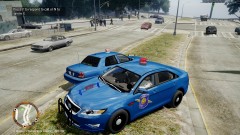 I love that shade of blue!
 -
-
That is what I was thinking. Thanks!
-
If would love to work on the highways. My favourite aspect of policing is driving and traffic stops. Maybe lower state NYSP, or any other high populated area like FHP. I love being in or close to the city.
-
I'm not really sure how I should word this but... I heard something about Ottawa Police asking uploaders to take down skins of their cars. Is this true? And are there any police services that will ask you to take down skins of their cars? If so, can you name some I should stay away from?
-
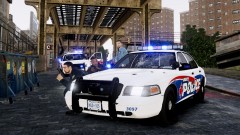 That is an awesome skin. What city is it based on?
 -
Lol, I loved when the security guard fell down the stairs at 1:10!
-
 He died 2 seconds later. LOL
 -



