




MichaelV
Friends of LSPDFR
-
Joined
-
Last visited
Everything posted by MichaelV
-
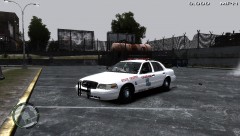
From the album: Louisiana State Police
-
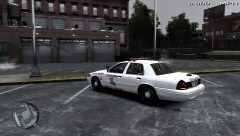
From the album: Louisiana State Police
-
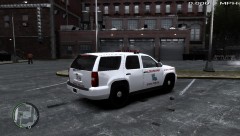
From the album: Louisiana State Police
-
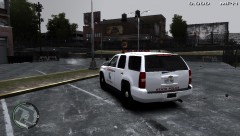
From the album: Louisiana State Police
-
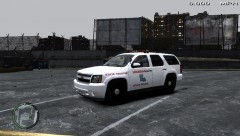
From the album: Louisiana State Police
-
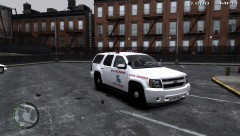
From the album: Louisiana State Police
-
-
Its called the Taxi Bug, use
-
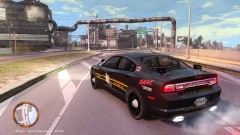 I love that D.A.R.E. logo so much on your skins
 -
-
It is a PC game. I don't think you can play it on Xbox as far as I know.
-
-
-
Use the Numpad 8, 4, 6, and 2 keys to control it and the 5 to enter.
-
-
You press F3 to open the trainer.
-
When you open the trainer.
-
You go to the "OPTIONS" Menu and set "DISABLE KEYS", Now it should work.
-
Louisiana State Police Skin Pack by vytlind001 =========================================================== *These are VEHICLE TEXTURES only, these are not models, you will need one or more of the following models to use these skins* *The textures in the windows are not mine. They are those that the author of the vehicle put* *You are allowed to edit these skins but you may not upload them to lcpdfr.com or any other website* Installation: *You will either need Spark IV or Open IV* These skins are compatible with: -EVI's Tahoe -CJ24 and KevinDV's Tahoe -Bxbugs123's 2012 Tahoe -Schaefft's CVPI Spark IV: 1. Click "Browse", or in the newer versions, click the GTA IV or EFLC button 2. Scroll down and click "cdimages" 3. Double Click "vehicles.img" 4. Find the vehicle you want to put the skin on (MUST BE ONE OF THE VEHICLES THAT ARE LISTED ABOVE) 5. Click the .wtd file and click "Edit" at the top 6. Find and click the entry called "police_sign_1", "subu_sign_1", "chgr_sign_1" or similar 7. Click the Import Texture button at the top, find my texture and click "Open" 8. Do the same for ..._sign_2, 3 or 4 or as many slots you want to put it in 9. Save and Close 10. Enjoy Open IV: 1. Run the program as Administrator 2. Click GTA IV, or EFLC 3. Click "Models" 4. Click "CDImages" 5. Click "vehicles.img" 6. Click "Edit Mode" at the top 7. Say Yes to the prompt 8. Find the vehicle you want to put the skin on (Must be one of the vehicles above) 9. Double Click on the .wtd file. 10. Find and click the entry called "police_sign_1", "subu_sign_1", "chgr_sign_1" or similar 11. Click the "Replace" button at the top 12. Find and click my texture 13. Click "Open" 14. Do the same for ..._sign_2, 3 or 4 or as many slots you want to put it in 15. Click the "Save" button 16. Enjoy =============================================================================================== Thank you so much for downloading!!!
- 11 comments
- 1 review
-
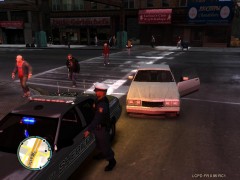 I always do that! Its so irritating because I can't shoot the window out, and the ped doesn't try to smash it.
 -
-
But it says they're Noose files, which means they are models. I haven't downloaded it yet though, so I'm not sure.
-
-I couldn't find a reflective bumper similar to one that they use. If you find one, can you PM it to me? -BTW, It looks way better in-game. Iowa State Patrol Skin Pack by vytlind001 =========================================================== *These are VEHICLE TEXTURES only, these are not models, you will need one or more of the following models to use these skins* *The textures in the windows are not mine. They are those that the author of the vehicle put* *You are allowed to edit these skins but you may not upload them to lcpdfr.com or any other website* Installation: *You will either need Spark IV or Open IV* These skins are compatible with: -EVI's Tahoe -CJ24 and KevinDV's Tahoe -Bxbugs123's 2012 Tahoe -Schaefft's CVPI -Generic 2006 Charger -EVI's 2012 Charger Spark IV: 1. Click "Browse", or in the newer versions, click the GTA IV or EFLC button 2. Scroll down and click "cdimages" 3. Double Click "vehicles.img" 4. Find the vehicle you want to put the skin on (MUST BE ONE OF THE VEHICLES THAT ARE LISTED ABOVE) 5. Click the .wtd file and click "Edit" at the top 6. Find and click the entry called "police_sign_1", "subu_sign_1", "chgr_sign_1" or similar 7. Click the Import Texture button at the top, find my texture and click "Open" 8. Do the same for ..._sign_2, 3 or 4 or as many slots you want to put it in 9. Save and Close 10. Enjoy Open IV: 1. Run the program as Administrator 2. Click GTA IV, or EFLC 3. Click "Models" 4. Click "CDImages" 5. Click "vehicles.img" 6. Click "Edit Mode" at the top 7. Say Yes to the prompt 8. Find the vehicle you want to put the skin on (Must be one of the vehicles above) 9. Double Click on the .wtd file. 10. Find and click the entry called "police_sign_1", "subu_sign_1", "chgr_sign_1" or similar 11. Click the "Replace" button at the top 12. Find and click my texture 13. Click "Open" 14. Do the same for ..._sign_2, 3 or 4 or as many slots you want to put it in 15. Click the "Save" button 16. Enjoy =============================================================================================== Thank you so much for downloading!!!
- 7 comments
- 3 reviews
-
I have NEVER seen anything like this before.
-


