




MichaelV
Friends of LSPDFR
-
Joined
-
Last visited
Everything posted by MichaelV
-
I feel like such a bug, How do you move a lightbar?
-
What works for me is when that happens, I teleport to the "Statue of Happiness Cup" and do a 360, and the problem is fixed. If you have a trainer, of course
-
Does the CVPI have wigwags?
-
We had a huge ceremony at our school. It went great, we had troops; air cadets; and bugles. The only problem is the little kids started clapping after the bugles played (it was supposed to be a moment of silence). Over all, it went pretty well.
-
You can recover deleted files in Recycling bin, if not, your screwed. LOL
-
How do you add wig wags and things of that nature?
-
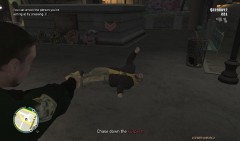 Everytime I press the trigger, it reminds me how good the AI is at dancing... LOL
 -
You might have a memory leak. To solve, you need to remove some mods.
-
I have finished it Click Don't forget my coffee...LOL
-
For me, I wait a few seconds and it works. I'm not sure it will work for you though.
-
-
Thank God! I thought I was falling into a black hole with this one. Thanks for the help you guys!
-
Oh, Thanks!
-
Wait, who is OP?
-
Wow. Thanks for the advice. I definitely will.
-
Hey guys, I am currently in Gr.8 and heading to Gr.9 very shortly. This means I will be entering highschool in September. I am currently in the Gifted Program in our board. I have the privilege of choosing my highschool classes now. I decided that I would like to take part in some AP classes. I was thinking about AP Math and AP French (I'm the star student). My grades are approx 80% in math and 90% in French. I am considering other subjects. So my questions are... Is AP really difficult? Generally, what are the best classes to take? And lastly, is calculus as hard as the media says it is?
-
-
Wow, banned in less than an hour. Awesome!
-
I just got the font, so i'll start soon. I will be making a skin.
-
Make sure you get me a Honey Glazed Donut too. LOL
-
I thought Romney was going to win in the beginning.
-
-
Its great, but the 911 stickers could use a little work. But other than that, Great Skin!
-
Comes in both Black and White liveries. Liberty City Police Skins #2 by vytlind001 ========================================== *These are VEHICLE TEXTURES only, these are not models, you will need one or more of the following models to use these skins* *The textures in the windows are not mine. They are those that the author of the vehicle put* *You are allowed to edit these skins but you may not upload them to lcpdfr.com or any other website* Installation: *You will either need Spark IV or Open IV* These skins are compatible with: -Generic 2006-2010 Charger -Generic CVPI -EVI's 2012 Charger -Generic Impala -BXBUGS123's Tahoe -CJ24/KevinDV's Tahoe -EVI's Tahoe -BXBUGS123's Taurus Spark IV: 1. Click "Browse", or in the newer versions, click the GTA IV or EFLC button 2. Scroll down and click "cdimages" 3. Double Click "vehicles.img" 4. Find the vehicle you want to put the skin on (MUST BE ONE OF THE VEHICLES THAT ARE LISTED ABOVE) 5. Click the .wtd file and click "Edit" at the top 6. Find and click the entry called "police_sign_1", "subu_sign_1", "chgr_sign_1" or similar 7. Click the Import Texture button at the top, find my texture and click "Open" 8. Do the same for ..._sign_2, 3 or 4 or as many slots you want to put it in 9. Save and Close 10. Enjoy Open IV: 1. Run the program as Administrator 2. Click GTA IV, or EFLC 3. Click "Models" 4. Click "CDImages" 5. Click "vehicles.img" 6. Click "Edit Mode" at the top 7. Say Yes to the prompt 8. Find the vehicle you want to put the skin on (Must be one of the vehicles above) 9. Double Click on the .wtd file. 10. Find and click the entry called "police_sign_1", "subu_sign_1", "chgr_sign_1" or similar 11. Click the "Replace" button at the top 12. Find and click my texture 13. Click "Open" 14. Do the same for ..._sign_2, 3 or 4 or as many slots you want to put it in 15. Click the "Save" button 16. Enjoy =============================================================================================== Thanks for downloading!!!
- 7 comments
- 7 reviews
-
I'll make one. I should have it done by next week, at most, next weekend.


