




MichaelV
Friends of LSPDFR
-
Joined
-
Last visited
Everything posted by MichaelV
-
What program do you use now a days?
-
Those are from the veshare, I believe. You need to get the Vehshare from here: http://www.zmodeler2...?mode=downloads In the GTA IV Examples Pack. I am an amateur, so do with that what your will. LOL
-
-
You right click the GTA IV Shortcut and click run as administrator. While in game, press Alt P and go to a police station.
-
While ingame, press Alt+F11 and you will recieve a new callout. If you would like a random pursuit, click Alt+F12 and click World Event
-
-
LOL, Thanks. Our Thanksgiving was last month. I am thankful for such a welcoming community and a great website.
-
So, you're tired of the skins that came with the car, or you found some really cool ones online. This tutorial is going to teach you how to put those epic skins in action! Warning: Some Skins may not work on some models due to different templates being used. Please check file before downloading to ensure compatibility. 1.Download Skins 2. Open the file, Find the correct file. It will be a PNG. Example: 3. Drag the skin(s) to your desktop 4. Open your preferred program for installing car mods (OpenIV/Spark IV) 5. Import the textures. a) For Open IV do the following: i) Click "Models" (Highlighted Here) ii) Click "CDImages" iii) Click "Vehicles.img" iv) Click Edit Mode (Highlighted here) and follow the prompt v) Find the vehicle you want to put the skin on. Mine is in the "police" slot vi) Click on the .wtd file for the vehicle. vii) Find the texture called "police_sign_1" or "paintjob_sign_1" or similar. viii)Click "Replace" at the top ix) Find and click on your Skin x) Click "Open" xi) Repeat for (INSERT NAME HERE)_sign_2, 3 and 4 if desired xii) Click Save xiii) Enjoy. b) i) Click "Browse", or in the newer versions, click the GTA IV or EFLC button ii) Scroll down and click "cdimages" iii) Double Click "vehicles.img" iv) Find the vehicle you want to put the skin on v) Click the .wtd file and click "Edit" at the top vi)Find and click the entry called "police_sign_1", "subu_sign_1", "chgr_sign_1" or similar vii) Click the Import Texture button at the top, find my texture and click "Open" viii) Do the same for ..._sign_2, 3 or 4 or as many slots you want to put it in ix) Save and Close x) Enjoy Post any questions you may have below. Thanks for reading. Hope it helps.
-
Next time, don't put your name on the skin. It makes it less appealing to the public. You can put it on the corners, or anything that won't show on the vehicle. Just not on the car. Looks pretty good. You just need to widen your array of fonts.
-
NYPD Cars I'll look for others.
-
LOL, Damn Hipsters...
-
Your welcome, use this thing, it is amazing whenever you need a font. http://www.whatfontis.com/
- 14 comments
- 3 reviews
-
http://www.whatfontis.com/Gentium-Basic-Bold.font?text=POLICESHEFF13 If your looking for that font of course. ;)
- 14 comments
- 3 reviews
 "Dispatch, Its code 4 over hear..."If you got the free version than yes, you have to pay.
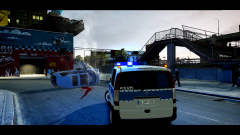 Its awesome!Pretty cool! What program do you use?You just put in the textures like you would with the model using the texture editor, then just import it, just like you did with the car, and in the end, you just put it in the car using the hierarchy (Vague way of saying it). Read this tutorial: http://www.lcpdfr.co...in-zmodeler-r25I agree with you. I think it looks more like a tablet interface, and I heard it is awful if you don't have a touch screen.That's exactly what I do. But I use this one to find free ones. http://www.whatfontis.com/


