




MichaelV
Friends of LSPDFR
-
Joined
-
Last visited
Everything posted by MichaelV
-
If it's unlocked, then you can. Just do the same as in the tutorial. Here is an awesome tutorial to use. As for skinning, use this.
-
-
-
Please listen to the advice people have given you on your other files. http://www.lcpdfr.com/page/tutorials/index.action/_/texturing-tips-and-tutorials/texturing-tips-and-tricks-r8
- 12 comments
- 2 reviews
-
LOL!
-
I believe you cannot comment. Clear your cache. It happened to me and it worked.
-
Hey guys, I was just wondering, since there are a lot of new generation police cars out these days... What is your favorite police car? Please give a brief explanation on why you love it. I don't like any of the new gen police cars. Mine is either the CVPI and the Tahoe. I love the CVPI because it looks fierce to me. It looks very intimidating and I love that. When you see a CVPI, its either a senior or a cop where I live. I love the Tahoe because it looks so sexy. Ever since they came out with the new body style, I fell in love. I love how the trunk looks and how the headlights look. Those are my two favorite, what is yours?
-
Post at List of Roleplaying Clans to continuously play with a large group on a specific day Post here for a one time deal.
-
Try following this: http://www.lcpdfr.com/page/tutorials/index.action/_/texturing-tips-and-tutorials/ It helped me a lot.
- 5 comments
- 1 review
-
That looks like a Panorama. LOL
-
Nice Skins! Next time, I think you should upload them in a pack. It would be easier for the downloader. Very nice, nonetheless!
-
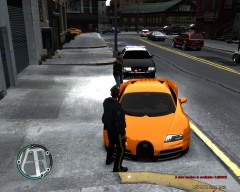 Must have been hard to track down...LOL
 -
-
I have been looking for that font for like forever. Could I possibly have a download link?
- 11 comments
- 5 reviews
-
-
LOL, I'm running LCPDFR on my 15 inch Acer laptop.
-
-
-
-
Your Welcome.
-
-
Totally, you won't regret it!
-
I would recommend this mod. It is amazing. Some crashes do happen, but it usually happens because of bad computers and/or some mods. There are a lot of tutorials on how to install mods and they are very helpful. Just listen to the instructions and it should be fine. You get to choose your own model* kind of, they give you around 7 models to choose from and they are regular cops from the game.
-
No. LCPDFR does NOT give support for cracked versions. Go and buy the real thing.
-
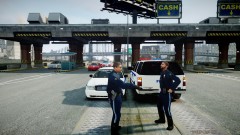 OMGGGG! Unit 71, I totally caauuuuggghhhttt 497 going out of his deeesssignateeeeed area to totally go pick up some trashhhhh!! LOL


