




MichaelV
Friends of LSPDFR
-
Joined
-
Last visited
Everything posted by MichaelV
-
Well, they drive on the right side. Also, if you want some SA vehicles, check out KevinDV.
-
-
Joyeux anniversaire, mon amis! @Mr.Banana I'm really starting to wonder if you just stalk all the staff, then write down the birthdays on a calendar or something. lol
-
-
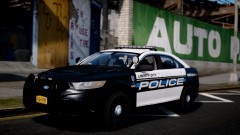 Haha, yep. Coming soon. A finale pack for the time being.
 -
Try webs.com, it is really easy to set up, and it comes with a basic forum. If you need a forum, check out Zetaboards, and embed it using iFrame. For one of my former sites, I used weebly, and since the forum that comes with it, doesn't work the best, I used Zetaboards. iFrames is an HTML tag used for displaying a site within a window. Copy this into the HTML drag. Sorry, I have only used it on weebly, and never tried it on webs. Input your site, choose the size you want it to be, and whether you want to enable scrolling. <div class="indexonly"><div class="memberonly"><center><IFRAME SRC="YOUR SITE NAME" scrolling="yes" HEIGHT="1600" WIDTH="850">Sorry, your browser prevents you from reading our news.</IFRAME></center></div></div>
-
-
Hawaii Five-O. Pretty obvious.
-
I updated mine again. Decided to go grey this time.
-
I would suggest you not do clan skins. It really takes the fun out of skinning, in my opinion. Just a bunch of skin transferring and all these random units. If you're into that stuff instead of creating them, then you might be better off there. I for one, hate clan skins. The boredom in doing them makes them almost impossible for me to complete. Also, if the clan doesn't like them, you could get a lot of hate. I would also suggest when working with 'clients' try not to ask for everything. Ask them what models they need it for, and that's it. Try to find your own decal to replicate. Sometimes the client may choose a skin that is totally out of your skill set, or is just completely ugly, and not worth recreating. Try to do your own things. *I don't mean to attack anyone in this post.*
-
Meh. It has nice graphics, but a terrible storyline.
-
Happy Anniversary! That logo is truly amazing. Who made it?
-
-
My latest pack features skins for both models. '?do=embed' frameborder='0' data-embedContent>>
-
I see this is the topic where everyone posts their corny jokes. Found this on Tumblr (I know -_-) >*seduces you with my report card* >Ah, the D.
-
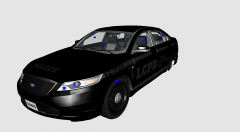 2013? You would have to change the whole front end.
 -
Oh god. I have seen this guy. I feel so bad for that laptop. :(
-
I always loved that logo. It looks so LCPDFR related. It must be great having that above your rep button. Are you a real life Logo designer? Why is this topic archived?
-
I think that is what the moderators do now. Just report it. The moderators see it, and evaluate it to see if they need to take action. You can't expect them to see everything, so it is best to report it to bring it to their attention. I make a lot of reports (the moderators are well aware of that), and they usually get to the topic within 10 minutes.
-
-
Lacey, not everyone knows what is going on in your head. We have some users that would completely disregard the 'CROWN VIC' part. We weren't sure what to think. Relax, not everyone is out to get you.
-
-
You can barely PM him. lol How the heck do you expect him to PM you? Just post it in the proper forum.
-
Holy Crap, these look fantastic. The car doesn't even look like a Vapid anymore. It looks more like a CVPI. Dat SabreGT do. I would love to drive that in real life.
-
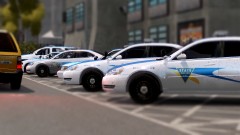 Submit this to a museum!



