martinthor
Members
-
Joined
-
Last visited
Everything posted by martinthor
-
Okay, try launch game once without rage, if you haven't installed any save game or done any progess, do the prolouge, once all that is done, try launch it with rage.
-
If you have a mods folder, what was the latest mod you installed into it?
-
If it's an ELS pack, I advise you just wait until script hook V is updated.
-
Have you launched the game without rage, only using the game launcher?
-
Did you check out C:\Program Files\Epic games? A map is a bit more tricky to install, you'd need a software called OpenIV which can be found here https://openiv.com/ Though you might have to know the location of where GTA is installed in order to install OpenIV.
-
Are you on steam or epic games version? If you are on steam version, have you installed script hook V? If you are on epic games there's nothing you can do except waiting for Script hook V to get updated to the latest version.
-
The website has been down for a few days now, nobody really knows when or if it will be back up.
-
You won't need FiveM for LSDPFR, no. Try to navigate to C:\Program Files\Epic Games and see if you see a Grand Theft Auto V folder there. If you do, you should paste all the Rage Files into there, and then also install LSPDFR into there. If there is no folder for Grand Theft Auto there you can go into Epic Games library, click the three dots next to the name of the game, press create a shortcut, then right click the gta launcher on your desktop and click open file location, then paste Rage and LSPFR files into there.
-
If you have the GTA shortcut on your desktop, right click it and press open file location and it should open the root directory for GTA
-
All files except the Profiles and user music must be installed into the root directory for GTA. Not in the documents folder. Do you know what folder GTA was installed into?
-
Did you use mods folder? If you did, replace the vehicles.awc file with the one in the game files itself. If you did not use mods folder, try delete vehicles.awc and verify game files.
-
You're just gonna have to wait until the website is back up again. There is ccurrently no other way to download script hook V.
-
Did you put the VCF files for the vehicle into the ELS/pack_default folder in the gta folder? Seems that might be the problem
-
Are you on epic games or steam version?
-
It more than likely will be updated for epic games version, just give it a week, maybe less.
-
Looking in the comments on this reddit post, it seems like the issue is actually that script hook V was made for Steam version and not Epic Games.
-
Epic Games is actually on build .4, which is why it isn't working.
-
the fact that his account has been banned, i don't think he is gonna release it.. Not here at least
-
-
-
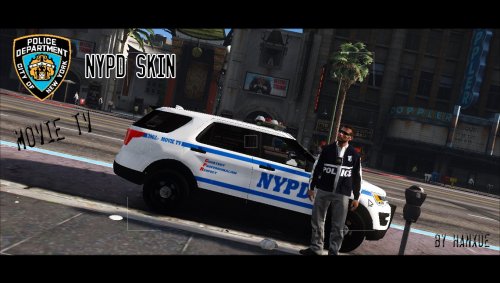 i can't seem to find the Explorer Model, either it's wrong link or the file has been removed
 -
-
-
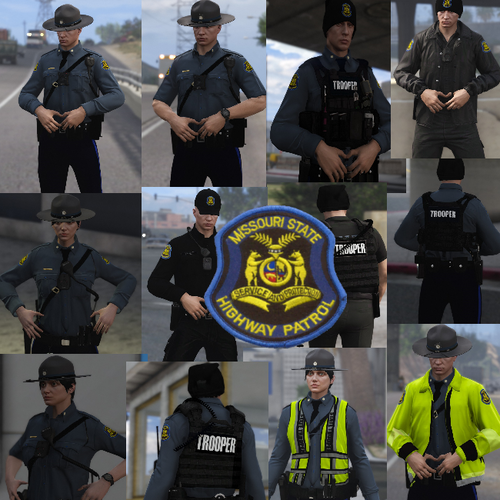 you litteraly just painted over the badge, and most of the tie, and painted a black band on the uniform...
- 9 comments
- 3 reviews
-