
Trp. Keaton
Members
-
Joined
-
Last visited
Everything posted by Trp. Keaton
-
-
-
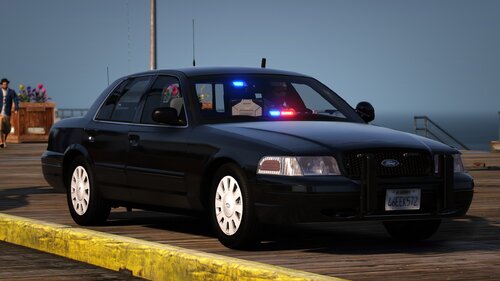 You missed the tag of the post "Wisconsin State Police Based CVPI" But I updated the title to better reflect that as well. It was supposed to be in it originally, but I've been busy with other things
 -
-
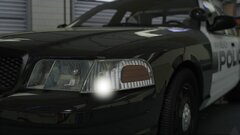
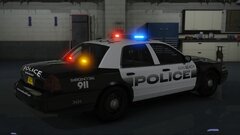
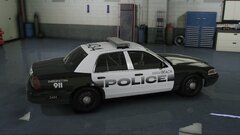
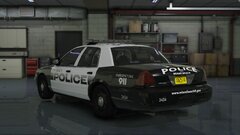
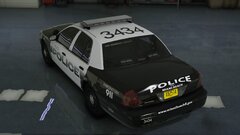
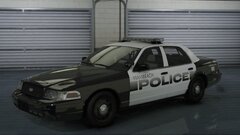
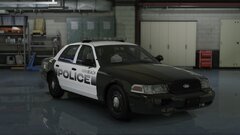
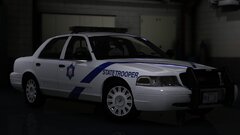
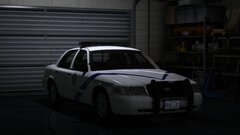
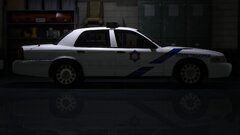
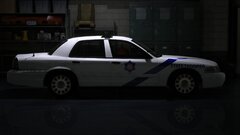
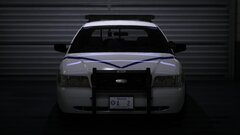
Hello everyone! First new release in a while, this is actually my first FULL non-els car that I have ever released. It is based of Wisconsin State Police CVPI, it's unmarked and it also has an in-game plate which is also something I have never done before. This car will also be my bases for start to make DLS cars as I try to move away from ELS to have way more realistic lighting, and with DLSv2 I can get that. So while this does not use DLSv2 currently, I am going to be playing around with it, and will even be updating and releasing a DLSv2 version of this car, just to see how I like it and stuff, and pretty soon all of my future packs will be DLSv2, as I will no longer use ELS, just dude to not getting the correct lighting that I want in my cars. I hope you all enjoy this little car I made!
-
 If you are having some issues with lights, some cars may still be broken, and since they are never really reported, I don't know which ones have issues that need to fixed still. Once I get my zmod up, I'll be working on an update to the pack that will hopefully fix a lot of the lighting problems
- 300 comments
- 22 reviews
-
-

- 1
-
-
They are currently being replaced. They will all be fixed in the next update
- 300 comments
- 22 reviews
-
-
- 1
-
-
-
Hey, are you able to send me screenshots of these issues? And the Charger and the Explorer with the Valor was removed because they are in Sky's FHP pack, and my pack is built to work in conjunction with his pack.
- 300 comments
- 22 reviews
-
-
- 1
-
-
-
-
-
-
-
-
-
 I don't have any date right now, but ill release them when they are finished
- 125 comments
- 14 reviews
-
-
- 2
-
-
-
-
Ok, so I was able to download this just fine from Google Chrome, and Microsoft Edge. I am not familiar with firefox, as I don't use it. Opera, and OperaGX are pretty similar to Chrome and Edge, you can try those. Have you tried reinstalling OpenIV, maybe that could fix the issue.
- 300 comments
- 22 reviews
-
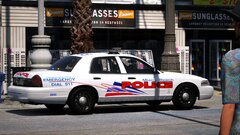
The mustang was removed. The pictures are outdated. They will be updated soon I was able to download and open the pack just fine. You need to try downloading it from another browser. You browser is not downloading the file properly.
- 300 comments
- 22 reviews
-
-
- 1
-
-
Ok, but I recommend you try to download it from other browser. That is not something I can fix, that issue happens when it doesn't download correctly.
- 300 comments
- 22 reviews
-
Have you tried downloading from a different browser? That usually happens when it doesn't download properly
- 300 comments
- 22 reviews
-
Interesting, I am not sure what could be causing that problem. Have you tried downloading it from another browser? I will look into it, thank you!
- 300 comments
- 22 reviews
-
There is likely a problem with it, I am actually redoing that pack in a DLS format, but until that's done, I am going to go in and fix some things in the pack. So thank you for letting me know, I will look into it!
- 125 comments
- 14 reviews