



Harper
Friends of LSPDFR
-
Joined
-
Last visited
Everything posted by Harper
-
That was awesome.
-
Um.. is that a command prompt window launching the game? You need to update the game. That method was removed ages ago.
-
Sigh. I haven't slept all night and yet I can understand this, To summarize; The OP wants to play LCPDFR Multiplayer but lacks a working microphone / speakers / breadcrumb to communicate properly. Therefore he wants to use the Xbox 360 party chat feature to talk to other people at once who are in the game, there he can use codes like 10-4 etc. Simplez. Now if you'll excuse me, I need to fall asleep and awaken later to find myself faceplanting my cereal.
-
 Alright Meow, that's not fair. Our shenanigans are fun and goofy, NoOSE's Shenanigans are evil and cruel
 -
You do know we have a working download section right? No judgement. Just letting ya know
-
@Codz - this went on for five years. My teachers didn't give a shit even after telling them numerous times, besides, nobody takes the piss out of any of my relatives.
-
I too know the cruel reality of bulling. One of the main bullies was this big ass fat kid, so one day, he went too far and insulted my family. I was around 10 I think, so I wasn't big or anything, just a small skinny kid. Anyway, I turned round, sprinted at him and tackled him to the ground before finally planting a good punch or two that almost broke his nose. Needless to say he stopped after that. Its sad when people can't take it anymore and feel the only way out is through suicide, the best thing to do is to speak to someone about it. R.I.P.
-
They are all high poly.. Not to mention you need a good PC to install that pack as it'll chew up your resources like a road hog.
-
-
 Don't you mean Sexism?
 -
-
I replaced the car with the Lamborghini you can see in my latest video. The actual files for the car are included in the download.
-
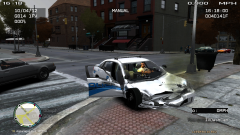 Well, its simple. He obviously tried running over a fat pedestrian. Ped 1 - Car 0
 -
Grab the livery from one car, modify it to fit on the other car, then add +livery in the vehicles.ide and then the details of it in ALM
-
Sounds like you don't have enough RAM to run LCPDFR, that or you GPU is freaking out and failing to load the textures
-
I no longer have the files on my system, the car files are included in my file "Danish Jaguar" in the download section however.
-
You sir fail. That's the siren most British Police use. Whelen Alpha.
-
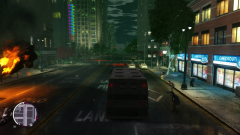 I'd prefer to be in the APC :D
 -
Area Livery mod, allows cars that are +livery enabled to be spawned in selected places only.
-
Not quite yet. But your post will cause an uproar from everyone and the members you insulted. I'm warning you and everyone else, this is starting to get out of hand. Cut the insults and fighting and keep it to a discussion
-
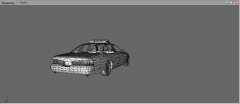 @SharpCommand - that's the general idea, I'm planning on creating the car from that film as well as keeping the original version so people have a choice.
 -
From the album: Yo Dawg, I heard you like photos..
Little update of my conversion project, car is coming along nicely. Lights and windows have been detached and I've cleaned up the car by removing those horrible white chunks in the middle -
I live in the UK and I heard about it almost instantly. That's because part of my daily routine is checking the news. It helps to remain updated.
-
I think corleone used a new lightbar as I quote "the original lightbar looks like shit IMO" I may use the same one, or I'll use a Whelen Liberty
- 13 comments
- 5 reviews
-
Yes. It doesn't interfere with LCPDFR as it only changes values in popcycle.dat (as far as i'm aware)


