



Harper
Friends of LSPDFR
-
Joined
-
Last visited
Everything posted by Harper
-
My mistake. I use zM to resize and alter collision files for my car models, works fine. Thought it'd be the same.
-
If you find the collision file, like others have said it'll most likely be connected to a whole block / street. If thats the case, open it in zModeler (if possible) and select the vertices that cover the door and scale them down to street level, that should get rid of the invisible wall problem.
-
Do you have permission from the original creators of these vehicles to upload the models themselves?
- 8 comments
- 3 reviews
-
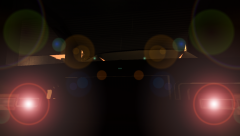 Yeah, its a Monaco. I've spent a few good days on this thing yet I'm having issues with the wheels. I couldn't find any good templates for it so they are really low quality pictures. Also, I can't seem to get the lights to be "bright" .. Meaning, the texture is dimly lit. I can't map it to lightsemissive as that'd force them on all the time.
 -
From the album: Yo Dawg, I heard you like photos..
"2000 bucks and it's yours. You can take it home with you. As a matter of fact, I'll throw in the black keys for free." ---- Model is a [W.I.P] and is almost ready for public release, I need someone who's willing to make a proper tire template for this car as I couldn't find any decent photo's for them. The person who is selected to make the tires, please do not release the name of the model, although people may guess it from this picture, I've spent many hours on this thing and would like to keep it as a surprise to the community© Harper 2012
-
Click the little "+" sign to open the error and see whats causing it. Also, your car isn't mapped to any texture so it'll most likely be white ingame. Before importing your model into zModeler, open the texture browser and add all the textures the car uses, then import the model. Same process goes for the lightbar
-
Nothing to see here! This topic has been closed by G17 Media staff. If you feel that this topic has been closed in error, please report this post.
-
It does if it has switchable graphics like mine. I can just click a button to switch to the weak power saving GPU if I'm on the go and need to get some college work done, if I want to I can then switch to my High Perfomance GPU and play games like GTA IV and ArmA 2 with no problems.
-
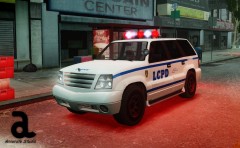 Very nice Cj!
 -
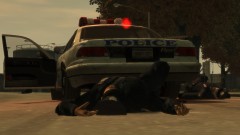 Um.. What? I don't even..
 -
Its not. Its in the model spawning section in Simple Native Trainer.
-
Found this within five minutes on google: As for the texture problem, your GPU might not be able to handle the game, try turning down the graphic settings. If that still doesn't work, you need to upgrade your computer
-
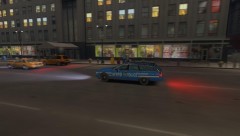 @Strike - Could be the way the model is mapped.
 -
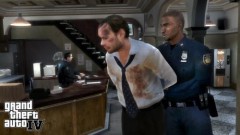 Um.. You took a picture of a cutscene?
 -
-
Unfortunately, you can't. Only the full version can be modded.
-
Its in Algonquin near the Higgins Helitours place.Simple Native Trainer: Options > Cops Dispatch: Disable This should stop cops from being "spawned", if not, I'm sure I've seen another option that disables them thoughConvinced yet? :DHave you considered doing this varient? Could just use the default R* lightbar on itGlad you edited that. "The Harper Government" - Uh... How'd you find out about my plans? Dammit, I'll have to kill my assistant for this. Seriously though, this thing won't die. The Government won't quit until its implemented but at the same time, mass users of the internet, myself included, will stand up to this. Its taking away the freedom of the internet.DayZ is the cancer of ArmA 2. Its a military Sim, not a zombie Sim.. Ever since that horrible mod was released, the game has been filling up with immature little kids who just get into the choppers and crash them constantly, I'm sick of it. Most of the good players have left due to it.


