



Harper
Friends of LSPDFR
-
Joined
-
Last visited
Everything posted by Harper
-
Did you get any errors when exporting?
-
Its best you import all textures before importing the model to avoid any issues once its ingame.
-
Well down in Sussex, we have one of these each, the rest are usually Beemers and Merc's.
-
The RCU has one of the biggest job list in a police force in Britain. They can deal with a large number of drivers everyday. Think of it this way, let's say they do extremely well in one day and stop 50 drivers. Out of those 50 drivers, about half of them are hostile or uncooperative. They usually get to drive sweet ANPR cars and, if lucky, this: My knowledge might be a little off.
-
Here you go. I believe the RS uses this interior;
-
Will do buddy, What force are you with?
-
Drag both of the dummies out of the hierarchy and then drop them into the Sultans
-
Currently in my second year of college, already spent three years on a public services course and already achieved level's one and two, working towards level three. Next year, I'll be old enough to join Sussex Police as a Special Constable. Eventually after a year or so I'll hopefully become a Roads Policing Officer and get to drive one of these beauties:
-
Here's what I done so far, I managed to modify the rambar without affecting it too much: And this is the car I'm making: http://www.youtube.com/watch?v=Rw4eeBbLjSo&feature=related Skip to 0:38 seconds to see it
-
The rambar works awesomely. Thanks a ton bro!
-
That is amazing. Thanks man :D EDIT: I imported it into zModeler but its not appearing. Prehaps try a .obj file?
-
Don't create your own, the game likes to crash with own-made ones. Just use the ones from the police cruiser.
-
Updated picture. Its a Setina PB-5
-
Alright, thanks man. I appreciate it :)
-
There's nothing wrong, I had RC3 Enabled while testing your mod. I parked the bait car and waited across the street in my cruiser. A few seconds later RC3 Spawns a pursuit world event. All I had to do was slightly nudge the incoming suspect to cause him to crash. While this was going on, the bait car was stolen xD
-
Take a screenshot of this screen when you attempt to export: Does yours look like that? EDIT: Device is lost means you need to exit and restart zModeler
-
Yes, although it'd be better if exported in a .3ds file. I'm not sure if zModeler takes .obj files
-
Take a screenshot of the export window in zModeler
-
Import the default police cruiser and take the lightbar from it If you don't mind not having an actual model for the lights, just use the dummies for the sirens and move them into position.
-
Those are fine, just ignore them
-
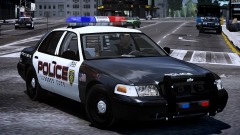 Dat Graphic.
 -
Recently switched to Bandicam. Beats the utter crap out of FRAPS
-
Alright, so double click the "misc_b" one for the lightbar that you placed and rename it to misc_g That one you've found is for a small part of the windows
-
Open all the sub-directories (click the "+"'s) Let me know if you can find it
-
That means there's more than one part in the hierarchy that has the same name. You'll need to find one of them and rename it to something else. for instance, change "misc_b" and all subgroups to this: misc_c - misc_c_L0 (If you've got it) - misc_c_L1 (If you've got it)


