



Harper
Friends of LSPDFR
-
Joined
-
Last visited
Everything posted by Harper
-
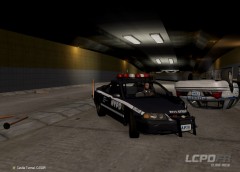
From the album: Patrol Diaries
Two cruisers become the latest in a line of wrecks after an NYPD Auxillary and a patrol unit collided inside the Algonquin Tunnel during a pursuit of a black turismo. The officers were thankfully unharmed but the cruisers are complete write off's. -
Nothing to see here! This topic has been closed by G17 Media staff. If you feel that this topic has been closed in error, please report this post.
-
What he said. Nothing to see here! This topic has been closed by G17 Media staff. If you feel that this topic has been closed in error, please report this post.
-
Well, there's your problem. The minimum requirements for running the game is 2GB of RAM. You've added more things like modified vehicles and ELS onto non-exsistant memory. You'll have to either remove some of those car mods or lower your game settings. Or both.
-
Hm. Well, I was in the same boat with the ENB issues, but the latest one I tried runs smoothly and still looks awesome (after tweaking some game settings) Its in the download section, Game4Video ENB or something
-
Just a heads up, Refurbished laptops are going to cause issues. I should know, Its happened to me before (The GPU detached from overheating after a refurb) Best bet is to go for a brand new laptop
-
Its worth a shot I guess. No harm in trying
-
No, its from the ENB I'm using.
-
Open up your visualsettings.dat (Located in: Common > Data) and replace everything inside with this one: # Visual Configuration Table # stores intial values for configuration of in game elements #Name Value #Values to use with hieght based reflection map heightReflect.width 100 heightReflect.height 220 heightReflect.power 1.2 heightReflect.specularoffset 0.15 heightReflect.waterspeed 1 #Values to use with rain collision map raincollision.width 56 raincollision.height 1200 raincollision.specularoffset 0.5 raincollision.waterspeed 1 #Values for rain GPU particle effect rain.NumberParticles.ps3 32768 rain.NumberParticles 32768 rain.UseLitShader 0 # rain.gravity 0 0 -0.98 rain.gravity.x 0 rain.gravity.y 0 rain.gravity.z -0.98 rain.fadeInScale 2 rain.diffuse 1 rain.ambient 0.4 rain.wrapScale 0.6 rain.wrapBias 0.4 # rain.defaultlight 1 1 1 rain.defaultlight.red 1 rain.defaultlight.green 1 rain.defaultlight.blue 1 rain.defaultlight.alpha 16 #Config for static values for skyhat sky.sun.centreStart 0.98 sky.sun.centreEnd 1 sky.cloudWarp 1 sky.cloudInscatteringRange 0.68 sky.cloudEdgeSmooth 0.76 sky.sunAxiasX 1 sky.sunAxiasY 0 sky.GameCloudSpeed 0 #config values for vehice settings car.headlight.angle -0.2 # car.headlight.color 0.9 0.9 1.2 car.headlight.color.red 0.9 car.headlight.color.green 0.9 car.headlight.color.blue 1.2 car.headlight.intensity 3 car.headlight.falloffMax 35 car.headlight.innerConeAngle 10 car.headlight.outerConeAngle 35 car.headlight.emissive.on 18 car.headlight.emissive.off 0.05 # car.taillight.color 1 0 0 car.taillight.color.red 1 car.taillight.color.green 0 car.taillight.color.blue 0 car.taillight.intensity 4 car.taillight.falloffMax 8 car.taillight.innerConeAngle 45 car.taillight.outerConeAngle 90 car.taillight.emissive.on 11 car.taillight.emissive.off 0.05 # car.siren.color 1 0 0 car.siren.color.red 1 car.siren.color.green 0.2 car.siren.color.blue 0 # car.siren.color2 0 1 2 car.siren.color2.red 0 car.siren.color2.green 1 car.siren.color2.blue 2 car.siren.intensity 18 car.siren.falloffMax 20 car.siren.innerConeAngle 30 car.siren.outerConeAngle 60 # car.taxi.color 1 1 0.6 car.taxi.color.red 1 car.taxi.color.green 1 car.taxi.color.blue 0.6 car.taxi.intensity 5 car.taxi.falloffMax 2 car.taxi.innerConeAngle 0.5 car.taxi.outerConeAngle 1 car.indicator.intensity 4 # car.indicator.color 1 0 0 car.indicator.color.red 1 car.indicator.color.green 0.5 car.indicator.color.blue 0 car.indicator.falloffMax 2.5 car.indicator.innerConeAngle 30 car.indicator.outerConeAngle 80 car.indicator.emissive.on 12 car.indicator.emissive.off 0.05 # Other emissive lights car.defaultlight.emissive.on 800 car.defaultlight.emissive.off 0.05 car.brakelight.emissive.on 15 car.brakelight.emissive.off 0.05 car.middlebrakelight.emissive.on 15 car.middlebrakelight.emissive.off 0.05 car.reversinglight.emissive.on 15 car.reversinglight.emissive.off 0.1 car.extralight.emissive.on 12 car.extralight.emissive.off 0.05 # Lod distances for vehicles car.lod.distance.high 40 car.lod.distance.low 100 #Config values for traffic lights # trafficLight.red.color 0.8 0.1 0 trafficLight.red.color.red 0.8 trafficLight.red.color.green 0.1 trafficLight.red.color.blue 0 # trafficLight.amber.color 0.8 0.3 0 trafficLight.amber.color.red 0.8 trafficLight.amber.color.green 0.3 trafficLight.amber.color.blue 0 # trafficLight.green.color 0.1 0.4 0.1 trafficLight.green.color.red 0.1 trafficLight.green.color.green 0.4 trafficLight.green.color.blue 0.1 trafficLight.intensity 5 trafficLight.falloffMax 30 trafficLight.innerConeAngle 25 trafficLight.outerConeAngle 90 #Config values for Tree Imposters imposter.color.blendRange 1 imposter.color.blendBias 1 imposter.color.size1 256 imposter.color.amt1 24 imposter.color.size2 128 imposter.color.amt2 24 # imposter.backgroundColor 0.2 0.2 0.1 imposter.backgroundColor.red 0.2 imposter.backgroundColor.green 0.2 imposter.backgroundColor.blue 0.1 imposter.shadow.blendRange 24 imposter.shadow.blendBias 256 imposter.shadow.size1 512 imposter.shadow.amt1 24 imposter.shadow.size2 256 imposter.shadow.amt2 128 #Config values for peds ped.ambientvolume.maxstrength 1 ped.ambientvolume.fadestart 5 ped.ambientvolume.fadeend 5 # Lod distances for peds ped.lod.distance.high 30 pedincar.lod.distance.high 30 #Config Values for Camera Events Val start Val End MB start MB End # cam.followped.blur.zoom 0 5 0 0.06 cam.followped.blur.zoom.x 0 cam.followped.blur.zoom.y 5 cam.followped.blur.zoom.z 0 cam.followped.blur.zoom.w 0.06 # cam.followped.blur.damage 0 10 0 0 cam.followped.blur.damage.x 0 cam.followped.blur.damage.y 10 cam.followped.blur.damage.z 0 cam.followped.blur.damage.w 0 # cam.followped.blur.falling 0 30 0 0 cam.followped.blur.falling.x 0 cam.followped.blur.falling.y 30 cam.followped.blur.falling.z 0 cam.followped.blur.falling.w 0 # cam.followped.blur.beta 0 30 0 5 cam.followped.blur.beta.x 0 cam.followped.blur.beta.y 30 cam.followped.blur.beta.z 0 cam.followped.blur.beta.w 5 cam.followped.blur.damage.time 500 cam.followped.blur.damage.attacktime 0.1 cam.followped.blur.damage.decaytime 0.3 cam.followped.blur.cap 0.3 # cam.aimweapon.blur.zoom 0 100 0 0 cam.aimweapon.blur.zoom.x 0 cam.aimweapon.blur.zoom.y 100 cam.aimweapon.blur.zoom.z 0 cam.aimweapon.blur.zoom.w 0 # cam.aimweapon.blur.damage 0 100 0 0 cam.aimweapon.blur.damage.x 0 cam.aimweapon.blur.damage.y 100 cam.aimweapon.blur.damage.z 0 cam.aimweapon.blur.damage.w 0 cam.aimweapon.blur.damage.time 1000 cam.aimweapon.blur.interp 0.05 cam.aimweapon.blur.damage.attacktime 0.1 cam.aimweapon.blur.damage.decaytime 0.3 cam.aimweapon.blur.cap 1 # cam.followvehicle.blur.zoom 0 0.1 0 0.001 cam.followvehicle.blur.zoom.x 0 cam.followvehicle.blur.zoom.y 0.1 cam.followvehicle.blur.zoom.z 0 cam.followvehicle.blur.zoom.w 0.001 # cam.followvehicle.blur.speed 0 300 0 0.3 cam.followvehicle.blur.speed.x 0 cam.followvehicle.blur.speed.y 300 cam.followvehicle.blur.speed.z 0 cam.followvehicle.blur.speed.w 0.3 # cam.followvehicle.blur.damage 50 100 0 0.1 cam.followvehicle.blur.damage.x 50 cam.followvehicle.blur.damage.y 100 cam.followvehicle.blur.damage.z 0 cam.followvehicle.blur.damage.w 0.1 cam.followvehicle.blur.damage.time 1000 cam.followvehicle.blur.cap 0.3 cam.game.blur.wasted 0 cam.game.blur.wasted.fadetime 1000 cam.game.blur.busted 0 cam.game.blur.busted.fadetime 1000 cam.game.blur.cap 1 cam.fpsweapon.blur 0.001 cam.fpsweapon.sniperinitime 300 cam.fpsweapon.blur.cap 1 cam.intermezzo.stuntjump.blur 0.02 # Misc Values misc.DOFBlurMultiplier.HD 1 misc.DOFBlurMultiplier.SD 0.5 misc.Multiplier.heightStart 100 misc.Multiplier.heightEnd 250 misc.Multiplier.farClipMultiplier 2 misc.Multiplier.nearFogMultiplier 0.5 misc.3dMarkers.FrontLightIntensity 10 misc.3dMarkers.frontLightExponent 32 misc.coronas.WaterMultiplier 5 misc.BloomIntensityClamp.HD 10 misc.BloomIntensityClamp.SD 10 misc.BloomIntensityClamp.SD.ps3 5 misc.CrossPMultiplier.RimLight 0.7 misc.CrossPMultiplier.GlobalEnvironmentReflection 10 misc.CrossPMultiplier.Gamma 1.15 misc.CrossPMultiplier.MidBlur 0 misc.CrossPMultiplier.Farblur 0.2 misc.CrossPMultiplier.SkyMultiplier 1.05 misc.CrossPMultiplier.Desaturation 1.29 misc.HiDof.nearBlur 0 misc.HiDof.midBlur 0 misc.HiDof.farBlur 1 misc.cutscene.nearBlurMin 0 Be sure to make a backup first
-
-
The path files can be found in Common > Data > Paths They are in some format I'm not familiar with, .rrr The two top files are for the usable cable cars on the Algonquin to Broker Bridge Edit: Upon investigation, these look like paths relevant to vehicles in story-based missions as explained below: The carrec.img file stores a set of R3 files (files with an extension .rrr). These files contain path information used by the mission script for Grand Theft Auto: San Andreas and Grand Theft Auto IV. The paths are predefined and look unnatural during gameplay because the movement of the vehicle is very rigid. The paths ignore many stuff in the game including gravity and obstacles.
-
I think when it comes to pedestrians the same rule applies, they are trying to get onto that path. Either that or one sidewalk has about 10 different paths an AI can take. As for red lights, that might be hardcoded although I'm not too sure
-
I used this amazing new tool called Google, here's what I found:
-
Movement of all vehicles in IV is controlled by path files. For instance, the planes on the runway at the airport and the ones in the air are controlled by paths. These are nothing but co-ordinates (path nodes) which the AI will try its hardest to stick to. If an AI vehicle is pushed off a path it'll try its best to get back onto that path which is why we sometimes see vehicles ramming into walls and such. I guess its possible to edit them, but you'd need to get the co-ordinates pinpoint correct.
-
Awkward moment when thats how IV used to launch. Did you update it to 1.0.7.0 or just play as soon as you installed it?
-
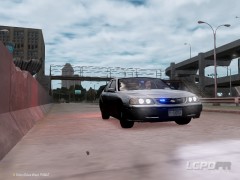
From the album: Patrol Diaries
Another glorious day in Liberty City -
Main post updated. New video. Explains some of the features of RC3 with commentary.
-
I'll be doing a commentary of the features of RC3 later this week.
-
Seriously, this along with Cj24's 1999 Crown Victoria just makes me fall in love with IV all over again
-
Main post updated. New video added. More videos coming later this week
-
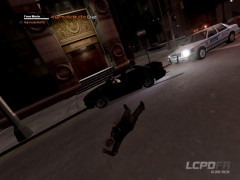
From the album: Patrol Diaries
Every 24hrs, the Thin Blue Line fades to Black for an officer somewhere in the United States. At 3:42am this morning, Officer Brian Stewart of the NYPD initiated a traffic stop on a vehicle that ran a red light. As he approached the vehicle, the driver reached for a semi-automatic weapon and brutally fired at the officer, killing him instantly. The NYPD have issued a statewide warrant for the capture of this individual. Police say he is to be considered extremely dangerous and that if spotted, the public should contact them immediately. -
This car is incredibly sexy. I love it. Would you by any chance consider an ELS-H version of the 2003 NYPD Impala? I've looked everywhere but can't seem to find one.
- 10 comments
- 9 reviews
-
That sounds epic. During some MP games of LCPDFR, I can now take a lunch break at rusty browns :D
-
-
Sorry, its against copyright law to upload files directly from the game. Make sure you have backup's next time Nothing to see here! This topic has been closed by G17 Media staff. If you feel that this topic has been closed in error, please report this post.


