BlueGhost
Members
-
Joined
-
Last visited
Everything posted by BlueGhost
-
 One of these days. I've lost the inspiration to finish the remaining phases, but the plan remains
- 215 comments
- 38 reviews
-
-
-
 It doesn’t matter which order you do it. You’ll find out either way once you boot it up
- 484 comments
- 78 reviews
-
-
-
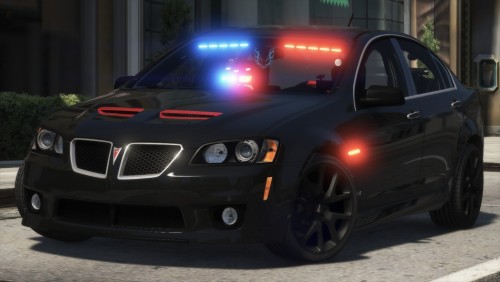
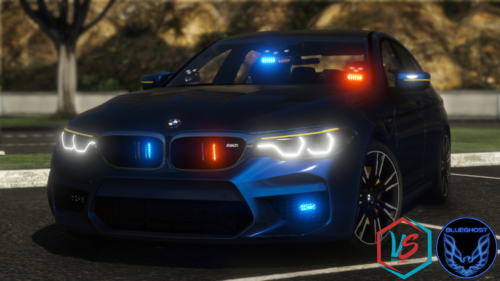
This pack contains a myriad of unmarked vehicles for your enjoyment. Ranging from a run-of-the-mill Crown Victoria to an unassuming Subaru WRX STI, there are no shortages of vehicles for you to get to know. Features: Uniform lighting packages Single and Three stage lighting, dependent upon vehicle type Enhanced engine audio Unique selection of vehicles, from pickup trucks, sedans, coupes, SUVs Templates for you to use in livery creation Optional OIV Installer Best of all, it's an Add-On archive! No need to replace your existing vehicles! Join my Patreon to get early access to public base models, and access to exclusive private base models! https://www.patreon.com/blueghostmods In order to ensure that your game can handle a pack of this size, you must install the following items! REQUIRED FILES: https://www.gta5-mods.com/tools/packfile-limit-adjuster https://www.gta5-mods.com/misc/gta-5-gameconfig-300-cars https://www.gta5-mods.com/tools/heap-limit-adjuster-600-mb-of-heap -----FAQ----- Q: FiveM version? A: No, but you may use this on your server, with credits to me, and the authors that created the resources that I've used. Q: Non-ELS? A: No, I will not make a Non-ELS version. Q: Replacement? A: No, I will not make a replacement version. Q: Can you change the lighting? It's so boring. A: No, what's done is done. I like uniformity in my designs. There are 48 unmarked vehicles in this pack. -----UPGRADING----- If you're updating to a new version of this pack, all you need to do is replace the dlc.rpf and VCFs (If you installed manually) If you're installing this pack for the first time, you must follow the steps below. -----Manual Installation----- 1. Navigate to your dlpacks folder, located at mods\update\x64\dlcpacks 2. Enable Edit Mode 3. Drag and drop the "blueghostpack" folder inside the dlcpacks folder 4. Navigate to your data folder, located at mods\update\update.rpf\common\data 5. Locate your dlclist.xml, then right click and click "Edit" 6. Directly after the latest entry in the XML, you must put the following line: <Item>dlcpacks:/blueghostpack/</Item> 7. Click Save 8. Drag and drop the VCF.XML files to pack_default folder located at Grand Theft Auto V\ELS\pack_default 9. Start GTA V. -----OIV Installation----- 1. Click on the Package Installer button, below the "Favorites" drop-down menu 2. Locate the OIV archive, double click it to select it 3. Click "Install" 4. Click "Mods Folder" to install the archive into your mods folder 5. Confirm the installation, and wait for the process to complete. 6. Start GTA V. Terms of Use: You may use this pack in FiveM, with credit in place. You may not reverse engineer, rip, extract, alter, or otherwise modify the models in this pack. You may upload liveries using the provided templates. Do not reupload this pack ANYWHERE for ANY REASON. Do not sell this pack for ANY REASON. Discord: https://discord.gg/3np9Me3
- 484 comments
- 78 reviews
-
-

-

-

- 176
-
-
-
-
-
-
-
-
 What’s wrong with the plate? As I mentioned in an earlier comment, there is a specific texture (tintglass.dds, I believe) that controls the darkness of the glass. You can edit that to be as dark or light as you want
- 39 comments
- 9 reviews
-
It’s not a model created by Ford. An independent modeler made it, and Ford gave them license to sell it
- 39 comments
- 9 reviews
-
-
It'd be easier to use mine, but I'm not against other Add-On methods. If you do use your method, just copy the metadata so the car works properly
- 39 comments
- 9 reviews
-
Is there a difference between a partition and a divider? I thought they were the same thing.
- 39 comments
- 9 reviews
-
-
- 1
-
-
-
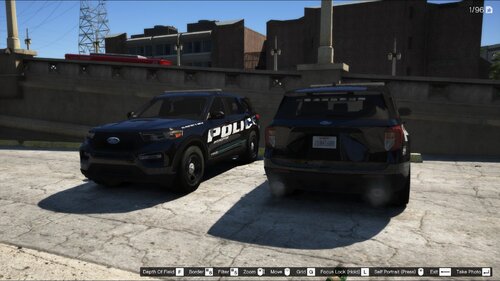 This is the first Police Interceptor I've seen with the default Ford livery. Looks good! Pro tip for screenshots: Press F1 while in-game to record a clip Go to Rockstar Editor and select the clip Manipulate the camera, zoom, and depth of field Press H to hide the HUD F12 for Steam screenshot Bonus if you get front, rear, and interior views. Double bonus if you show the lighting package This basically eliminates the need for SnapMatic, and gives higher quality screenshots, which does a better job of grabbing peoples attention
- 8 comments
- 3 reviews
-
-
-
I felt that a partition was suitable. Plus, the poly count would be too high. Good suggestion, though
- 39 comments
- 9 reviews
-
-
- 1
-
-
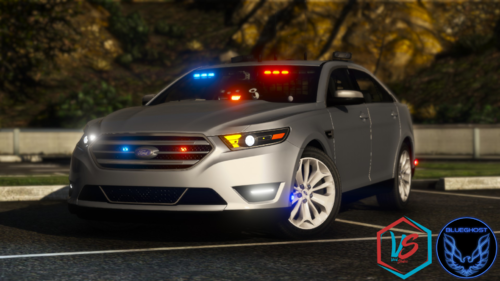
GET THE UNMARKED PACK HERE: Although Ford have discontinued production of the Taurus after the 2019 model year, the Police Interceptor variant still sees extensive use in the fleets of most law enforcement agencies around the world. This variant is a Taurus, the standard CIVILIAN version, with the Limited trim level. You'll have no issues blending in with the flow of traffic, because this Taurus features the body colored grille, upscale interior, LED tail lights, and LED daytime running lights. All of these features make the Taurus a perfect candidate for undercover police work. The lighting package includes a flowing traffic advisor, front/side/rear lighting, single or three stage activation, and three primary LED & warning strobe patterns in the scan pool. Comsetic extras are MPH900 ALPR as extra ten, and an antenna cluster as extra 12. The siren controller has been resized, contrary to the screenshots. The video shows the up-to-date version. THIS VEHICLE IS ONLY AVAILABLE AS AN ADD-ON. DO NOT ASK ME TO MAKE A REPLACEMENT VERSION. DO NOT ATTEMPT TO USE THE TAURUS AS A REPLACEMENT. IT IS NOT DESIGNED TO FUNCTION AS A REPLACEMENT. THE TAURUS IS DESIGNED TO UTILIZE THE PROVIDED LIGHTING PACKAGE. DO NOT MODIFY THE VCF. LINK TO THIS FILE IF YOU USE IT IN A YOUTUBE VIDEO. YOU KNOW WHO YOU ARE. Installation: 1. Navigate to your dlpacks folder, located at mods\update\x64\dlcpacks 2. Enable Edit Mode 3. Drag and drop the "taupol" folder inside the dlcpacks folder 4. Navigate to your data folder, located at mods\update\update.rpf\common\data 5. Locate your dlclist.xml, then right click and click "Edit" 6. Directly after the latest entry in the XML, you must put the following line: <Item>dlcpacks:/taupol/</Item> 7. Click Save 8. Drag and drop the desired VCF.XML file to the pack_default folder located at Grand Theft Auto V\ELS\pack_default 9. Start GTA V. Spawn name is "taupol".
- 39 comments
- 9 reviews
-
-
- 10
-
-