


onebad97cobra
Members
-
Joined
-
Last visited
Everything posted by onebad97cobra
-
i have literally almost the same setup with a 1060 3gb except i have a 1500x and an x370 motherboard, so you are getting a better processor. But it all depends on what settings you are trying to use, and how many plugins you are trying to use. I honestly use a alot, have like 6 plugins, plus every car slot changed. But i also play on mostly medium to high graphic settings. I usually get between 60-80fps while playing lspdfr, but i am also slightly CPU bound being only a quad core so your processor should help. GTA and lspdfr is very CPU intensive, alot of people will recommend intel chips, but the price to performance is def better with ryzen.
-
had this issue a few times when i first downloaded GTA and tried to install RPH, First suggestion would be to restart your computer. Stupid as it is sometimes it helps, the other thing is to open Vanilla GTA without RPH sometimes it needs and update or to get info from Rockstar to register the actual game patch. The Last thing to try is to try uninstall and reinstall RPH. Hope one of these will help
-
keybindings will always be an issue, there is only limited space on a keyboard/controller for all scripts to use so i would always suggest to check the .INI file on any script and adjust the keybindings if you need to. Always helps to put a modifier in such as shift to eliminate some of the issues. Now as for some scripts, Police Smart Radio, traffic policer, and LSPDFR+ by ALBO i feel are a great have. Also Modern siren pack for some real sirens, and then browse the callout packs to see what you may like. They all have their own flavor of callouts. I dont really do the Visual mods but I hear that Make Visuals Great Again is a great mod for visuals. Best bet for sounds, visuals, and callouts is to just browse and see what tickles your fancy lol
-
do you have OPENIV yet?
-
im on only an fx-6300 OC and a 1060 3gb and i get about 45fps with a bunch of plugins installed lol... but i am on mostly medium settings, so i will say the CPU will be a huge improvement over the FX series, and then a 1060-1070 is the sweet spot for price to performance.
-
Operating System Microsoft Windows 10 Home x64 Case IbuyPower Slate Motherboard MSI x370 sli plus Processor Ryzen5 1500x Memory Corsair Vengance LED 16gb Graphics Card(s) ASUS GTX 1060 3GB Storage Drive(s) Toshiba 2tb HDD 240gb ADDlink SSD 256gb m.2 Power Supply Corsair CX550M 80+ Bronze Cooling System Corsair H55i 120mm CPU Cooler Corsair 120mm LED fans x3 Monitor(s) AOC generic 29in 1080p IPS Keyboard Corsair k70 Rapidfire Mouse Corsair m65 Pro Peripherals/Other Corsair Void Pro Headset Xbox One Elite Controller
-
this may help....
-
go on pcpartpicker.com, they have a few recommended builds there is also a thread on this site that someone started about best system specs for each resolution. But the biggest thing is finding your price range. And then personalize from there. PC building is a personal thing, its like customizing a car. Also some advice that most people wont give. You may want to consider looking into a prebuilt system. Graphics card prices are through the roof right now from mining, and it has not hit the pre built marked yet so you can usually get a full system either close to or cheaper than what you could build it for.
-
honestly prebuilts are a real attractive offer all the time now. Especially with the GPU pricing market right now. The price does seem a little high to me. Especially with only a 7400, but i also do not know what mobo, or exact GPU. But all the peripherals they are including it does not seem like a bad deal.. Best way to check is to take all the parts and look them up on pcpartpicker and price it out, if you are only saving a couple dollars building it yourself then its def worth it.
-
no problem man!!! glad it worked!!! thats why i asked, had a big problem for a while til i figured that out haha but glad to help man
-
thats exactly what i would do... fresh gta, with just rph and lspdfr, and go from there... its always the small things...i had the issue where it would pause but not display the console, and also smart radio wouldnt pop up, thats an easy fix tho just go into RPH settings and change it to start in windowed mode... But you said yours doesnt pause, so idk maybe try it... i honestly haven't updated my rph or anything in a while... the update im on everything works. so i blocked gta updates and just kept it. Took the idea from Jeff Favignano when i saw that he still uses old RPH and waits a while til everything is stable before updating.
-
have you updated to the latest version?
-
but when you hit insert to open the console, does the game pause?.... do you play in fullscreen?
-
you are referring to the Rage console correct?... when you hit F1 or whatever key binding you have for RPH does it pause like the console opened but isnt showing up?
-
the compatability issue is because that particular motherboard has a feature. That when you are using an m.2 mvme ssd it doesnt allow you to use the SATA port as well, the reason they are telling you is because you cant have the ssd with the hard drive. At least not on the 6gb/s SATA port which is where it should be.. Honestly the big question is personal preference. When you are building your PC there is a million different case options, hardware options, color options. There's a million options. No one answer is better than another. Scanning over your build i see no issues besides that i would pick a different motherboard that allowed more storage options... like i said though its all on preference. If you like the gigabyte color or company find a different one, but theres a ton of options like i said all depends on price. and as far as cases go, thats a real personal preference. Alot of new things is glass side panels and RGB lights, but if you dont want that then it gives you more freedom on inside components colors. Also IO, do you need 4 USB ports up front of your case for your phone and everything or will 1 do, alot of things differ from person to person.
-
did you also make sure you turned your post fx and shader quality to high or above?
-
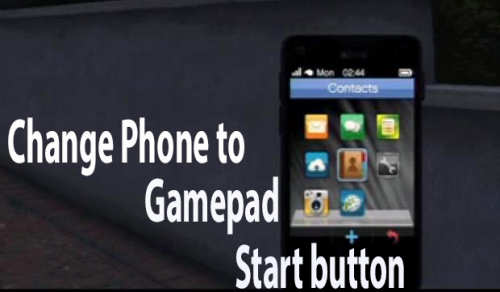 I have waited a long time for something like this... AMAZING!!
 -
if you are in OPENIV and go to the tools tab, and then to options. There is a place to change the GTA directory that it is using. I do not know if that works or helps. Didn't wanna change my directory lol
-
never really had a problem with too many peds or ai vehicles that spawn, i actually found it to be to little lol but the mod that i use to change the game config also has options to lower it below the GTAV normal... so you may want to try one of the game configs in this mod that is lower than the GTA standard. https://www.gta5-mods.com/misc/gta-5-gameconfig-300-cars
-
no help for the other vehicles sorry, but at least it helps the blinding taxis
-
look at GTA's minimum requirements. RPH has the same requirements. An I7 will run RPH and GTA but it all depends on your GPU
-
yes... RPH will run pretty much at GTA's lowest requirements. and with an I7 should be way over that, depending on graphics card.
-
i also had this issue a while back... do you play in full screen mode? or in windowed?... i realized while playing around with mine that it is having trouble reading the resolution. i played around with resolution and full screenand eventually it did pop up smart radio in the corner. Also the RPH loading screen can be turned on and off in the settings by holding shift while opening RPH... dont know why it happened all the sudden like that.
-
from what i remember from dealing with this myself, your best bet is to change the keybindings of everything else... but in the download folder there is a readme or info and it has all the keybindings for changing. I personally just changed my smart radio to dpadup and dpadright to scroll so all it does it turn the takedowns on. But also another thing to remember is that Scroll lock will lock all ELS keys, including controller keys. So you can type, use SmartRadio, or whatever other keys you need with no ELS activity. Unfortunately we have a lot of plugins fighting for a few keys so key conflicts will always happen.

