.png.75d44fff1ad766022358bfa06c62d544.png)
navdata
Members
-
Joined
-
Last visited
Everything posted by navdata
-
Calm yourself down. It is only Feb 19 and they are developing for free. Stop asking like it is their job to develop and "serve" it to you. Be grateful
-
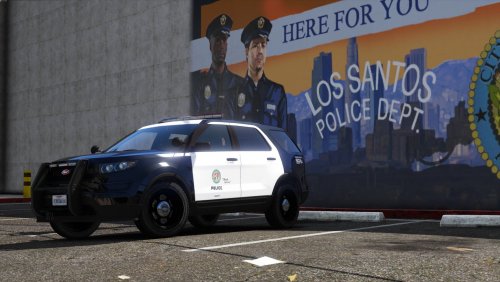 With just a little bit of edit, this can be the perfect 2020 ford police interceptor utility lol
- 23 comments
- 3 reviews
-
We are closer to release BOYS
-
-
-
-
reinstall GTAV completely
-
have you tried reinstalling script hook v?
-
@Sam Speaking of AI. Is there any update regarding AI driving when responding to back up and shootout in back up mode? Since AI cops' backup driving is terrible and rams into other officer and kills them most of the time. and in combat, they can't take enough cover and rushes and get themselves killed. It will be great if some changes has been made to general back up driving. Also there is a problem in 0.3 which is backup failing to step out of vehicle during a pursuit when suspect get boxed or fled on foot. Any changes on that? Oh and last question, It seems like theres no traffic in the PIT demo clip, is it because of testing purpose or the traffic will mess the pit up?
.thumb.png.71f3ac8815c508f0d3360d86d0c4a20b.png)