




Murphy
Members
-
Joined
Everything posted by Murphy
-
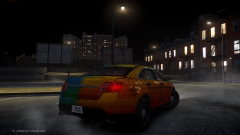 Quite simply: NEED.
 -
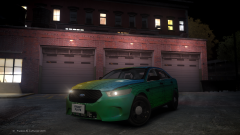 Quite simply: NEED.
 -
![[WIP] GTA V Vapid Cruiser Fictional MX7000 [Non-ELS]](//s3-gallery.int-cdn.lcpdfrusercontent.com/gallery/album_2959/sml_gallery_64826_2959_152609.jpg) Looks great! Any progress on the V Police Riot?
Looks great! Any progress on the V Police Riot? -
I wish I got to meet you; I'm sorry that I didn't. Good luck in the future!
-
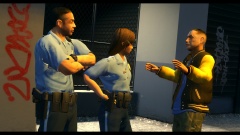 I like. :3
 -
Wasn't it Bellic Enterprises? You might just want to make that slight change. ;) Looks great, though!
- 7 comments
- 2 reviews
-
-

- 1
-
-
It depends if they need to call in Murphy or not.
-
-
What I feel makes it like LCPDFR are some details, such as the way arrests are handled. After the suspect gets out of the vehicle and waits for orders, they get in and out of the back of the cruiser the same way, and you bring the suspect to the station in the same manner. That's what I took from the gameplay video. How does it compare to GTA V? It doesn't. I would be content waiting for GTA V, knowing that there is nothing else new that I would really like to play instead, before V comes out for PC.
-
-
Actually, I included the dsound.dll in my recommended mods folder... Disregard that last comment I made. Try doing this instead: 1. Install CryENB V1 2. Add enbseries.ini, enbeffect.fx, effect.txt, and visualSettings.dat from IV 2015 ENB
- 44 comments
- 7 reviews
-
-
In some ways the game looks like it attempts to copy LCPDFR 1.0 and its features. After seeing that video, I'm not fond of the gameplay style. The animations are definitely an issue, and not having to walk up to the car door in order to get in is just a bit lazy, in my opinion. If I see other videos where they make improvements on gameplay, I'll consider purchasing it. Otherwise, I'll be fully content waiting for GTA V.
-
Nice job again. :) I can see my good ol' Washington Taxi mod driving around in the background of your image. Good choice. :P
- 15 comments
- 9 reviews
-
No worries, Hystery. I do understand that you can't get in-game yet. So, it's crashing after the login window? As-in, you get a window that says GTA IV has stopped working? If not, wait a minute or two after the green title appears to see if the menu screen comes up. It always seems "bugged" with that effect it has. It's been like that with CryENB for me.
- 44 comments
- 7 reviews
-
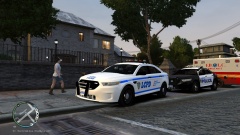 Ah, I see. Well, darn it, I guess I'll have to keep waiting. :P
 -
-
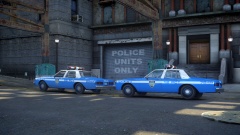 I couldn't agree more!
 -
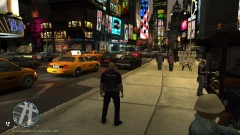 Gotta love that New York Liberty City traffic!
 -
The important question is, where did you get that LCPD Interceptor? o__o
-
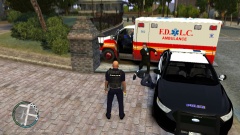 This is where a cheer or applaud animation would have been nice. :P
 -
All right. :) I was just writing that there for others who may question the quality of the photos. Thanks again for your feedback. :)
- 44 comments
- 7 reviews
-
-
-
Give it a shot! :) You probably will be able to run this just fine. If not, keep a backup.
- 44 comments
- 7 reviews
-
-
- 1
-

![[WIP] GTA V Vapid Cruiser Fictional MX7000 [Non-ELS]](http://s3-gallery.int-cdn.lcpdfrusercontent.com/gallery/album_2959/sml_gallery_64826_2959_152609.jpg)
