nixxx621
Members
-
Joined
-
Last visited
Everything posted by nixxx621
-
 Anyway you can release the template for this? I'd like to reskin it. Please and thank you.
- 10 comments
- 6 reviews
-
Go to the vehicle carvariations.meta and make sure the <lightSettings value="1" /> is 0, 1 or 2. The vehicle you're using may have a custom light setting that is not being loaded properly. This was the issue on my fiveM server.
-
 Another excellent pack from @BradM that has become my game default pack. Awesome job. Brad's attention to detail can't be beat and raises the bar on what car models and packs should be. Please keep up the amazing work!
- 147 comments
- 65 reviews
-
-

- 1
-
-
Yup. This. I actually turned mine all the way down for the same reason. It also keeps the pursuits from being such a mess because of how the AI love to run into all the traffic.
-
This is the closets you're going to get. You can target any ped or vehicle and with a keypress start a pursuit of said suspect/vehicle. The AI will chase like a standard pursuit. Make the button you use to target a big one (like shift or something) because it's difficult to use the controller and target.
-
If you use the Custombackup plugin the AI that respond are somewhat more intelligent than the standard LSPDFR backup. I use Custombackup for any on-foot backup scenarios and the standard LSPDFR backup for vehicle pursuits (because the Custombackup plugin is lacking in that respect).
-
 This has become my new default Sheriff pack. The lighting and overall attention to detail is amazing. Please, please do more packs @BradM !!
- 89 comments
- 63 reviews
-
-
- 1
-
-
.thumb.png.76a1191bfab63bc82cad8f72f8e4dcb4.png) Honestly, the best one out there as far as realistic citations go. 10/10 all day long. Thank you for this!
Honestly, the best one out there as far as realistic citations go. 10/10 all day long. Thank you for this!- 17 comments
- 10 reviews
-
.thumb.png.c833613e55b730b0e7457e8c4a0821b8.png) This is definitely a must-have. The default offenses are good but these are great! Keep up the good work @XxTechMad24xX !!
This is definitely a must-have. The default offenses are good but these are great! Keep up the good work @XxTechMad24xX !!- 1 comment
- 8 reviews
-
-
- 1
-
-
 @Albo1125Is this getting an update too? I noticed you updated everything else today. One glitch I've noticed in current version is "mimic" makes selected vehicle do a u-turn once released from function.
- 3,646 comments
- 306 reviews
-
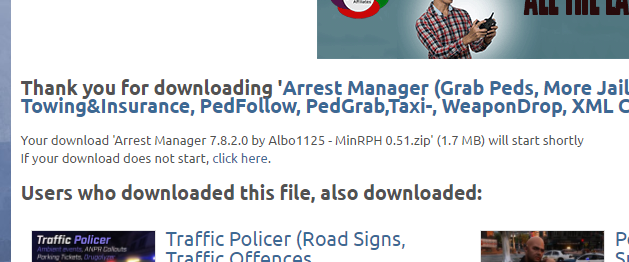
Hi - I'm assuming the website is having issues at the moment? The count-down to download is missing and the downloads never start. The "click here" button to force download also does not work.
-
-
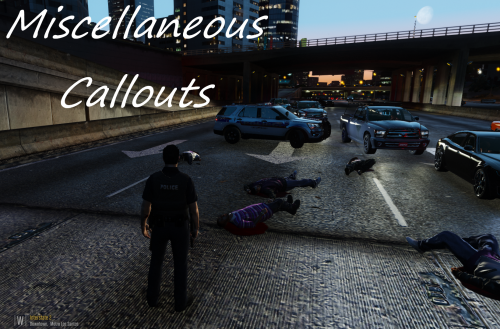 @AndyAlmighty thanks for bringing this back and the update! Question: the hit and run callout lists a plate and states there is an APB, what are we supposed to do at that point? I've tried it a few times and don't see any blips on my radar or add'l instructions?
- 68 comments
- 21 reviews
-
-
- 1
-
-
Hey @AndyAlmighty - why was the callout removed?! These were some of my favs. Thankfully I still have 1.1 saved on my SSD. Sadness!
-
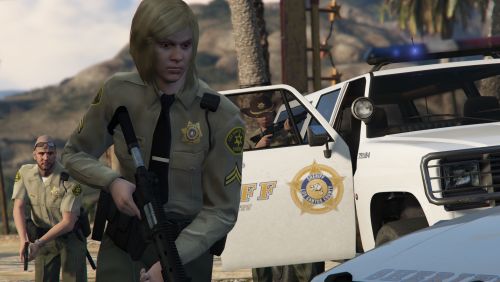 This is the closest you're going to get to LORE perfection. I like keeping my models lore-friendly and there have been various packs/updates but nothing this clean or complete. The vests and insignia for all of the important departments are the best part. Please do more!
- 9 comments
- 9 reviews
-
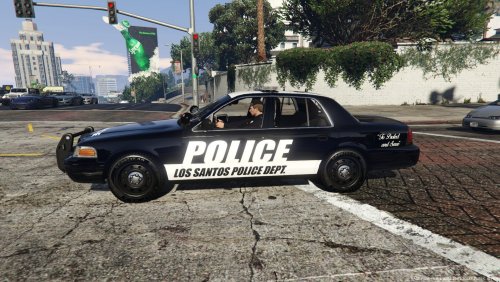
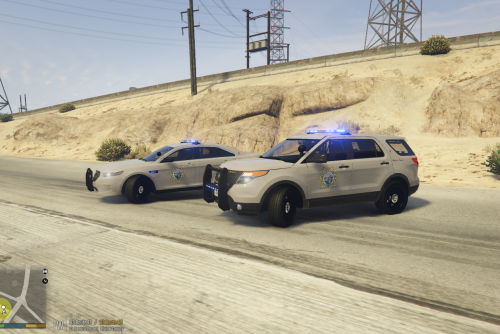 My first crack at "skinning" vehicle models. Loosely based on actual CHP but with my own twist. I basically made them for my own use and decided to share, lol. Comes with custom ELS settings and I'm including vehicles.meta so you can have proper handling, vehicle sounds, drivers, tint, etc. If you don't know how to install I can try to help, leave a comment. You do NOT need to use the original pack carvariations.meta (doing so may cause the car colors to come out funky). Download model pack here (no skins for the Tahoe's since I don't use them but I might make some if there's enough interest): Thanks to "thegreathah" for the awesome model pack! Enjoy! -Nixxx621
 -
Hey, thanks for doing this @Thero ! I watched it but I'm still pretty lost. I think narration would definitely help so if you ever are able to do one of those please let me know. Thanks again.
-
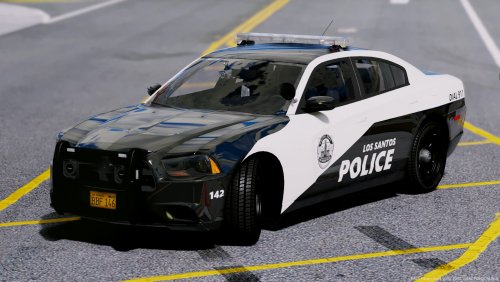 I fckn LOVE these! But I am sad there is only one livery per vehicle (instead of multi unit numbers/types) but 5/5 all day long. Oh! PLEASE make an FPIS!! That is the only LSPD vehicle in my game that now doesn't match, lol.
- 46 comments
- 16 reviews
-
-
- 2
-
-
-
-
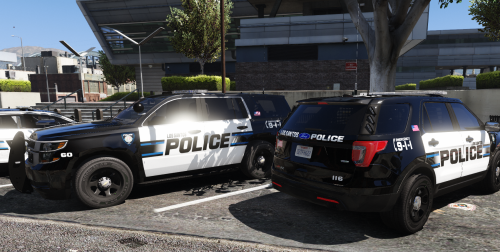 @WatchMyFootwork Any chance you'll include the non-Bxbugs CVPI?? This pack would be perfect if it had that!
- 41 comments
- 19 reviews
-
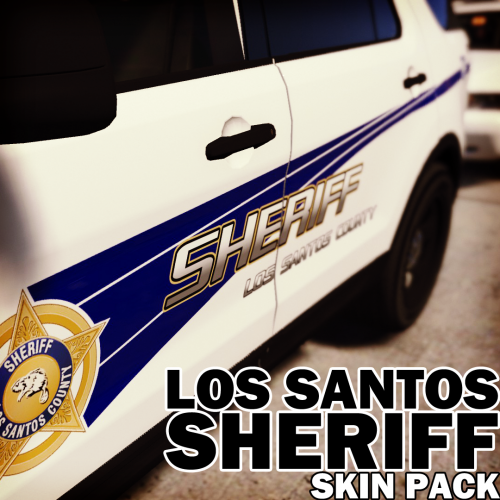 Damn! I was so stoked when I saw this pack but I'm bummed the CVPI is only the bxbug version. Any chance you can include the more common CVPI?! @Krame86
- 15 comments
- 5 reviews
-
Lol - your laugh cracks me up every time. Good idea for bad cop as Mike and Trev. Smart.
-
Didn't Steve just get something like this? I feel like I saw some spotlight on him a few months back. I'm not trying to rain on the parade and don't get me wrong, I do enjoy his videos but there are definitely some other youtubers out there who do a better job when it comes to LSPDFR. Let's spread the love around a bit more.
-
Yeah - like the other guys are saying a laptop is probably not the way to go for that budget. I did a ton of research before I bought my current desktop (which is the G313) and I can honestly tell you you're going to be hard pressed to find better "bang" for your buck. This is the lowest price point I could find on something that should handle GTA V on normal/high settings: http://www.microcenter.com/product/474288/G151_Desktop_Computer


.thumb.png.76a1191bfab63bc82cad8f72f8e4dcb4.png)
.thumb.png.c833613e55b730b0e7457e8c4a0821b8.png)