ThisIsntMyName
Members
-
Joined
-
Last visited
Everything posted by ThisIsntMyName
-
 I get the concept of using radio chatter of a incident for the response type showoff video, but it really makes me cringe hearing the officer down. Why use a officer screaming he has been shot and is bleeding out. I love your work man but please make a different showcase video or use the one at the end. The officer down yelling for help makes me want to throw up to be honest with you and disgusts me inside. Not reviewing since this is only the showcase video I don't like and not the vehicle. You did a amazing job on the vehicle but just bad judgement on the video part. Just out of respect for the Law Enforcement officers that have been wounded and killed in the line of duty I would suggest removing that audio or at least use a different call that doesn't involve officer getting hurt or suspect getting hurt. Thanks for understanding and i hope others agree with my stance on this.
- 20 comments
- 8 reviews
-
-

- 2
-
-
-
-
 @Troopercharles You have found your talent my man... Now your gonna have to teach me how to make some dank peds lol. I'm just joking (unless you want to :P)
- 58 comments
- 22 reviews
-
-
- 1
-
-
-
 you may have installed it wrong. I have gotten others saying this too so I will take a look into what may be the cause of this issue. Thanks for the feedback!
- 30 comments
- 1 review
-
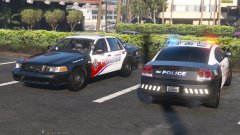 Damn! oh and isnt that radar a little big lol
 -
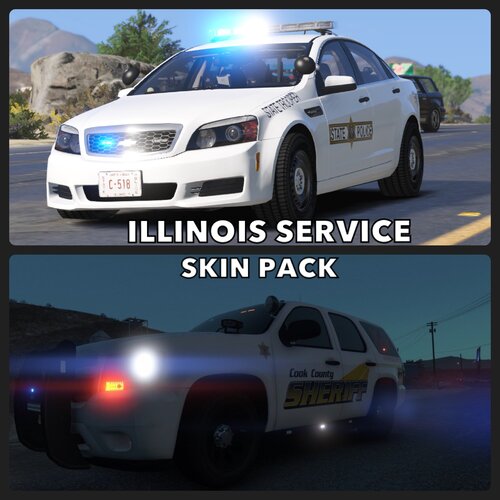 absolutely stunning! Amazing work dude, cant wait to see many more skins from you!
- 54 comments
- 7 reviews
-
-
- 1
-
-
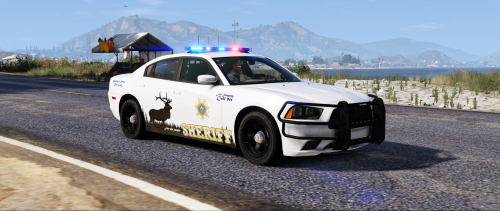 Love the detail in the pictures! Even on all sides and just in all some fantastic looking skins. Possible expansion for more vehicles so people with RDE and custom vehicle dlc's can have more cars to use?
- 3 comments
- 5 reviews
-
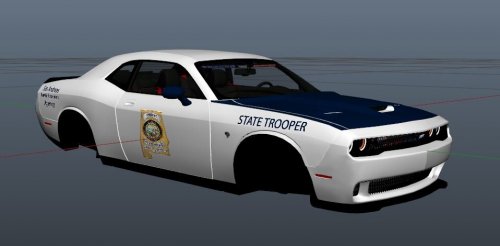 Yes; On Paint.net and Photoshop you can just duplicate the layer that has the logo on it so it stays the same size. to rotate it, just use the bar at the top and under layers you should be able to flip the layer horizontally.
- 5 comments
- 1 review
-
.thumb.png.403abf273b7678001f6aee437e59589b.png) Amazing job dude! I understand that the department this is based off of only really uses the Tahoe's, but a pack of these fit onto other vehicles such as an FPIU and chargers would be sick. Luckily this department has a pretty simple design so it would be fairly easy to make a fictional skin for a vehicle they don't use since basically all the cars have the same design. Either way this is a skin I have been waiting to see in the game for a while now and it is even better that it is lore friendly! Also, it is really cool you made a Los Santos County and Blaine County variant for people to decide since some people prefer Los Santos County and others, Blaine County. High quality, accurate, and not sloppy. Would recommend this to anyone who loves simple looking skins and wants to try some new colors on vehicles or just wants that Florida style look.
Amazing job dude! I understand that the department this is based off of only really uses the Tahoe's, but a pack of these fit onto other vehicles such as an FPIU and chargers would be sick. Luckily this department has a pretty simple design so it would be fairly easy to make a fictional skin for a vehicle they don't use since basically all the cars have the same design. Either way this is a skin I have been waiting to see in the game for a while now and it is even better that it is lore friendly! Also, it is really cool you made a Los Santos County and Blaine County variant for people to decide since some people prefer Los Santos County and others, Blaine County. High quality, accurate, and not sloppy. Would recommend this to anyone who loves simple looking skins and wants to try some new colors on vehicles or just wants that Florida style look.- 16 comments
- 6 reviews
-
Good start. could use a little better resolution and the same sizing on each side, but dont get me wrong; for a start this is pretty good. Takes time to get better and after some practice it will all come naturally. Good job man, keep it up!
- 5 comments
- 1 review
-
-
- 1
-
-
![[DEV] Whelen Liberty SX8](//s3-gallery.int-cdn.lcpdfrusercontent.com/gallery/album_2491/sml_gallery_3938_2491_7358.png) RIP, well I appriciate the answer instead of leaving me hanging. Thank you for the work you have created in the past even though i never got to use it lol.
RIP, well I appriciate the answer instead of leaving me hanging. Thank you for the work you have created in the past even though i never got to use it lol. -
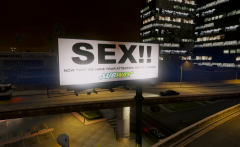 N nah im saying like instead of it saying like subway, it could say the ingame product that is the gta v version of it. so like the gta v equivilant to subway or whatever real life company. examples: burgerking=burgershot Vapid=Ford and i dont know any else lol, but everything is based off of real life products, just name changed.
 -
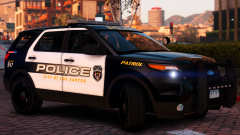 My next texture for LSPDFR! Looking amazing as always Brad!
 -
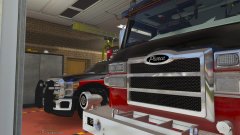 HELL YEAH! Cant wait to see this amazing looking fire truck!
 -
Oh, cant wait! any chance this may be lore friendly for example burgershot instead of burgerking. What I mean is keep the original game product names, but just make them better. Even if it isnt going to be, this is still an amazing project that i'm going to be checking for every day.
-
-
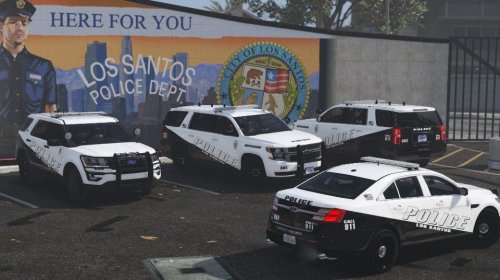 Looks absolutely fantastic! Would love to see this expanded but I know how much time this stuff can take so if you do decide to expand it, don't rush yourself and remember you are the creator and that you are in charge of your products and when you want to release them. Just had to state this again...Nice Work!
 -
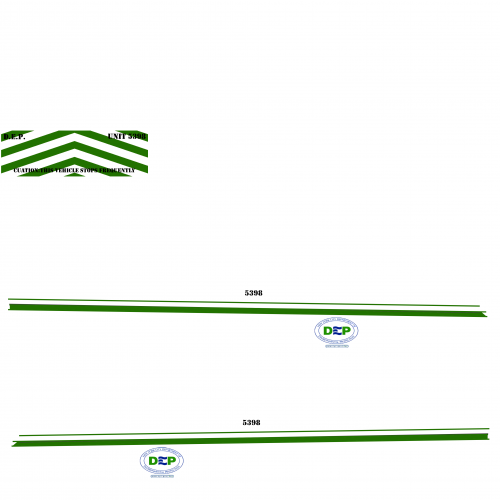 Maybe try to slow down the post rate? If you like creating skin this much for vehicles, create a pack for like fire/ems vehicle skins instead of releasing them 1 by 1 and filling the front page up. You will get more downloads (not because this community is just about downloads) and better constructive criticism if you take pictures of the car either in game or in OpenIV. It lets other users see what the skin will look like in game before they go and install it themselves (that is if they don't check the ytf file after installing it to see if it is up to par, which I suggest people really should do more often).
 -
would die to see this!
-
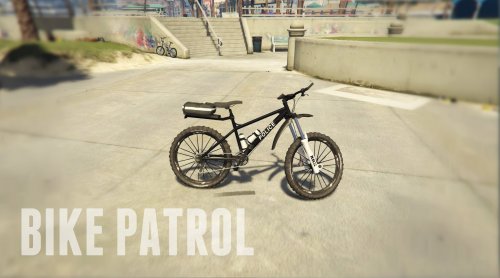 Nice, finally a police bicycle! Can't wait to have lights on them! The siren may be tough since you will need to edit the carvations but i'm sure you can get some help from other people within this community. Good luck!
- 29 comments
- 11 reviews
-
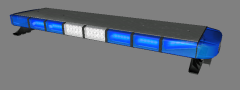 Only 3 years late but is this texture still available? would love to use it for a local department vehicle with permission of course!
 -
i know i might be over 3 years late to this convo LOL, but where these parts ever released as DEV or privately used? @Caesar
-
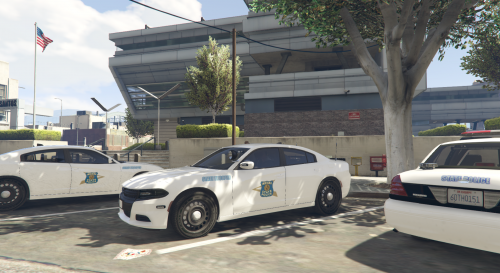 Is it just the screenshots or in game are those ALPR textures off. I know the ALPR's aren't supposed to be a light grey like that so from what I see in the screenshots, your probably have a specmap on the texture that needs to be removed or changed. I mean I could be wrong since I haven't looked at it in the game so please correct me if I am just blind lol. Just also noticed the antennas are a wacky texture. I suggest looking at Turtlegods Dev antennas and switch to those and hopefully that should fix the texture issue with the current antennas. If you are using the ones from the "DEV police accessories pack", just a heads up that whose don't work. As I already said you should look into some other ones such as Voodoo's on gtav-mod-center and TurtleGod's ones on here.
- 15 comments
- 4 reviews

.thumb.png.403abf273b7678001f6aee437e59589b.png)
![[DEV] Whelen Liberty SX8](http://s3-gallery.int-cdn.lcpdfrusercontent.com/gallery/album_2491/sml_gallery_3938_2491_7358.png)