


CaptConfuzed
Members
-
Joined
-
Last visited
Everything posted by CaptConfuzed
-
As @sssneaky suggests - here's the link to Jurisdictions+
-
@Cyan Thanks again, everything seems to be working on pc too! 🙏😊
-
@Cyan You rock! Looks like it's working now, but will test properly when I get to my pc. Thanks
-
Hi. Is there any update on this bug? Thanks
-
Oh hell yes! This could make it easier for people to use Would you mind chatting about it via DM?
-
 Aah, okay. Thanks
 -
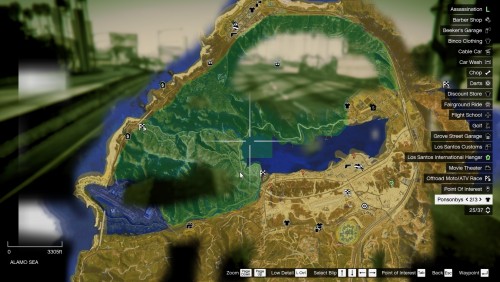
So what's the difference between your script and @TreadRed's script? Or is yours just a map?
-
Hi @Cyan, Will you please let me know once the problem with me being able to edit the description is fixed? 🙏 Thanks so much😊
-
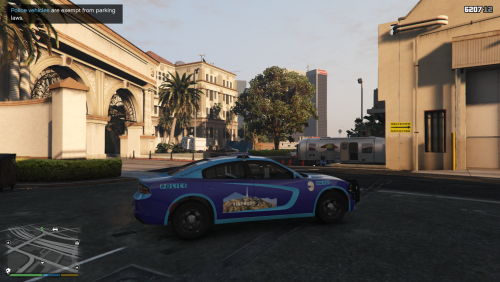 I love the uniqueness of the design, and it adds another vehicle that can be used in the smaller jurisdictions available with LSPDFR 0.4 Thanks for sharing!
 -
@Cyan Thanks so much for letting me know. I was seriously worried. I also have an update that's still pending review since yesterday. It is a mod by @TreadRed Any chance of looking into it please? 🙏😁
-
Hi @Cyan Did you see what the issue is? Thanks
-
Hi @Cyan, Thanks so much for responding. The one in question allowed me to add a file, but not edit the description. So it's pending manual approval now. The other page that I am also unable to edit is:
-
Hi @Cyan I hope you can help... I'm a contributor to a mod/script, but every single time I try to update the page, I get an error. It's frustrating, as it's slow going using the WYSIWIG editor as it is, and then when I try to save the work, I get this error: Sorry, there is a problem This content can no longer be edited. It may have been moved or deleted, or too much time may have passed since it was posted for it to be edited. Error code: 2S136/E What am I doing wrong? Thanks
-
 @TreadRed is working on variations, if not already included in the latest update 👍 That's WIP, checkout the Discord to make suggestions and see what's coming 😁
- 170 comments
- 11 reviews
-
 Sorry, I missed that. What do you need help with? Send me a DM, you can include your UB files if you want me to check them too.
- 263 comments
- 20 reviews
-
Hey, you could try this: It will give you the correct uniforms and vehicles in the relevant areas, and it's not too difficult to do.
- 263 comments
- 20 reviews
-
-

- 1
-
-
@Alex_Ashfold Is there a list of all the uniform components and textures that @TreadRed and I (and many others, I'm sure) could use in mods? It would save hours of work using TrainerV and others to capture each individual number we need... And, thank you! As a community, we really are grateful to you and others, who put out such fantastic stuff for us🙏😀
- 263 comments
- 20 reviews
-
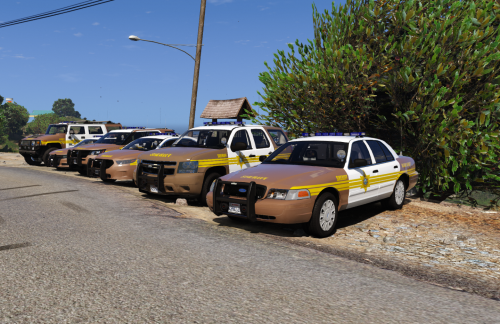 Urgh... I just added a B So pack yesterday, and now you do this pack. I guess I have to install it then😁 Thanks, it's an awesome pack!
- 43 comments
- 5 reviews
-
I found BDA much better than the default.
-
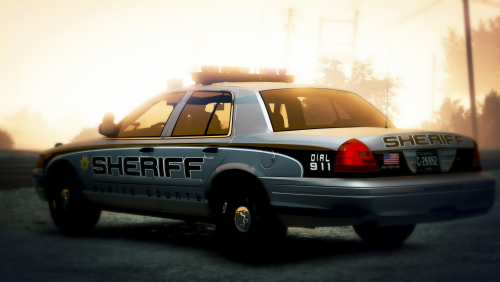 @.Chandler. Who is the author that you're referring to? Some of them have just moved their models to other websites, so we could still get it if we knew which Ram 1500 you used... Thanks
- 16 comments
- 4 reviews
-
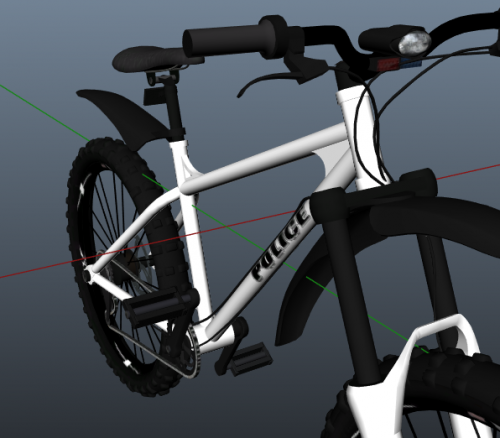 Nice enough looking in the pictures - however... 1.) Vague instructions - nothing clear or easy to follow (that actually gets it to work) 2.) No meta files or indication of which ones to use (if you specified exactly what model was being replaced, we could probably use those metas) 3.) It just doesn't work (since there are no meta files, I assume) Hopefully, you can update it with the necessary information to make it easier for people to use...
- 14 comments
- 2 reviews
-
Thanks so much @Sam for the hard work you (and others) do to keep LSPDFR alive for us🙏😁
-
Doh! My bad, sorry... That pack seems to have issues, from reading the comments. You'll need a new game on fig and a few other fixes to get it to work. I can send links to these if you like, but it could cause other issues for you. Yes. Follow the instructions as per Albo's pack, and use the meta files I've sent you. Hope that helps, and I haven't confused you🤔😁
-
Hi. Sorry, I've not got back to you - I'm having issues with my game, awaiting new pc parts...😞 You need to find the meta files for the vehicles, he gives a sample (if I'm not mistaken.) However, here are the basic ones, you can search for the vehicle that you need and copy that into the 'modding' folder created with Albo's method. So for example if you want to add a new model called 'sheriffcharger' which uses the slot 'sheriff2', you need to look through the vehicles.txt file I've sent and copy the data from <Item> to </Item> like this: Then only change <modelName>sheriff2</modelName> and <txdName>sheriff2</txdName> to <modelName>sheriffcharger</modelName> and <txdName>sheriffcharger</txdName> Once you've done that update your meta file in OenIV, then move on to carvariations.meta <modelName>police</modelName>copy and paste from <Item> to </Item> and change <modelName>police</modelName> to <modelName>sheriffcharger</modelName> then update the files in OpenIV again. I hope I'm making sense... Incidentally, I saw a pack similar to the one you liked, and since it comes with an auto installer, thought you might like it: Standard carvariations meta file.txt vehicles.txt
-
I had that lspd pack, so I can help you with that one. I might even have all the meta stuff you need. I'll have a look in the morning and try do a step by step guide for you tomorrow.

