


CaptConfuzed
Members
-
Joined
-
Last visited
Everything posted by CaptConfuzed
-
You can try this script, it will give you a range of EUP uniforms and customizations: https://www.lcpdfr.com/files/file/22139-lspdfr-jurisdictions-more-options-for-lspdfr-eup-and-ultimate-backup/
-
-
You could use this, it does everything for you, and you could join our Discord to ask for any help you still need...
-
Post your ragepluginhook.log file here, and hopefully someone can identify your problem.
-
Have you tried:
-
Also, post your ragepluginhook.log if you want people to help identify the cause of the crash.
-
Are they ELS or non-ELS? Was the pack a manual install or auto install?
-
Have you tried this: Start rage, press settings In the general tab set the threshold to 50000 and tick disable text rendering in the advanced setting make sure nothing is ticked in the game setting>command line switches make sure the only things ticked are directx11 and forced windowed mode.
-
Give more information and post your ragepluginhook.log That way someone may be able to help...
-
Have you installed EUP Configurations? Check this thread, the problem is similar, and the solution will most likely be the same:
-
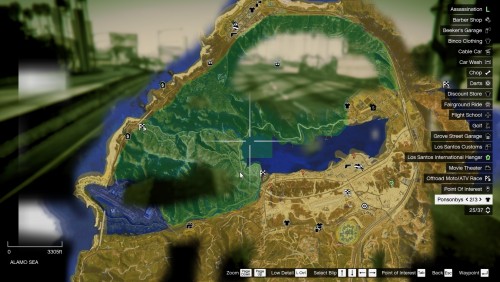 The one @TreadRed has been working on is specifically for Jurisdictions+ and relates to the option/version being used. It’s also zoomable. Whereas this one seems to be for LSPDFR default zones.
 -
Mods folder, update, x64, with all your other dlc items If you need the exact path, I can let you know as soon as I get to my pc
-
Yes it is. You need to add them in lspdfr/data/duty_selction.xml You could also use this mod, which makes it easy (you could also just check the readme for more info on adding cars to the garage):
-
Start rage, press settings. In the general tab set the threshold to 50000 (FIFTY THOUSAND) and tick disable text rendering. in the advanced setting make sure nothing is ticked. in the game setting>command line switches make sure the only things ticked are directx11 and forced windowed mode.
-
.png.ecb31ca4c448fed5c79bf2b016959456.png) Hey! If you wanted to release these as an oiv pack, let me know and I can do it for you.
Hey! If you wanted to release these as an oiv pack, let me know and I can do it for you. -
-
If you're looking for more options, install EUP and Jurisdictions+ It should solve your problem too...
-
Ultimate Backup offers spike stripes and roadblocks. It's certainly worth a look.
-
Not too sure what you mean about retextures, but here are one or two:
-
Post your RagePluginHook.log and maybe someone can identify the problem for you. @ TreadRed is pretty good at finding problems! Veröffentlichen Sie Ihr RagePluginHook.log und vielleicht kann jemand das Problem für Sie identifizieren. @TreadRed ist ziemlich gut darin, Probleme zu finden!
-
 @Jedahdiah This is an awesome pack, did you ever get around to fixing the arrow board, as above? Thanks
- 154 comments
- 46 reviews
-
Hmmm... Do you have EUP menu? Is there not a character or wardrobe file? I've never played as a Brit cop😐 I can take a look tomorrow, if you're still stuck. Send me a DM if you want me to look tomorrow.
-
If you've installed the relevant British uniforms, then you can use a trainer like TrainerV. There are also xml's you can download for British policing.
-
Jurisdictions isn't part of EUP, its an enhancement project. Hence no mention there... Glad it's working for you😁
-
No worries! Your .ini is pretty damn cool too, by the way👍🤩 And thanks for sharing the love with Jurisdictions+ from @TreadRed😊
-
@sssneaky Thanks for the list!🙏 Did you know you have some of the incorrect credits though? (For example Ultimate Backup is not Albo's)

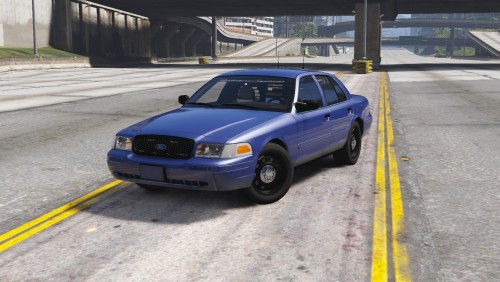

.png.ecb31ca4c448fed5c79bf2b016959456.png)
.png.7da8004f4fc65034287b45a357d6afb0.png)
