t0y
Members
-
Joined
-
Last visited
Everything posted by t0y
-
 Thanks :) And LMAOO
 -
 Damn mami
 -
From the album: t0y's GTA V WIPs
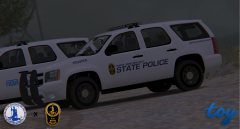
San Andreas State Police Tahoe with a San Andreas State Police CVPI pulling over a Hummer. This is a #WIP btw babes. Liveries - t0y Logos - t0y Tahoe - @OfficerFive0 CVPI - @Bxbugs123 ENB - @Prophet (MemeEnhancer) Special thanks to @wantedelf for the blue lights on the Tahoe ;) -
From the album: t0y's GTA V WIPs
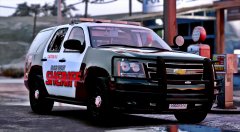
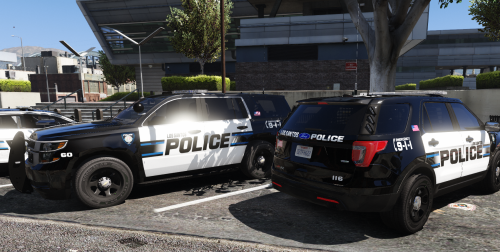
Motor Carrier Safety Tahoe and regular San Andreas State Police tahoes alongside the road watching for violators... This is a #WIP btw babes. Liveries - t0y Logos - t0y Tahoe - @OfficerFive0 ENB - @Prophet (MemeEnhancer) Special thanks to @wantedelf for the blue lights on the Tahoe ;) -
 Damn sexy, I would make the thumbnail a picture of the liveries instead of IRL cars tho
- 41 comments
- 19 reviews
-
-

- 1
-
-
"t0y"ing around with ;;)) Also SEXYYY F350 MY GOD
-
 Whoops sorry for the late response haven't checked my notifications... I do see, must not have looked hard enough, I will give you that but regardless it should at least be in every description not just one, and I still don't understand why they aren't blurred there but they are on here.
 -
No.. Screenshots to show how it comes along would be not blurring it and putting in the description something like "WIP just added ___ how do you like it?" Instead you have posted like 20 pictures of it fully blurred, with no description getting people excited for nothing milking likes because they think its release soon.
-
Wow you're really milking this...
-
From the album: t0y's GTA V WIPs
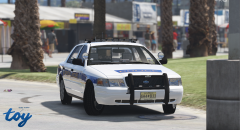
#WIP Ocean City, NJ Mega pack (liveries) I think its sexy idk...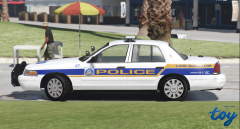
From the album: t0y's GTA V WIPs
#WIP Ocean City, NJ Mega pack (liveries) I think its sexy idk...Oh thats awkward... didnt see that lol. Maybe after this one.I am currently doing a CVPI, WIP image will be released in about 30 minutes. (Based on Ocean City) I will not be doing it specifically for the Captain14 pack, but I am using the OfficerUnderwood template so this CVPI will fit his.Hm looks nice, ill try it out. It won't be for the C14 lspd pack though it will most likely be for most of the ELS vehicles out now.I want to work on a new pack over the next few weeks with maybe a blue-ish theme. Please suggest things. NO BLACK AND WHITES THEY ARE TOO COMMON AND NOT UNIQUE AT ALL thxhxhtxhxI want to work on a new pack over the next few weeks with maybe a blue-ish theme. Please suggest things. NO BLACK AND WHITES THEY ARE TOO COMMON AND NOT UNIQUE AT ALL thxhxhtxhx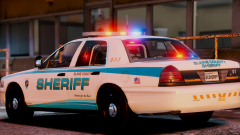 I personally like lore friendly, but agree it should be police not sheriff. I would make it like Sandy shores or Paleto bay police because it looks like a smaller-ish town/city color scheme.
 r u sure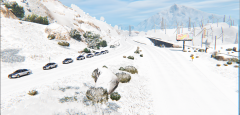
From the album: t0y's GTA V WIPs
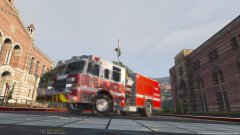
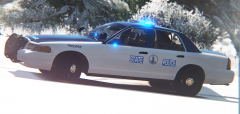
Just saw this pic on the VSP Twitter and wanted to do it in GTA...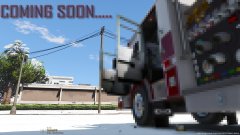 These kind of look like a Seagrave Marauder II but the logo says Pierce hmmm