


t0y
Members
-
Joined
-
Last visited
Everything posted by t0y
-
-
-
 I was thinking about that, but a ton of people were getting mad at BxBugs for making his models oiv installed, I think it causes problems for a lot of people so I decided against it. Maybe in the future.
- 132 comments
- 39 reviews
-
-

- 3
-
-
-
-
-
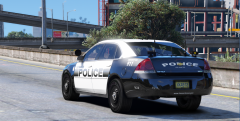 Omg. I saw you commented and I thought you were going to violate me, but it wasnt bad :D Yup, I think im done. Having some testers try them out in game and on patrol to try to catch some stuff, then ill fix those bugs if there are any then the MIFs are gonna take like 2 hours but then ill upload :D
 -
From the album: t0y's GTA V WIPs
© Attractive Studios™
-
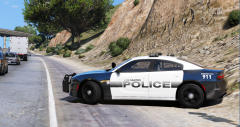
From the album: t0y's GTA V WIPs
© Attractive Studios™
-
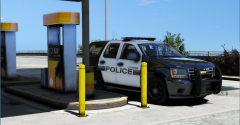 Thank you, I hope they turn out well. May be releasing in the next day or two models will be done soon idk how long bug testing will take though.
 -
Yes, probably should have titled it that :( The model is complete I believe, may need to do a patrol with it to fully test stuff out, but right now im working on a charger then onto an impala then im done :)
-
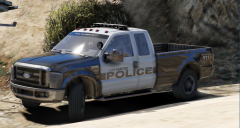 Alright ill see if I can fix that, thanks for telling me wouldn't have noticed lol
 -
From the album: t0y's GTA V WIPs
© Attractive Studios™
-
I think that's because of the dirt level, I put on level 4 so it looked off-road-y but ill take a look. That's what it looks light clean
-
DINPro Black
-
not sure, depends on how much i work on it i plan to make at least a vehicle a day until im done because i have break next week, so it could be as soon as Tuesday/Wednesday.
-
np
-
Yup, hopefully. More WIP pictures to come.
-
They are too different to Miami Beach to be a base on back, and I dont know how big a beach dept. would even be (im going to be including like 7-8 cars) Thank you :)
-
From the album: t0y's GTA V WIPs
© Attractive Studios™
-
 Thank you man :) Hope it turns out well.
 -
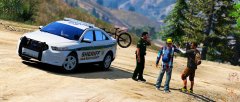 hey there mr. trent
 -
Stop teasing me :(
-
Planning on doing an antenna/aplr-heavy cvpi at some point in the pack too not sure what year or if its gonna be k9/slicktop yet but ive been wanting to do one for a while now (like 8 antennas, and alprs)
-
Maybe, maybe not... The only DEV models are a 2016 and a 2013 the 2016 is corrupted, cant be converted from a .rar and the .ytfs wont load into ZM3 and he wont update it idk whats wrong with it and the 2013 only has L0, and im not completely sure how to add LODs, if I decide to add the 2013 and figure out how to add LODs to a model it will be slicktop like the Miami Beach dept. uses


