t0y
Members
-
Joined
-
Last visited
Everything posted by t0y
-
-
Thank ya man :)
-
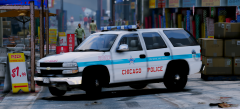 You should add an unmarked one like from The Chicago Code/the Superintendents car
 -
Agreed
-
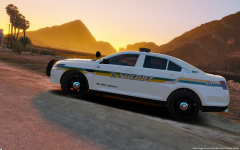
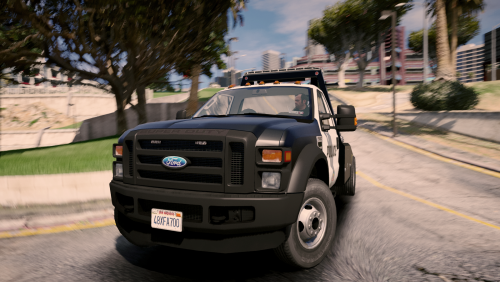
Hi babes, so ive been spamming my gallery recently with WIP pictures so I decided to make this thread. BCSO Mega- Pack: (Most screenshots by me or @Slendis) Done: 2011 CVPI W/ Liberty & 2011 CVPI Slicktop Slicktop 09 Charger: 2015 Tahoe w/ Liberty 2016 Impala w/ Liberty 2016 FPIS w/ Liberty In Progress: 2014 Charger, 2013 Tahoe Upcoming: 2008 Suburban, 2010 F350 Newark pack. Done: 2011 CVPI In Progress: 2011 CVPI (Traffic/ST) Upcoming: 2013 Tahoe
-
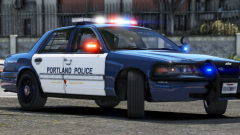 What mirror lights are those? LINZ6?
 -
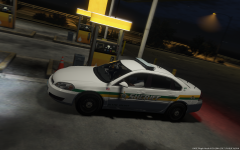
From the album: t0y's GTA V WIPs
© Attractive Studios™
-
-
 Why the fuck does ur game look so good :O
 -
-
 Go into openiv, drag in the .dds template to any .ytd, then select it, export selected, and choose .png
- 26 comments
- 24 reviews
-
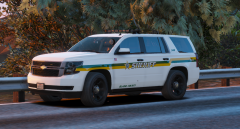
From the album: t0y's GTA V WIPs
© Attractive Studios™
-
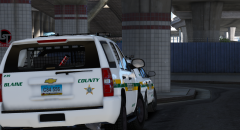
From the album: t0y's GTA V WIPs
© Attractive Studios™
-
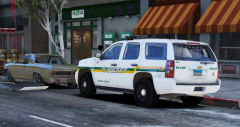
From the album: t0y's GTA V WIPs
© Attractive Studios™
-
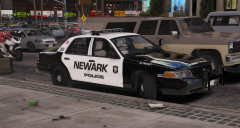 He lost his shirt.
 -
-
From the album: t0y's GTA V WIPs
© Attractive Studios™
-
Oh, I think its Newtown Regular, sorry lol Slendis found it for me. That looks pretty damn close tho, they both look the same, maybe they are the same.
-
-
This is a huge request, and wouldn't be followed out unless someone had a huge motivation (from NY, or just really likes them) or when LC port comes to GTA V, which I dont think there is even a date out yet. There a few NYPD models out there from OfficerWalters, though they aren't ELS, but an ELS NYPD car would be quite difficult with the rotators, and the message board. I do know something coming out soon though you may enjoy. On top of that there aren't any good DEV FPIU models out there, or any that the NYPD uses so the modeler would need to buy, and/or convert one which takes a long time and would really only do it for themselves not if someone asked them to. That being said the NYPD is the biggest dept. in the states, and im sure once LC comes out for V, or even before a few NYPD cars will be released ya just gotta wait patiently.
-
Would anybody be able to tell me this font or one with that similar E please? Having trouble tracking it down, the E is very unique tho so maybe thats a give away idk. thanks in advance :D
-
-
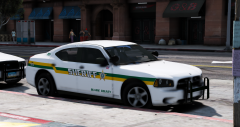 Hm, its an 09 charger kinda looks ok to me though I haven't looked at either thoroughly I will take a look today, no promises tho retexturing cars and UV mapping them aren't my specialty ill ask around though thanks for letting me know. And thanks, yea I hope this pack is going to turn out well.
 -
 just saying u think ur an expert because ur uncle owns one and parked it, and then u stood next to it this one time.
- 952 comments
- 158 reviews
-
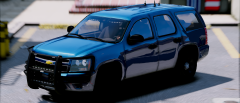
GUYS WE HAVE TO STOP HE STOOD NEXT TO A FUCKING TAHOE HES A GENIUS @Thehurk DELETE THE PACK, THIS MAN STOOD NEXT TO A TAHOE,SO URS IS SUPER INACCURATE OBVIOUSLY! NOT A GOOD MODEL - HE STOOD NEXT TO A TAHOE, HE KNOWS EVERYTHING ABOUT TAHOES SORRY. Omg your UNCLE OWNS A TAHOE AND PARKED IT ONCE HOLY SHIT! IM CALLING CHEVY TO HIRE U AS A TAHOE EXPERT IMMEDIATELY BRB!!!!! that was sarcasm u pussy
- 952 comments
- 158 reviews
-
-

- 6
-