


.jpg.c0f1915bb7c1461daeb678ab0ed8a253.jpg)

ATeaDaze
Members
-
Joined
-
Last visited
Everything posted by ATeaDaze
-
.thumb.jpg.6c80ecc7060134b39a0d153a8d09ac1f.jpg) The lightbar is black on top (lights are fine). Is it supposed to be like that or did I install it wrong?
The lightbar is black on top (lights are fine). Is it supposed to be like that or did I install it wrong?- 107 comments
- 24 reviews
-
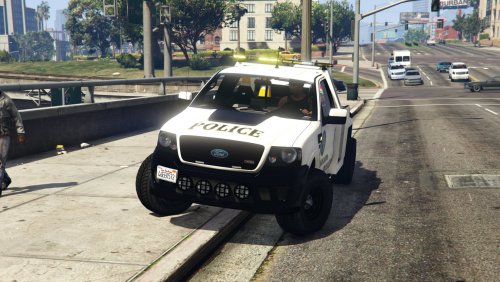 This is a great vehicle. It'd be even better if I could use it in the "towtruck" slot. It doesn't lift up the front wheels of the car and it drags it along. I couldn't find any way to change the default towtruck w/ Police Radio or Arrest Manager.
- 19 comments
- 5 reviews
-
 This is a quality model and texture. It really suits LSPDFR more than that broke-ass default towtruck. The wheels disappear when the truck is far enough away but that's a minor issue. 4.5 / 5 (rounded up to 5)
- 22 comments
- 10 reviews
-
-
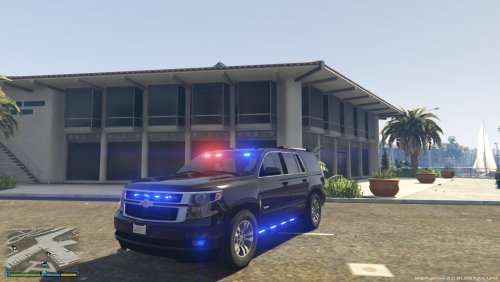 This is a quality model and the light setup is beautiful. It looks great w/ Enhanced Emergency Lighting and having an all blue light setup in the installer is always appreciated! It's also really easy to install-- just replace the fbi2.* files and you're good to go.
- 27 comments
- 15 reviews
-
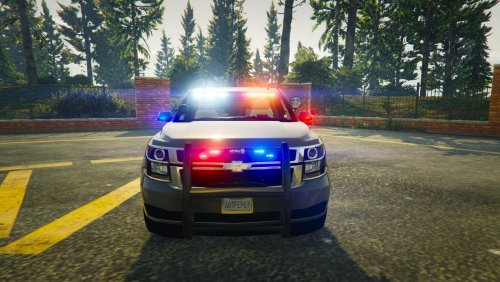 Any chance you'll add coronas to the light setup? This vehicle doesn't cast light on nearby surfaces like the rest of the cars I have installed. On second thought, it's not really necessary. Your newer FBI/Sheriff pack has a beautiful Tahoe w/ coronas.
- 24 comments
- 14 reviews
-
 It's amazing how much this mod adds to the ambience. Emergency lights now look brighter and project some serious light. It's really cool when you've got a suspect in custody in a dark alley and you can see the red and blue light reflecting on the nearby objects and walls.
- 149 comments
- 33 reviews
-
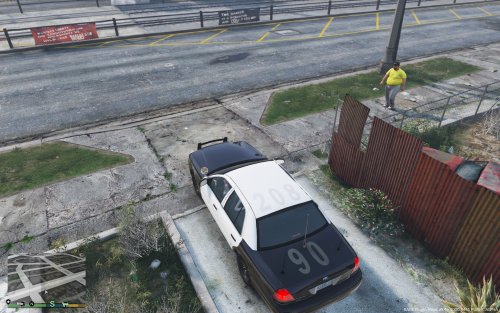 I like this car but the spotlight looks glitched. The texture looks like shiny aluminum foil and there's a persistent 3d model of the inner rim of the spotlight (even w/ the spotlight disabled).
- 10 comments
- 6 reviews
-
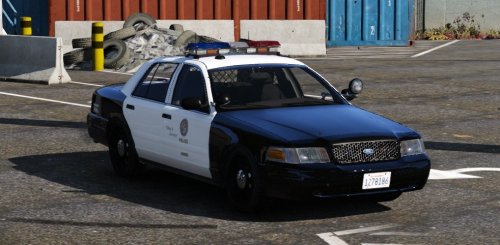 It's an older model and it's not loaded with extras but it's damn-near perfect. I haven't been able to find another CVPI with such a nice looking MX7000 light bar. I wish the traffic advisor lights worked, hubcabs were an option, and there were more extras (especially an Arjent lightbar). However, the author is not working on this anymore. It's still a great car if you want one that's easy to install and straight-forward. (drag and drop with no .meta editing). I know legionarius stopped working on it but I love this car.
- 49 comments
- 19 reviews
-
-

- 1
-
-
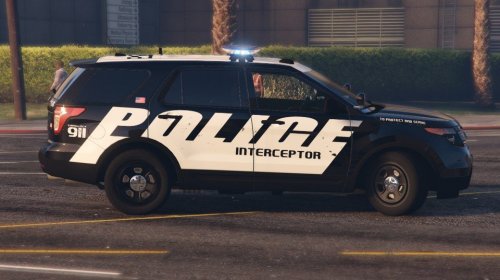 This is a high quality "concept car" design with multiple variants: clean and worn versions. You can use the plain POLICE livery, the variant with LSPD markings, or both. I wanted something like this for my Ford Taurus. I like having at least 1 car with prototype livery as a tribute to the vanilla Police Interceptor.
- 10 comments
- 4 reviews
-
This livery is used for concept cars. You'll see designs like this in promotional material aimed at police departments. Specific agencies might use a similar black/white design but I've only seen this livery on concept cars, ads, and prototypes.
- 10 comments
- 4 reviews
-
-
- 1
-
-
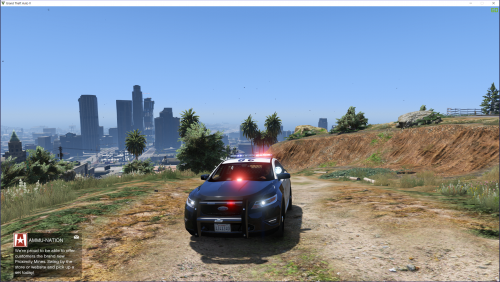 Any idea how to get multiple liveries to work? It comes w/ 2 in the .ytd file but only 1 spawns and it can't be changed.
- 49 comments
- 10 reviews
-
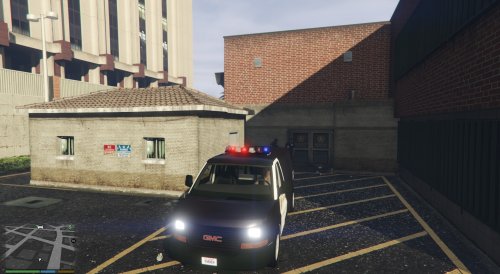 This is the best Prisoner Transport replacement I've seen. The exterior is well-made and the interior is impressive. The only minor complaint is that some of the NPCs clip through the sides when they're sitting in the back.
- 12 comments
- 4 reviews
-
 This is an essential mod if you want to maintain any kind of realism and control a scene. There is a slight performance hit but it's not significant and the functionality of this plugin far outweighs any lowered frame-rate. My one major complaint: There is no error-catching for update checks Why is this a major issue? This plugin automatically checks for updates on startup and it will crash LSPDFR if the servers are down (which happens fairly often). If this mod had an option to disable update-checks or properly detected and handled network timeouts then it would be a 5-star mod, no question.
- 268 comments
- 44 reviews
-
.thumb.jpg.1db0be3e377ccefdd47e57a95ec56762.jpg) This is a very high quality CVPI. The lighting setup is beautiful and the brightness is spot-on. I usually dislike wraparounds but this wraparound pushbar is elegant and looks really slick. The optional components could be tweaked to avoid any chance of 4 spotlights randomly spawning in traffic. Also, the 2 lights above the rear license plate are over-powering w/ Realistic Radiance (I just disable them w/ my saved vehicle). These are minor issues that can be tweaked, fixed, or disabled. I wouldn't recommend using the automatic installer since people have complained about it not working or breaking their game setup. I installed it manually with no issues. Just follow the readme exactly. I tweaked the setup a bit to make it only spawn as an unmarked cruiser: this has 8 liveries in police4.ytd but I took the unmarked texture (vicz_sign_7), exported it, and set it as the texture for all 8. There might be an easier way to do that but it got the job done. I don't care for that DASH emblem but you can download a FORD emblem replacement from GTA5-mods. This car is damn-near perfect, aside from the MLP crap. The fact that the community tolerates it is a testament to the quality of BxBugs' vehicles.
This is a very high quality CVPI. The lighting setup is beautiful and the brightness is spot-on. I usually dislike wraparounds but this wraparound pushbar is elegant and looks really slick. The optional components could be tweaked to avoid any chance of 4 spotlights randomly spawning in traffic. Also, the 2 lights above the rear license plate are over-powering w/ Realistic Radiance (I just disable them w/ my saved vehicle). These are minor issues that can be tweaked, fixed, or disabled. I wouldn't recommend using the automatic installer since people have complained about it not working or breaking their game setup. I installed it manually with no issues. Just follow the readme exactly. I tweaked the setup a bit to make it only spawn as an unmarked cruiser: this has 8 liveries in police4.ytd but I took the unmarked texture (vicz_sign_7), exported it, and set it as the texture for all 8. There might be an easier way to do that but it got the job done. I don't care for that DASH emblem but you can download a FORD emblem replacement from GTA5-mods. This car is damn-near perfect, aside from the MLP crap. The fact that the community tolerates it is a testament to the quality of BxBugs' vehicles.- 239 comments
- 70 reviews
-
-
- 2
-
-
Various shots from my LSPDFR adventures
-
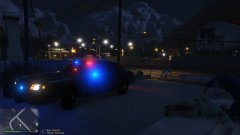
From the album: LSPDFR Random Scenes
Well, that escalated quickly. On the plus side, scene management is a lot easier in (relatively) quiet Paleto Bay. -
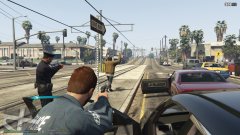
From the album: LSPDFR Random Scenes
A good old fashioned felony stop -
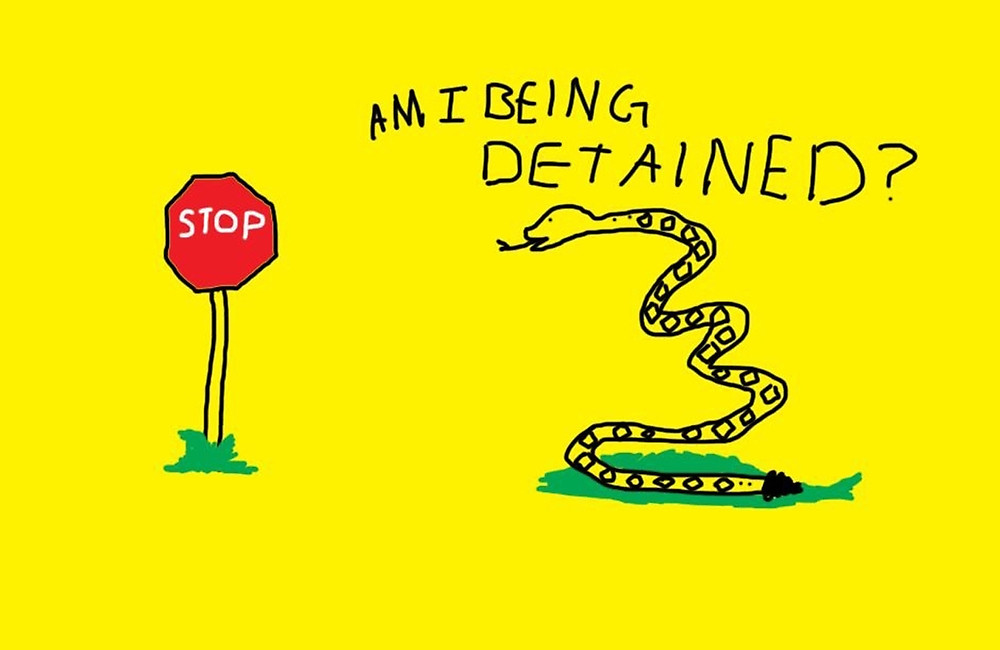
A lot of curb-side lawyers in this country. I watched a video of a guy giving a traffic cop a hard time. He was driving without registration or a license (I think he had an image of one of them on his phone). Guy: Am I being detained? Officer: Yes. > He just had a dumb-founded look on his face like, "I wasn't prepared for that response."

.thumb.jpg.6c80ecc7060134b39a0d153a8d09ac1f.jpg)
.thumb.jpg.1db0be3e377ccefdd47e57a95ec56762.jpg)
