




AlconH
Members
-
Joined
-
Last visited
Everything posted by AlconH
-
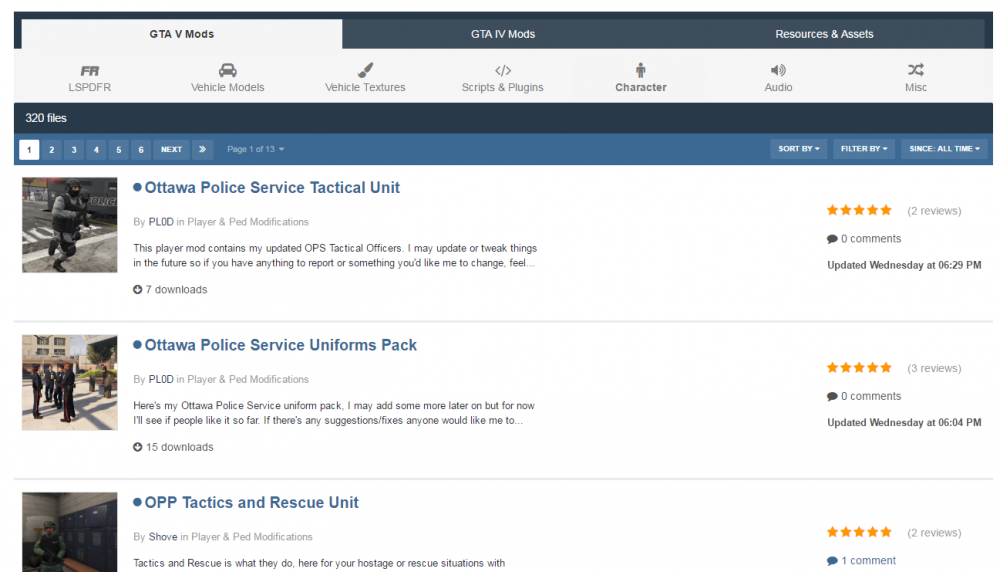
Hmmm... That's strange, looking fine from here:
-
I think you're overthinking things just a little bit to be quite honest.
-
And you didn't think to read the page of the file you're having the problem with?
-
You mean this?

-
It's more the fact that you haven't even tried to solve your own issue before posting. You've been here for a while so it's not even like you're new.
-
It literally says this IN THE FILE! "There is also a download to free up unneeded controller bindings so they can be used for Siren Mastery. Thank you Delco24 for creating this." And then when you press download, there's a file called "Controller Unbinding.rar" Did you even read the download page?
-
If you don't have the admin credentials, then you can't run the program as an admin. Otherwise it'd be pretty pointless having such security measures.
-
I don't wanna be rude, but isn't that what YouTube comments are for?
-
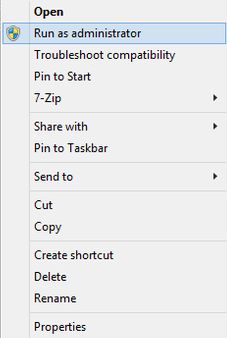
Not trying to be rude, but did you even read the two replies to your post?Would probably be a good idea to actually include the name of your graphics processor so we can tell you.https://www.law.cornell.edu/uscode/text/18/2331Select the layer, press Ctrl+A to select the whole layer, then continue to copy/paste as normal. Although you've selected the layer, you haven't selected the contents.Can confirm the same problem on Google Chrome here.The checksum verifies that the file matches identically. It's used as a way to verify the integrity of a particular file. By changing the file, you will change the checksum as the file contents have changed and no longer match the original. So to answer your question, by installing mods, no your checksum will not be the same and you can expect it to be different.Check this out:[snip]That's not an issue with the website, that's just where you've accidentally pressed insert and it's switched cursor mode. That's not site specific. Just wanted to add on to what willpv23 said.Problems with RagePluginHook need to be posted over on their forums. You can also try their discord server.It's in progress behind the scenes. Going to be a massive project though so it might be a little while.Yeah, I'm afraid your understanding of the problem is completely incorrect, and therefore so is your solution. The problem is a result of the main files of GTA V being updated by Rockstar, such as the archives like x64e.rpf, or update.rpf. The mods folder loads any files inside of that folder into the game whilst it is loading, overwriting the default files inside the game. The problem however, is when these core files are updated, since the game is now searching for items within these archives, except the game only has access to the outdated version of the archives which do not contain the updated items. This results in a game crash as it cannot access the dependency it's trying to load. In order to fix the crashing, the mods folder needs to be emptied of all files, and the archives you wish to edit need to be freshly copied from the updated files before the mods are re-installed again as they will now contain the new files included in the update. The files are not "corrupted", nor will backing the mods folder up help anything since that won't update the files that are problematic after an update. The only way to fix the problem is to delete the contents of the mods folder and start installing your mods again.Right Click --> Run as Administrator
 Plugins such as Traffic Policer and Arrest Manager do not load until you go on duty with LSPDFR.Best thing to do is give your budget for the tower alone and we can work from there.




