


Break
Members
-
Joined
-
Last visited
Everything posted by Break
-
Please gives us a bit more information... try following this guide:
-
It will. You could have gotten a better PC for that money though, with Alienware you pay alot of money just for the name.
-
They won't, they're not your bodyguards. They will only attack a suspect when he's evading arrest or attacking them/you.
-
The 700 series is too old. Get a 1000 or 900 series.
-
Any half decent GPU will give you 40-55 fps on normal settings. If you got the money to invest in a 970, 980, 1070 or 1080 that'll give you 50-60 fps on very high/ultra depending on the mods you run. That'll also future proof your build. Oh and about the processor you should think about getting a K version, just incase you do wanna overclock it at some point.
-
But as far as I remember, online crime statistics used to be a native feature in the times of LCPDFR and GTA IV. I don't know how many of you were around back then, but you used to be able to view your stats online and compare them to other players. Which pretty much ammounts to a ranking system. I don't know why it was ultimately ditched, probably because of the data size. Maybe @Cyan can give some more infos, i'm kinda curious now.
-
Doesn't LSPDFR+ track this already? If it was connected to a server, one could easily start ranking players according to their game hours / arrests. However I don't know the limitations and wether @Albo1125 is even interested in something like that. Running a server like that is also a matter of money.
-
Have you installed both plugins correctly and 100% like described in the readme file? Please doublecheck. If they are both correctly installed, try updating your RagePluginHook. You can get the most up-to-date version here: https://ragepluginhook.net
-
You can try this too: It has worked better for me than the other mod. About the .ini: you need to go into the GTA V folder and look for the ELS.ini, open that with Notepad or Notepad++ and somewhere should be a line determining which button needs to be pressed to change the siren. Then you go and change that to something different.
-
Everday madness
-
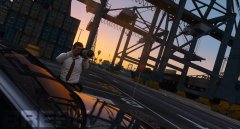
From the album: Break's Gallery
Mods used: VisualV EUP - Law & Order Ingame Screenshot -
Try adjusting the "Population Density" slider in the graphics settings.
-
Hi, I've got a few suggestions for you: 1) First off, you need to desperately fix the main body color. FHP vehicles are black. The purple-ish black/grey you've chosen there is very far from reality. 2) You need to make your livery follow the body lines alot more. If you take a look at the "STATE TROOPER" writing on the fender, it needs to be tilted so it roughly follows the imaginary line drawn from the line splitting the beige and the black on the rear quarter panel (I've marked a quick approximation in red). Speaking of the rqp, you need to make the beige stop way higher up and actually have the border line follow the lines of the car, so it looks straight. Again, I've drawn a red line where the beige should usually stop. 3) There's a lot of sloppiness in matching the livery to the bodyparts. If you take a look at the A-Pillar, you will see that the beige part still misses good part of the A-Pillar. On FHP cars the whole A-Pillar is beige down to where it meets the fender and the hood. Same goes for the rear door, here the beige protrudes into the front door, where it should stop at the door line.
-
You have two options: 1) either you change your hotkey for the siren in the ELS.ini 2) or you download and install this
-
I haven't found a proper way yet to remove peds from truck beds (such as the bison's). At a fully occupied vehicle my trooper will always open the closest door and try to pull that person out. Even when im actually trying to get peds to step off the bed. Is there a way to order these people to get off the truck WITHOUT causing major havoc, drawing guns or interfering with the other passengers or the driver? Script/mod suggestions are also welcome. If not, would it be possible to implement an option in the traffic stop menu ordering the people in slot 5 and 6 out of the vehicle? Right now there's only an option to remove all passengers, which isn't necessary if you're just ticketing the driver. Thank you!
-
-
-
-
-
-
-
-
-
-


