


Break
Members
-
Joined
-
Last visited
Everything posted by Break
-
-
Why? those do exactly what you want.
-
If this was real, I think the bigger PC gaming sites would already have written news about it. After researching I found information about it on some dubious internet site, it says: "This claim was seen in Romania when a retailer said that GTA 5 was coming to the PC" My thoughts: Romania.... hmn.... must be legit. Don't believe anything the internet says. I'm not getting my hopes up unless R*, a big PC magazine or Amazon confirms anything.
-
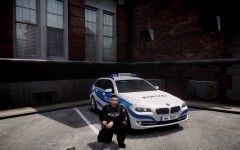
From the album: Work In Progress
-
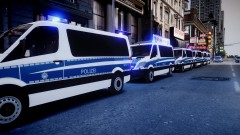 Almost right. It's a 520d, and yes, you have very good eyes, that BMW actually does have the Hamburg livery. The BMW in the background has the Hamburg livery though - that's what he meant ;) Nonetheless, a Bundespolizei livery for it is done.
 -
Because GTA V PC isn't planned. It's just up for consideration.
-
You haven't installed LCPDFR properly, i.e. with admin rights and with read-only removed.
-
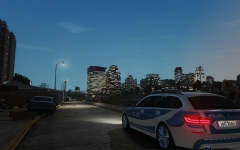
From the album: Work In Progress
-
That's what Dan Houser (the godfather of GTA) said to PCG. As much as I'd love to have GTA V for PC, I'm not getting my hopes up.
-
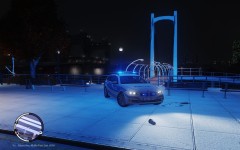
From the album: Work In Progress
A little preview of what's to come soon -
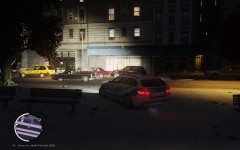
From the album: Work In Progress
A little preview of what's to come soon -
Has been suggested many times.
-
Well idk about your power consumption, but I had to upgrade my 500W PSU when I bought a GTX 570. (It had been running with a GTS 250 before) Maybe you can borrow a more powerful PSU off another PC and see if that fixes it?
-
My guess is, that you upgraded your graphics card without calculating the total wattage of your computer in relation to the wattage provided by your PSU; ergo, your GPU drags a massive amount of electricity, your PSU can't provide enough for everything, your PC performs an emergency shutdown due to low power on the CPU. Give us your PC specs (please include wattage of the PSU).
-
Ich mach hier mal 'nen neuen Thread draus. So jetzt aber zu deinem Problem: Hast du denn sowohl die .wft als auch die .wtd kopiert? Die eine speichert nämlich NUR das Modell und die andere NUR die Texturen, d.h. der Mod funktioniert nur wenn du beide Dateien auch ausgetauscht hast.
-
Why can't you adjust your graphics settings? http://www.gtaforums.com/index.php?showtopic=382923
-
If ELS7 crashes on you, it's most likely due to something YOU have done. If anyone wants to report in, with ELS7 crashing on a reinstalled vanilla game, with no mods (except obviously ELS car mods to run it), feel free to reply. Otherwise I'm just gonna call this incompetence of some users to keep their installation clean.
-
A shiny sticker I made for anyone that wants to show off optimization for ELS7 on their models. Feel free to use:
-
They can, since ELS 7 has new features, for which cars can get optimized. If you take those optimized cars and run them with ELS6, not everything will work as it should.
-
Hier mal das ganze in ordentlichem Deutsch: HALO: Halogen STRB: Stroboskop (Blitzer) TKDN: Arbeitslichter LEDS: Selbsterklärend ROTA: Rotierende Rundumleuchten (z.B. die klassischen Drehspiegel) DRCT: Verkehrswarn- und leitsystem (Verkehrsleitlichter). MARQ: LED Matrix (z.B. "STOP POLIZEI" bei deutschen Blaulichtbalken)
-
Nah, Forza is the better franchise.
-
You're not being a 100% clear on this? Are you using a vanilla visualsettings.dat?
-
[ ENV LIGHTING ] Range_PRML = 140 Inten_PRML = 10 Range_SECL = 3 Inten_SECL = 7 Range_WRNL = 4 Inten_WRNL = 6 EnvMult_Morning = 0.1 EnvMult_Evening = 0.3 EnvMult_Night = 1.0 Pretty satisfied, it's not perfect yet, though.
-
chevron stripes.
-
Good to know.


