
Burnswood
Members
-
Joined
-
Last visited
Everything posted by Burnswood
-
 Again, you do you, I'm not telling you how to do things but I'm just recommending it.
- 16 comments
- 1 review
-
Well yes, I'm not arguing that music shouldn't be allowed at all, I'm saying when you're actually starting to showcase the audio, cut the music completely that way we don't have to constantly try and tone out the music to barely hear the discrete parts of the video.
- 16 comments
- 1 review
-
-

- 3
-
-
-

From the album: EUP Portraits
-
-
-

From the album: EUP Portraits
Finished -
-
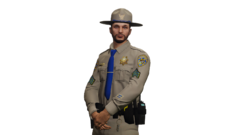
From the album: EUP Portraits
w/o Backdrop -
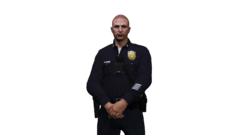
From the album: EUP Portraits
w/o Backdrop -
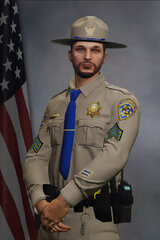
From the album: EUP Portraits
Finished -
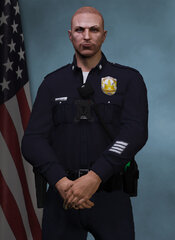
From the album: EUP Portraits
Finished -

From the album: EUP Portraits
Finished -
-
-
 Amazing mod, and I would recommend this to everyone else I know that plays LSPD:FR. For those of you who complain about it breaking your game: That's what backups are for, it's nobodies fault but your own for breaking your game which you refused to back up. Don't take it out on the creators for your own mistakes.
- 635 comments
- 72 reviews
-
With EFLC certain cars of my pack don't work, but I'll see if it's any better. Thanks for the suggestion.
-
RIP 1.0.7.0 is subject to ALOT of Crashes...That's why I mainly use 8.0.
-
Good luck getting a computer that will run LCPD:FR without crashing. I have a GTX 760 4 gig, with 12 gigs of ram, AMD 6 Core Water Cooled CPU and it would still crash. It's LCPD:FR itself on the 1.0.7.0 platform. If you play vanilla, on 1.0.8.0 you will not experience ANY crashes as long as you don't put any ENB or heavy mods compatible with that version.
-
Now, I know it seems impossible, but someone should actually attempt to make LCPD:FR and its modifications compatible with GTA IV's newest patch which would be Patch 1.0.8.0. Sounds like a long-shot, I know. I think it's a good idea though.
-
Tried that and it still didn't work, although when I replaced the audio file itself, it worked perfectly once again so it has to be an issue with it not having certain files? I'm not sure at this point.
-
The title doesn't really explain what I'm going to be asking but I didn't know what else to put. I was actually wondering if there was any way to add / edit the sound files that LCPD:FR has. I wanted to add more voice files for the NOoSE Models but somehow can't find any way to do that since LCPD:FR itself has something to do with it. In the sound folder for the NOoSE ped, there is only one sound file: CALL_IN_PURSUIT_01 Am I able to add the other sound files directly from the M_Y_SWAT_WHITE that is located in the resident.rpf file of GTA IV to the LCPD:FR audio folder? All replies are greatly appreciated, helpful or not.
-
sounds good my man.
-
When I can, I will take your suggestion into full consideration and will get to work on it. Thank you for your help, it's appreciated.
-
is it illegal for me to have a profile picture which is exactly the same as the Staff team profile pictures. Although I am not impersonating staff in any shape or form, I put a piece of text in small print which states "Not an LCPDFR.com moderator" I'm questioning this, because I actually think it would be breaking the rules since it makes me look like a moderator. Thanks in advance. If ordered to change it, I will. I have no problem with that. I hired a friend of mine, who is a professional digital artist to make a template similar to the one you guys use, in case you're wondering how I obtained such template.